From Empty Backlog to Merged Epic: A Full Generacy Walkthrough
By Chris Trudel
- walkthrough
- cockpit
What does it actually look like to hand a feature epic to a fleet of AI agents — and stay in control the whole way? This is the unedited path: new project, local cluster, a plan, a backlog, and the cockpit driving it to merged.
The demo project is snappoll — a small web app for instant anonymous polls. Nothing exotic: enough surface to need a real plan and a few parallel issues, small enough to fit in one post. Every screenshot below is from the actual run, in order, as it happened.
1. Create the project
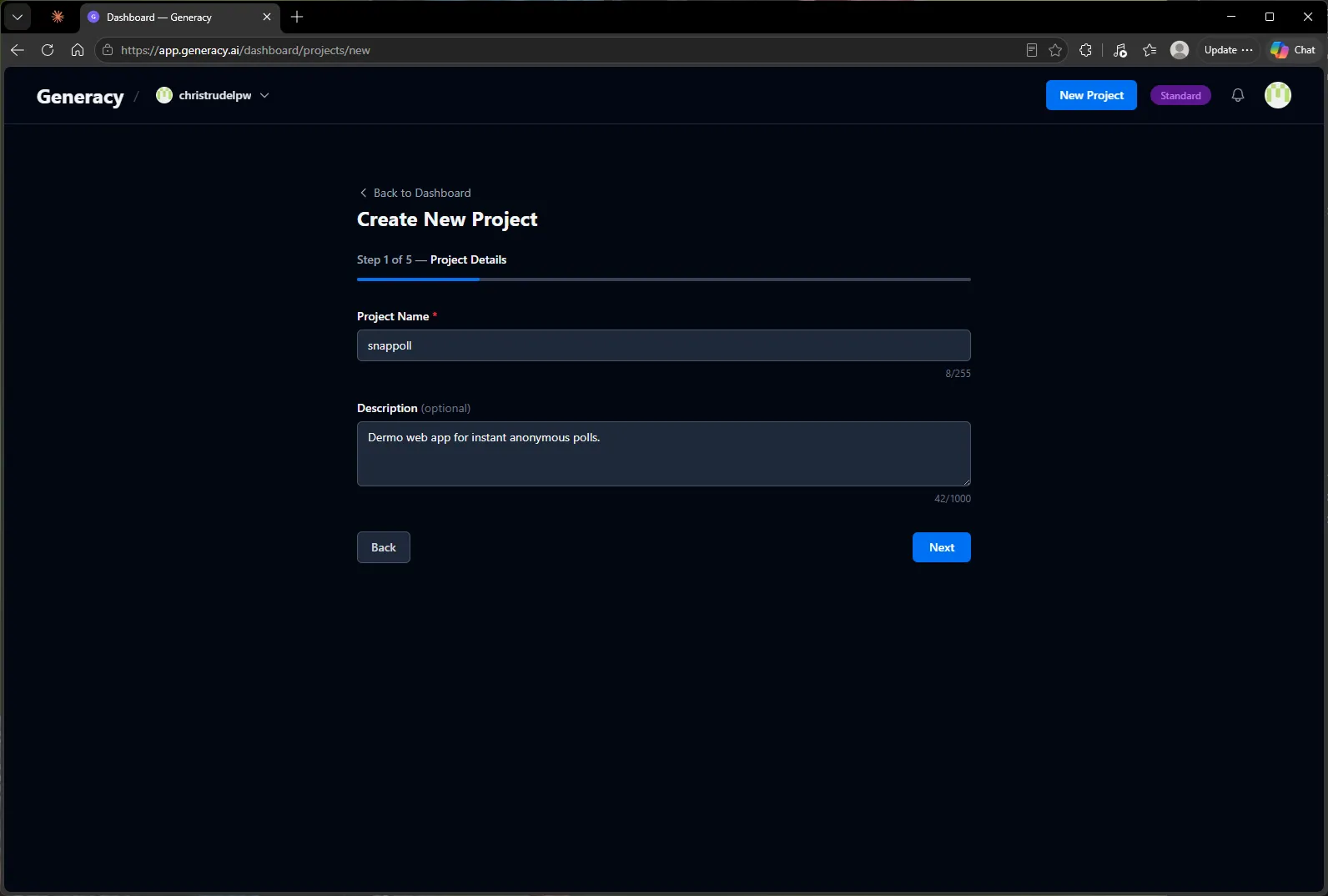
Project creation is a five-step wizard on the generacy.ai dashboard: name it, point it at GitHub, pick a release channel and a cluster variant, confirm. Step one is just a name and an optional description.
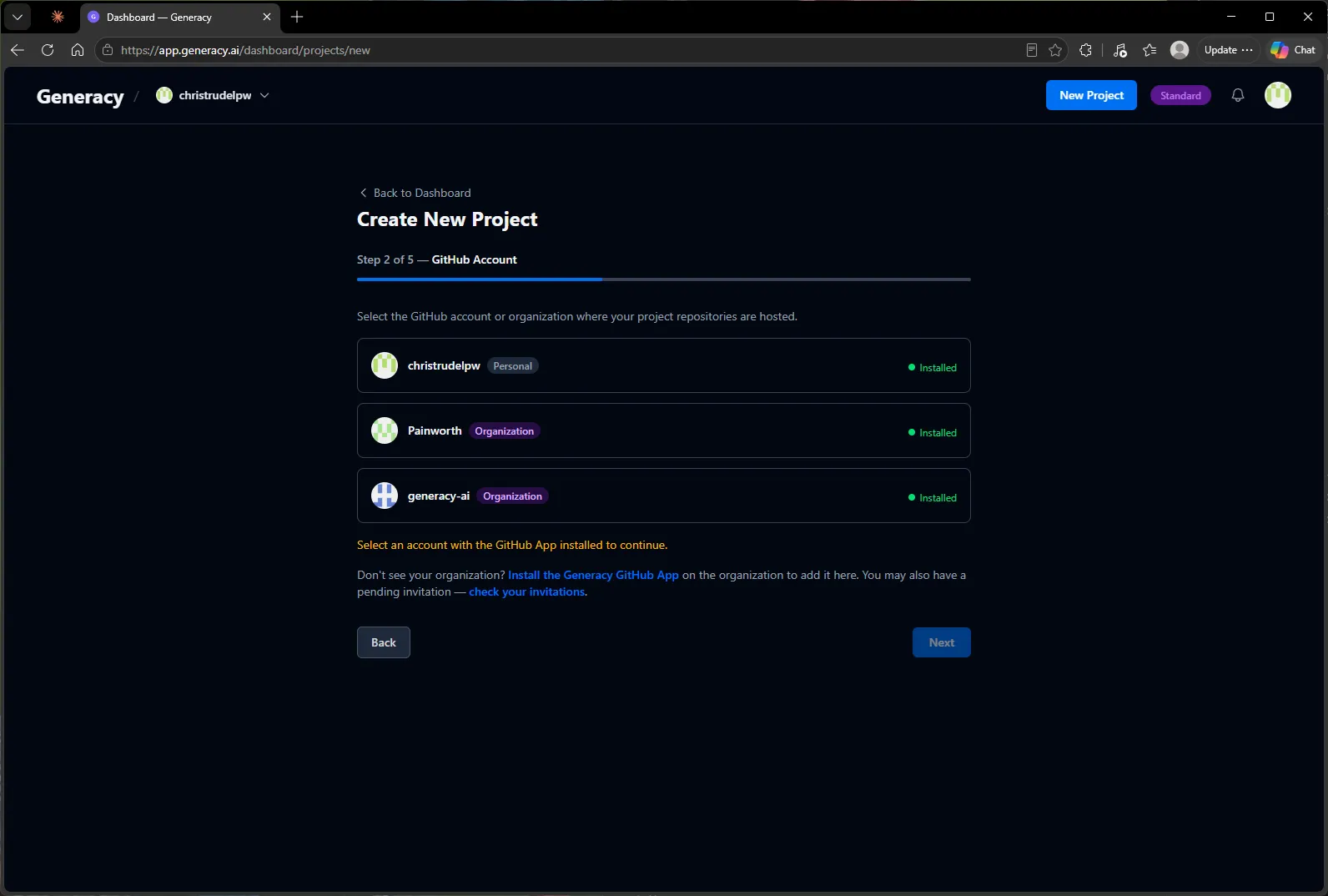
Next, choose the GitHub account or organization that will host the project’s repositories. The wizard lists every account where the Generacy GitHub App is already installed, and links out to install it if yours isn’t in the list yet.
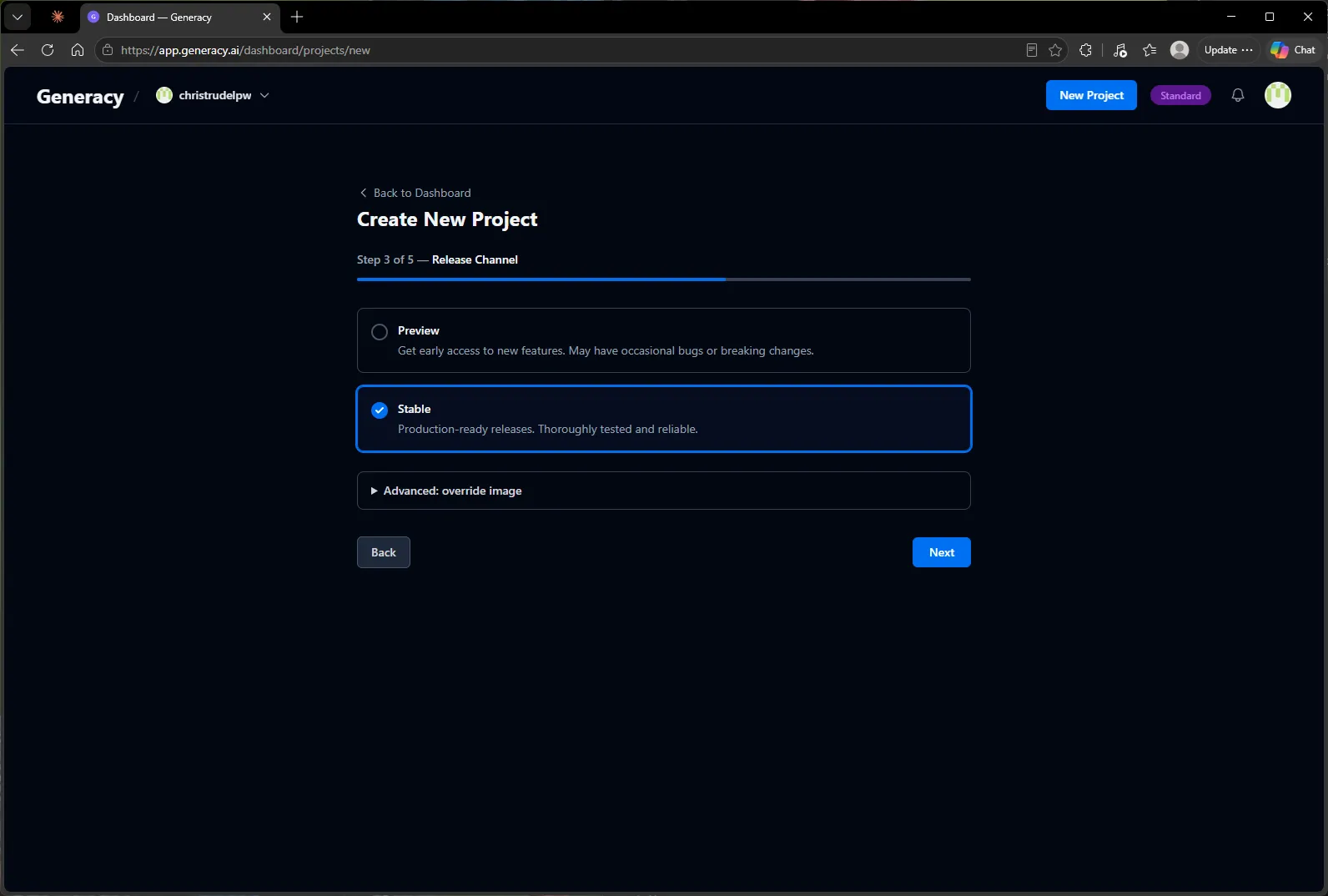
Two decisions left, both with sensible defaults. The release channel controls which Generacy releases your cluster tracks — Stable unless you want early features from Preview.
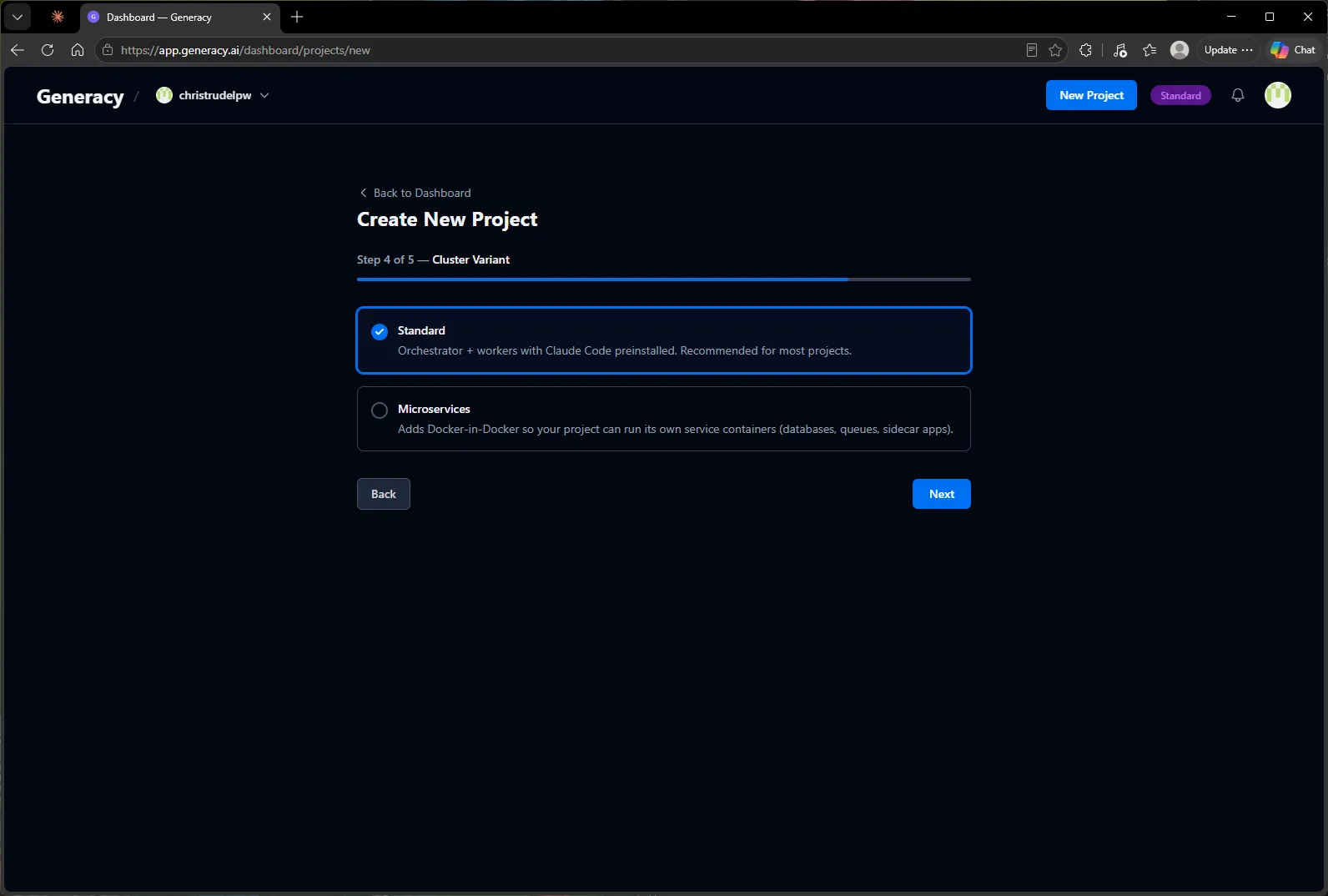
The cluster variant decides what the agents’ world looks like. Standard is an orchestrator plus workers with Claude Code preinstalled — right for most projects, including this one. Microservices adds Docker-in-Docker for projects whose dev environment runs its own service containers (databases, queues, sidecar apps).
Review, create, done — about a minute end to end.
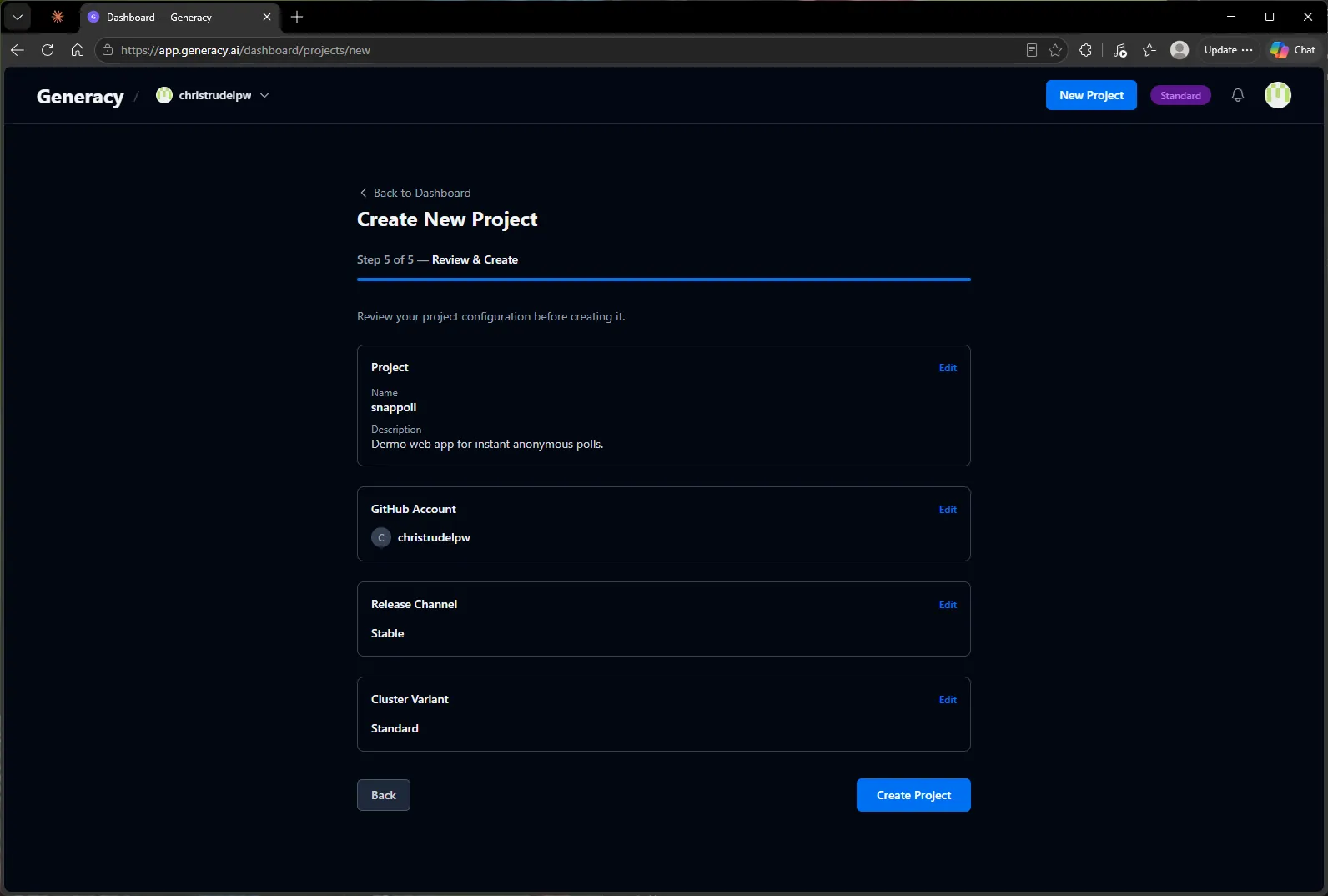
2. Launch a local cluster
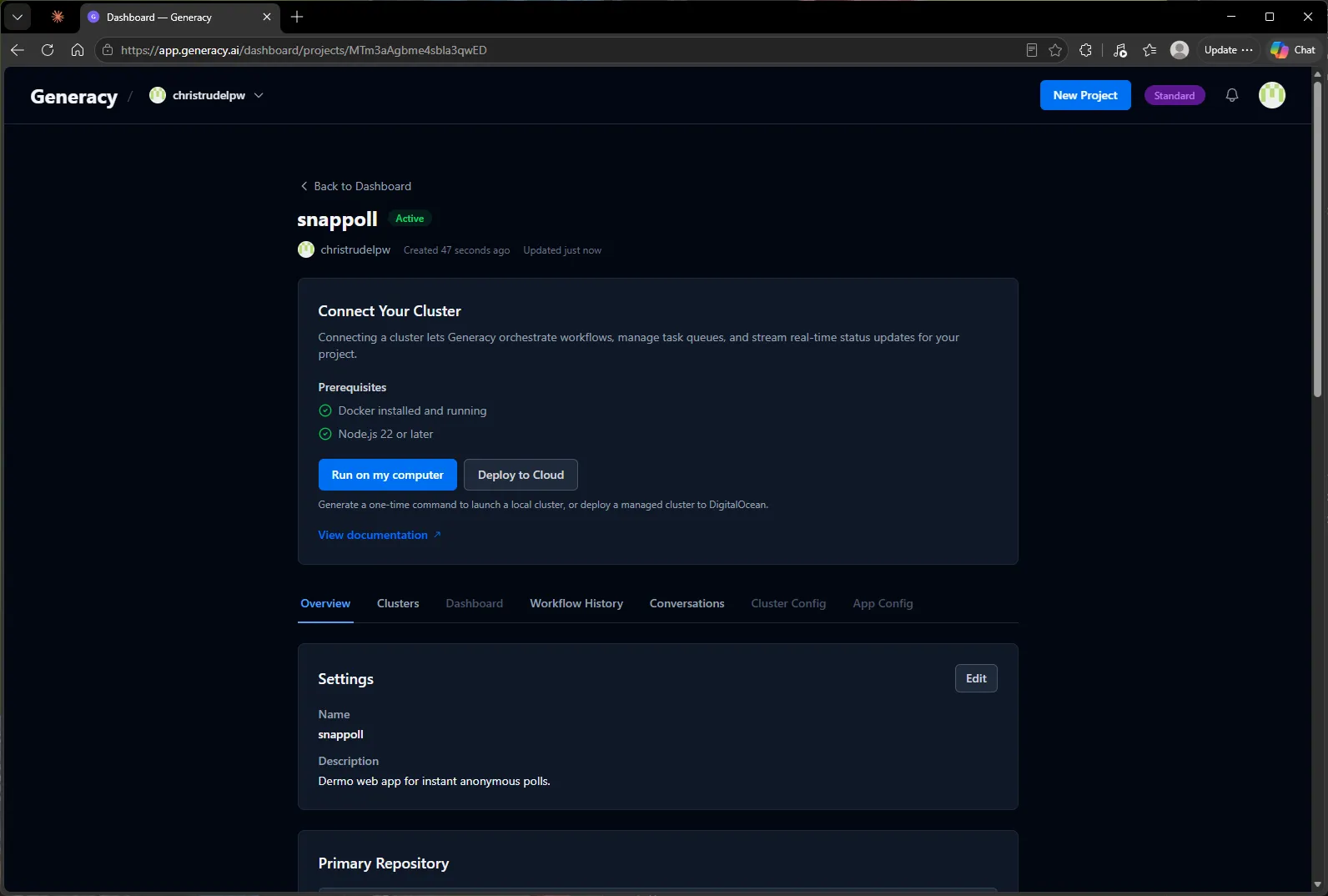
The new project page offers two ways to get a cluster: Run on my computer or Deploy to Cloud. For this walkthrough I’m running it locally — the prerequisites are just Docker and Node 22, and the page checks them off for you.
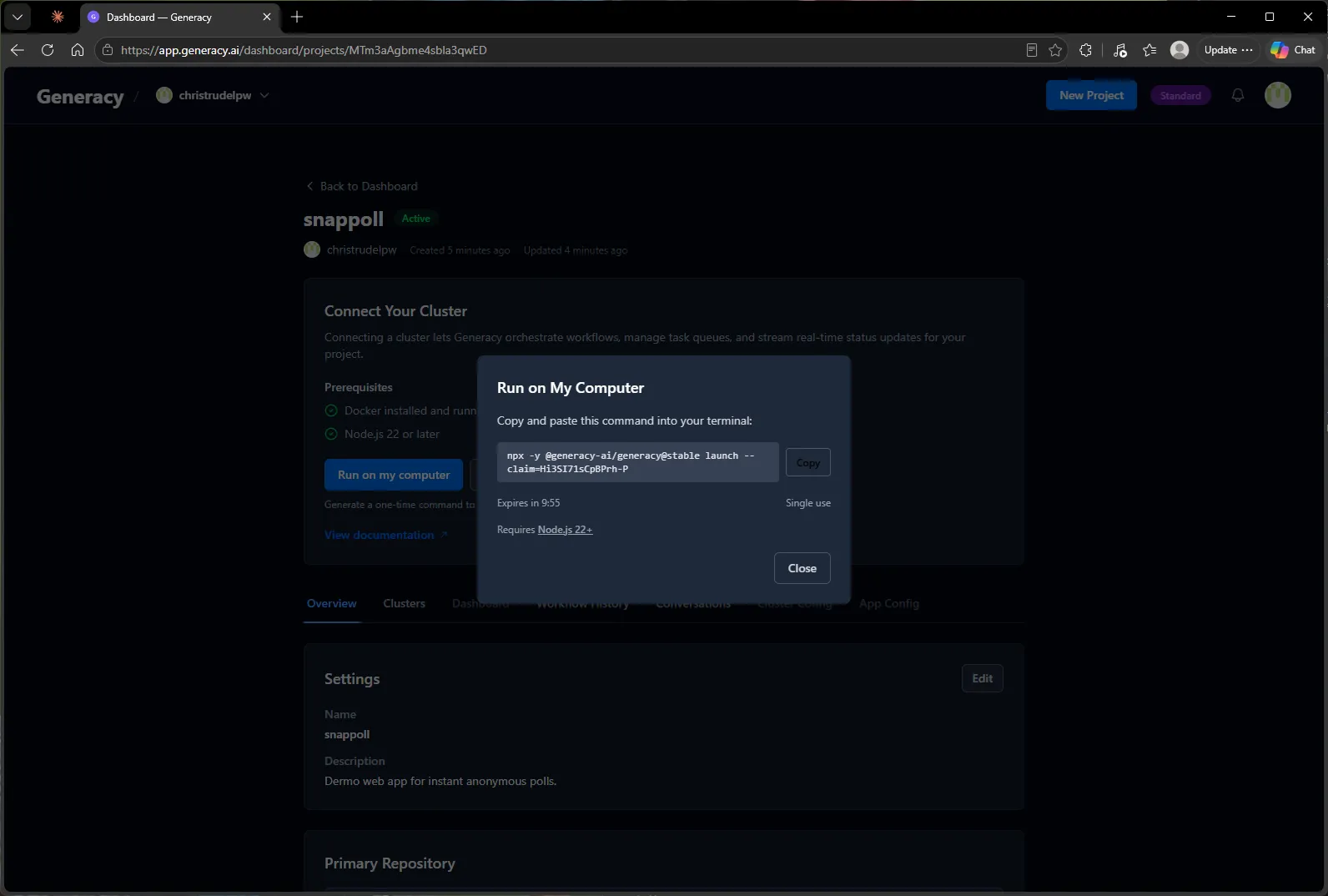
Clicking Run on my computer generates a single-use launch command with an embedded claim code. It expires in ten minutes, so copy it and go.
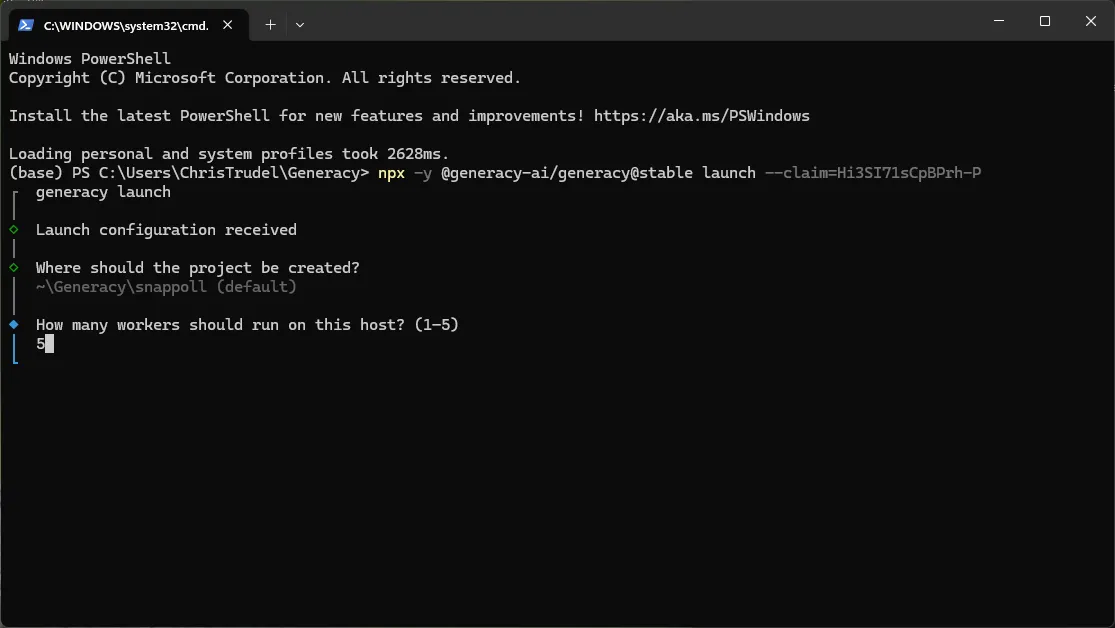
Paste it into any terminal — PowerShell here, since this is a Windows machine:
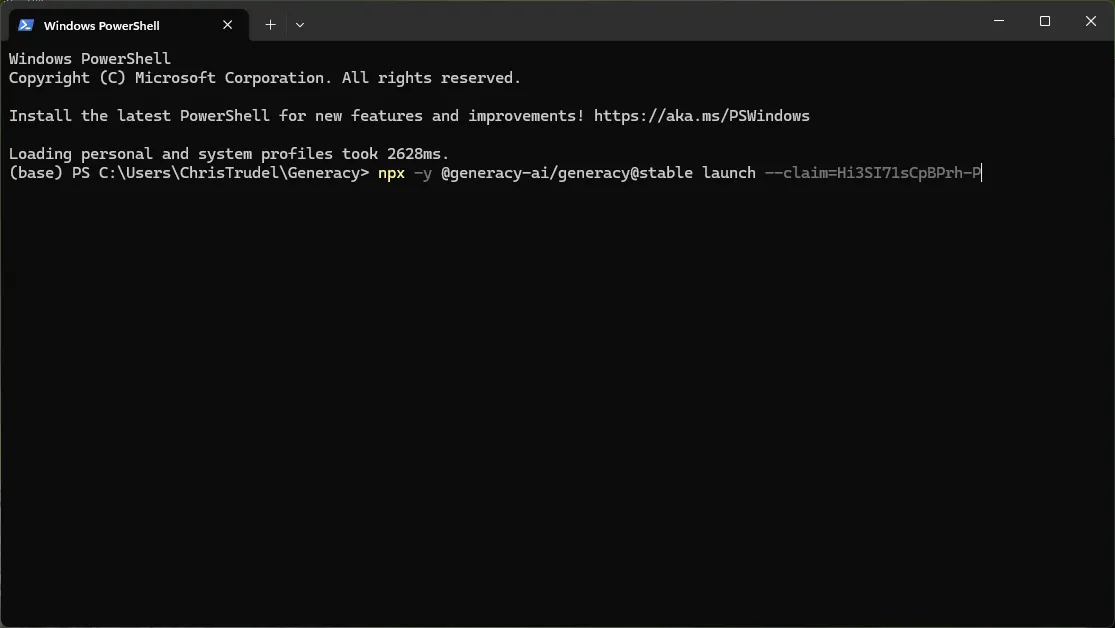
The CLI asks exactly two questions: where to put the project, and how many workers to run. Workers are the parallel agent slots — I went with the maximum of five, since the whole point of this exercise is parallel development.
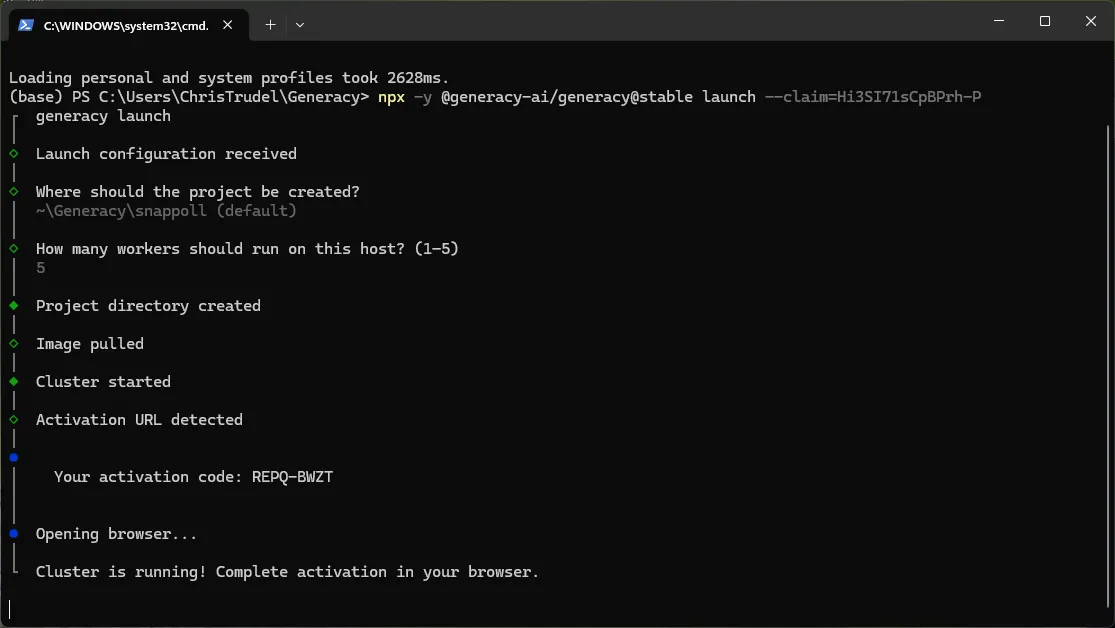
Then it pulls the cluster image, starts it, and prints an activation code as it opens the browser:
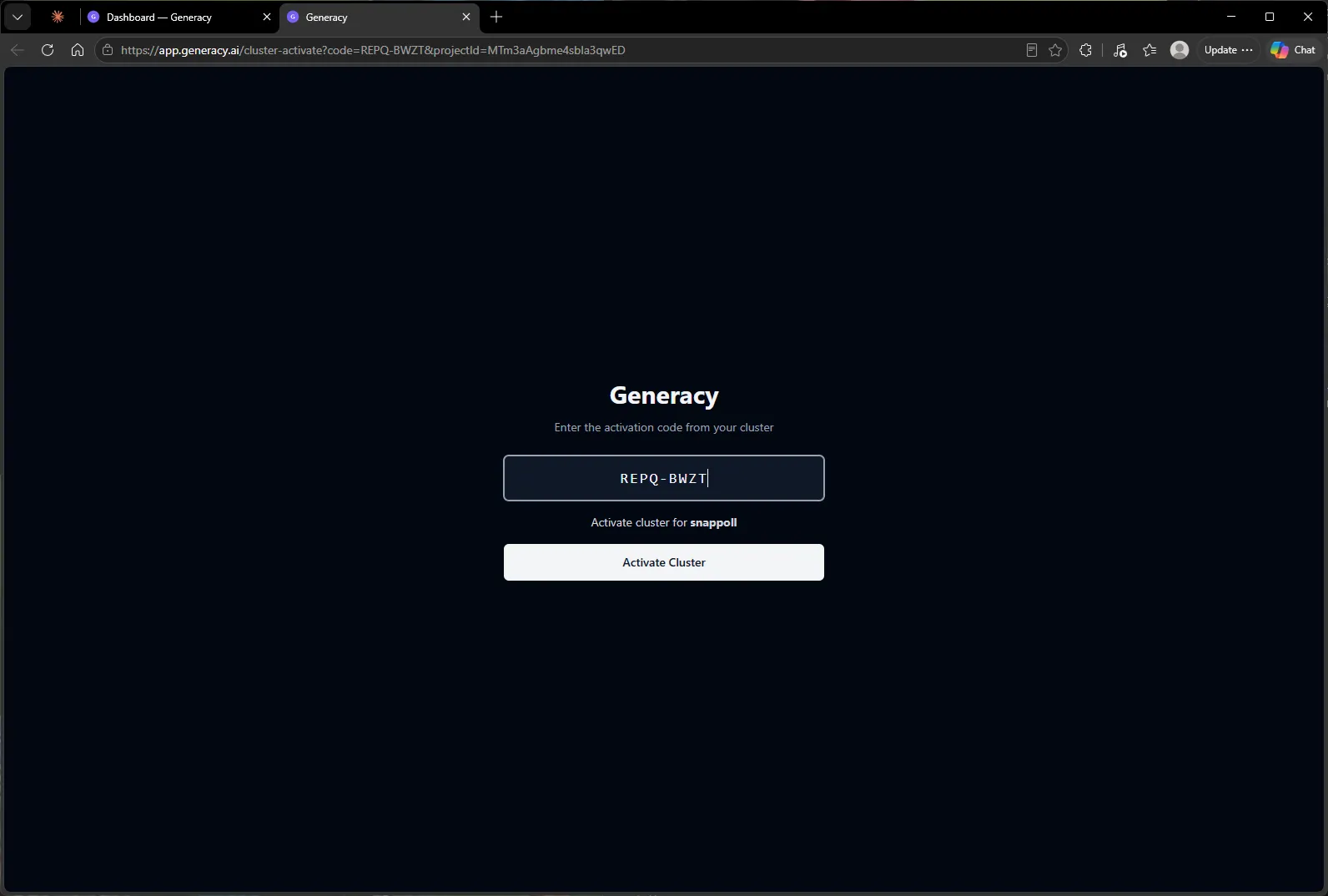
The browser lands on the activation page with the code pre-filled — one click ties this running cluster to the snappoll project.
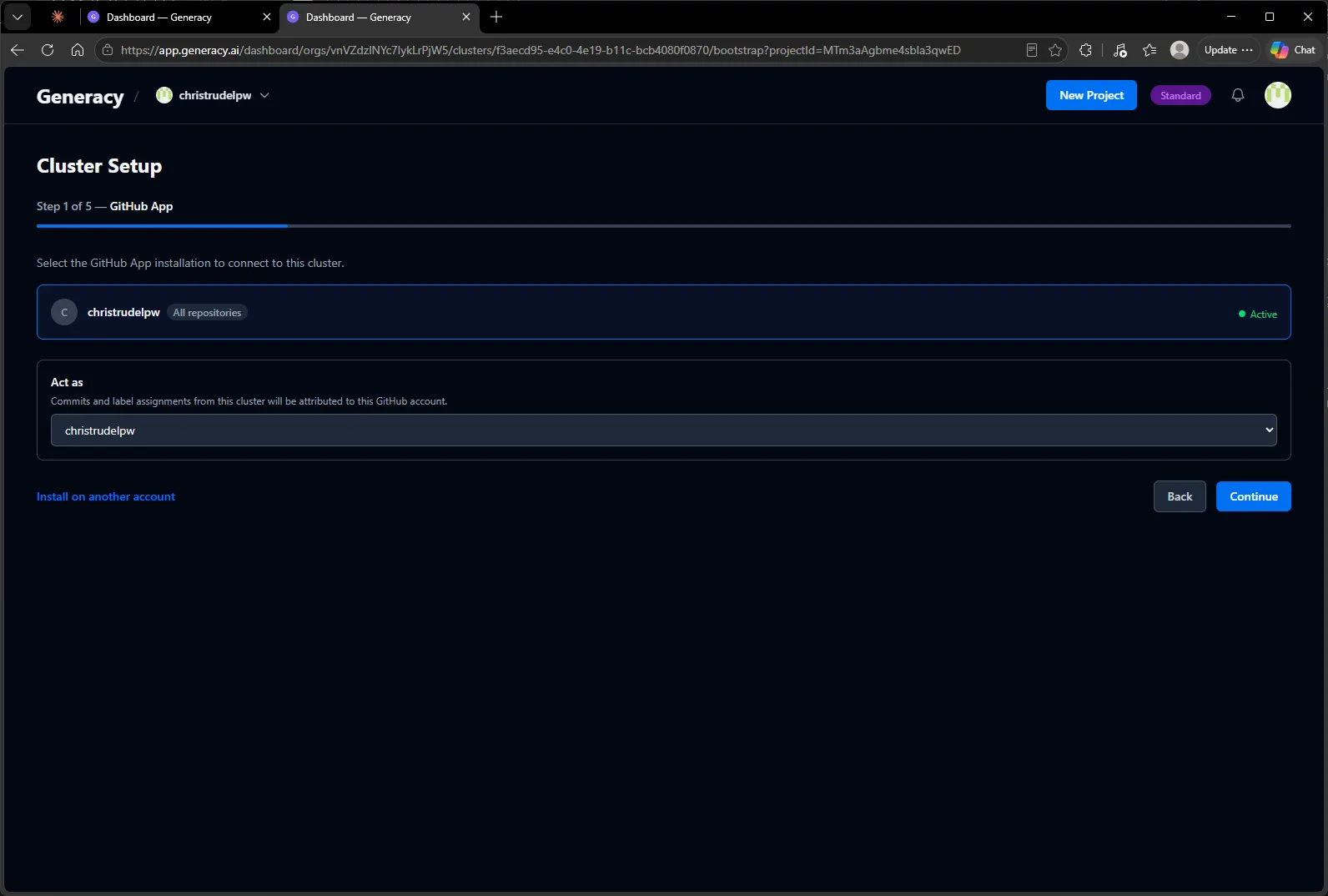
Activation hands off to a short cluster-setup wizard. First, GitHub: pick the GitHub App installation the cluster should use, and — worth pausing on — the Act as account. Commits and label assignments from this cluster’s agents will be attributed to this identity.
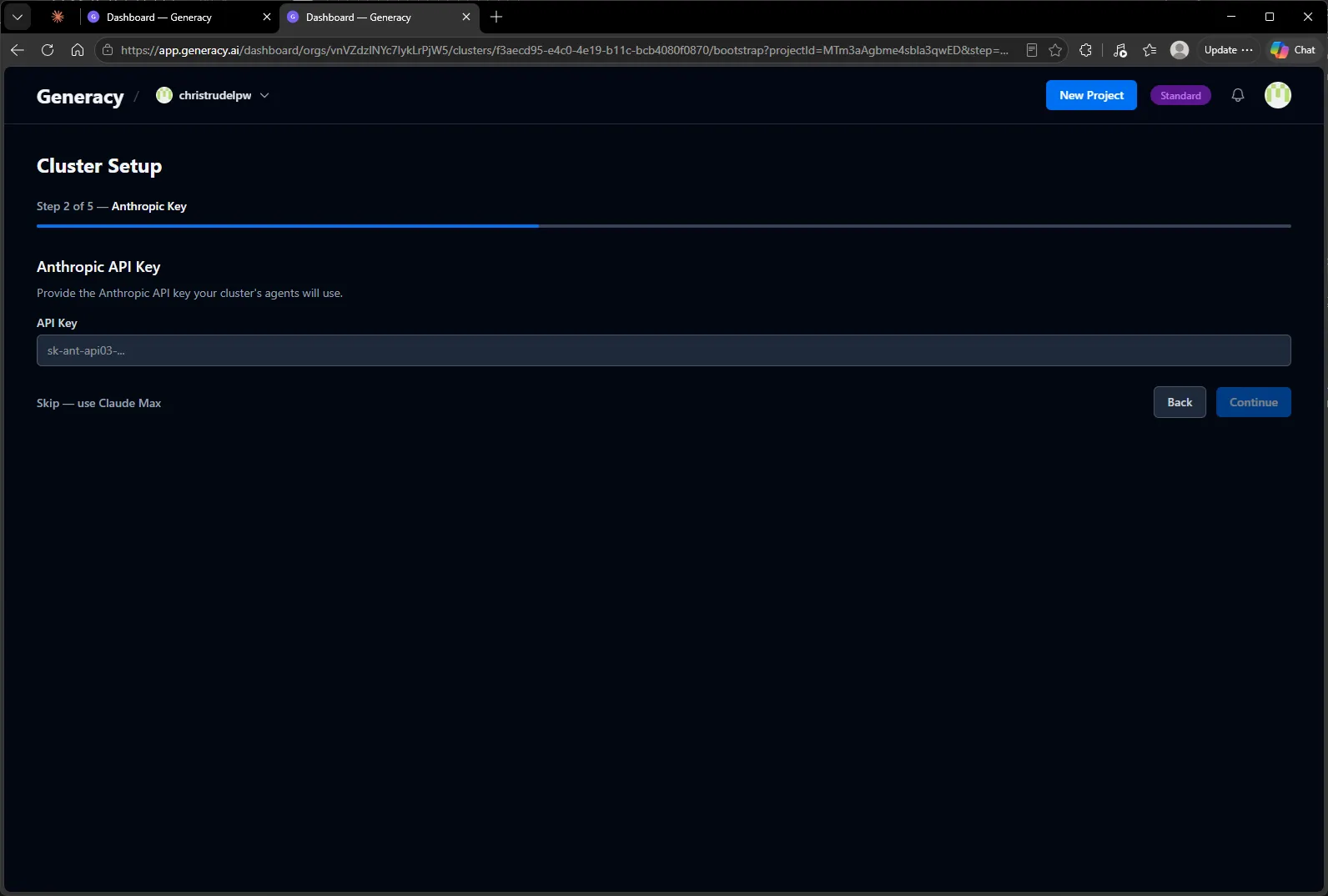
Next, how the agents talk to Claude: paste an Anthropic API key, or skip and use a Claude subscription. I skipped — we’ll sign in with Claude Max from inside the cluster in the next section.
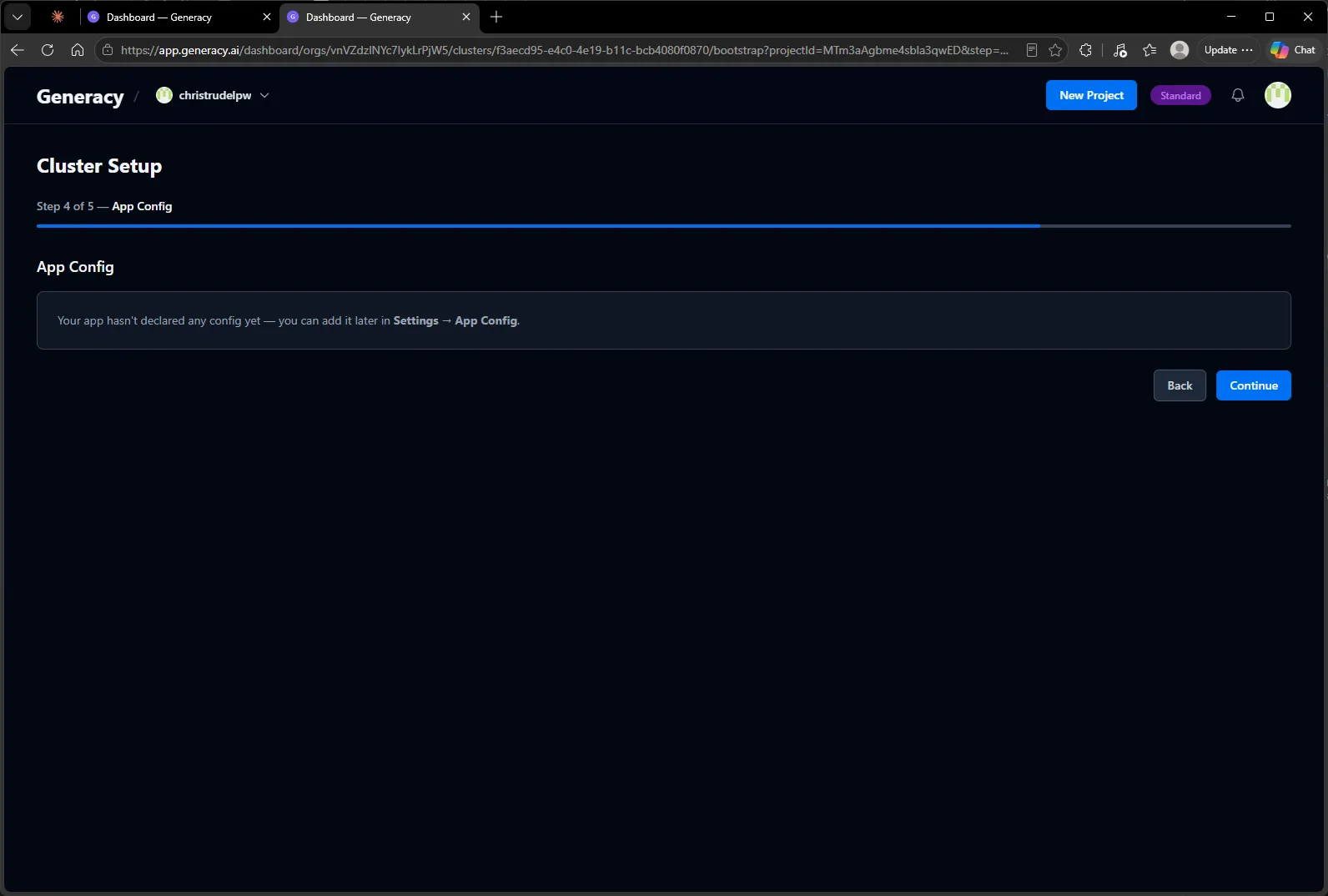
The wizard then waits a few seconds while the cluster clones the repo and reads its config manifest. snappoll is a brand-new project with no app config declared, so there’s nothing to fill in:
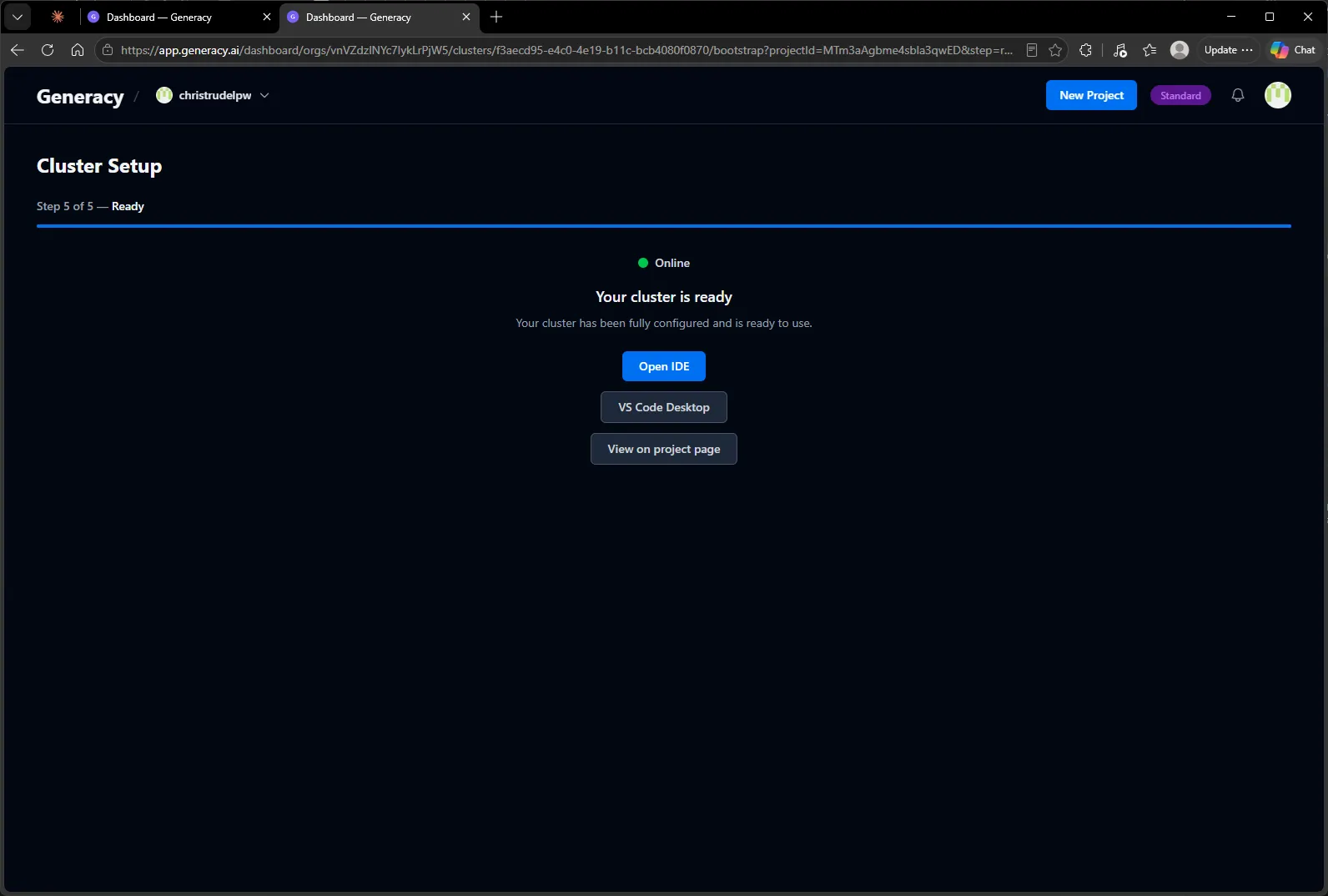
And that’s the cluster up:
3. Connect VS Code and authenticate Claude
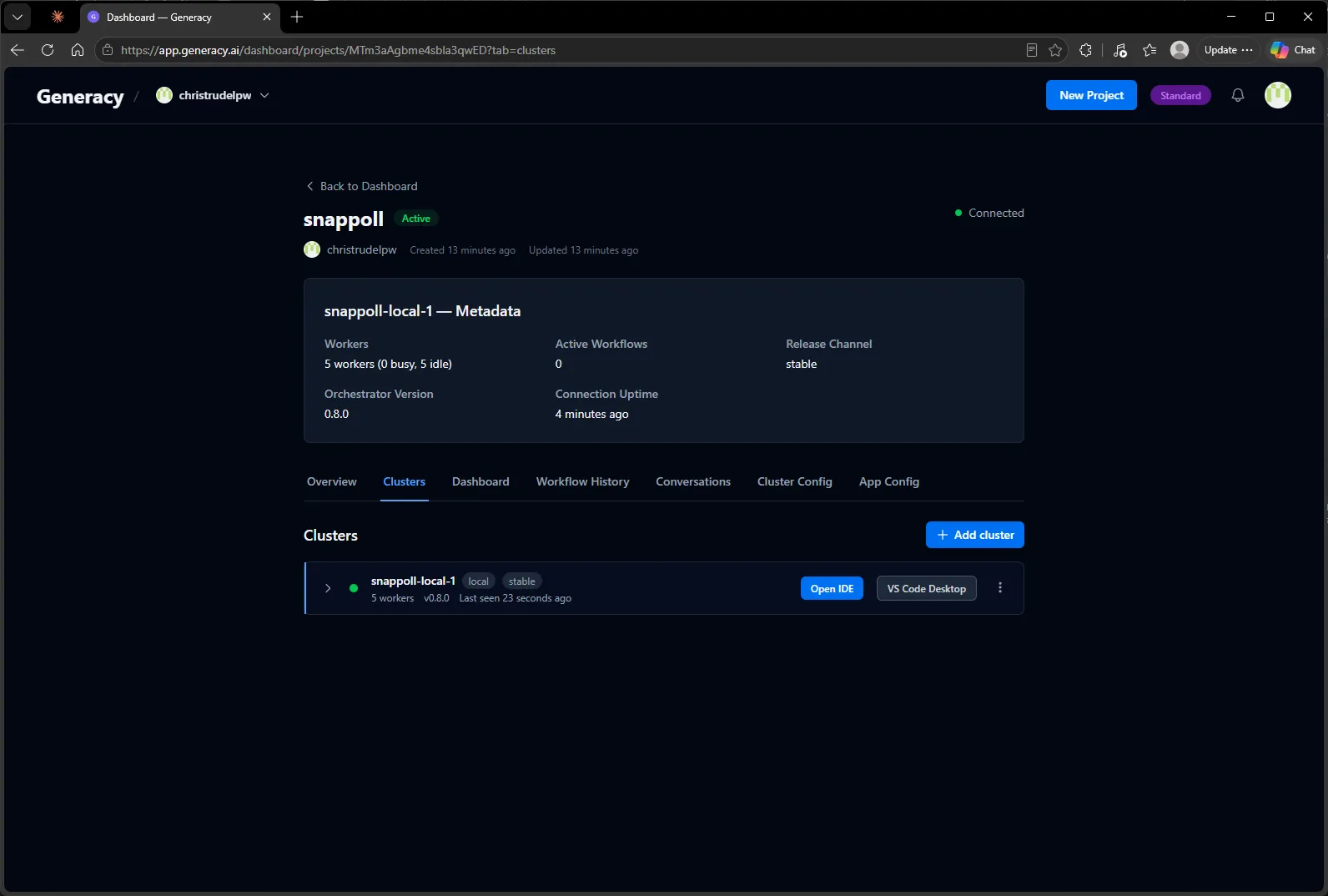
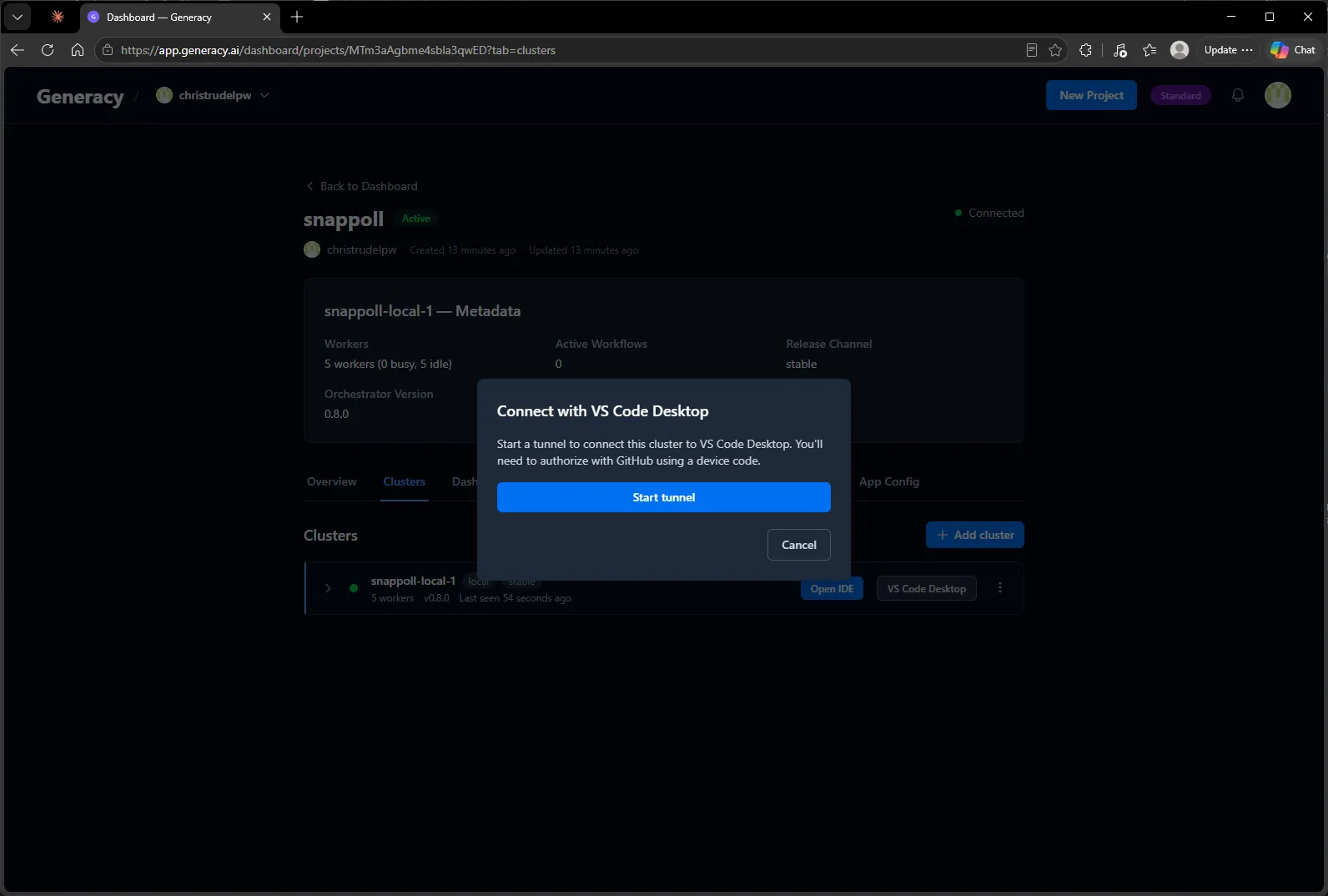
Back on the project page, the Clusters tab shows the new cluster live: five workers idle, connected, tracking stable. From here you can open the browser IDE or connect desktop VS Code over a tunnel.
VS Code Desktop starts a tunnel and walks you through a standard GitHub device-code authorization:
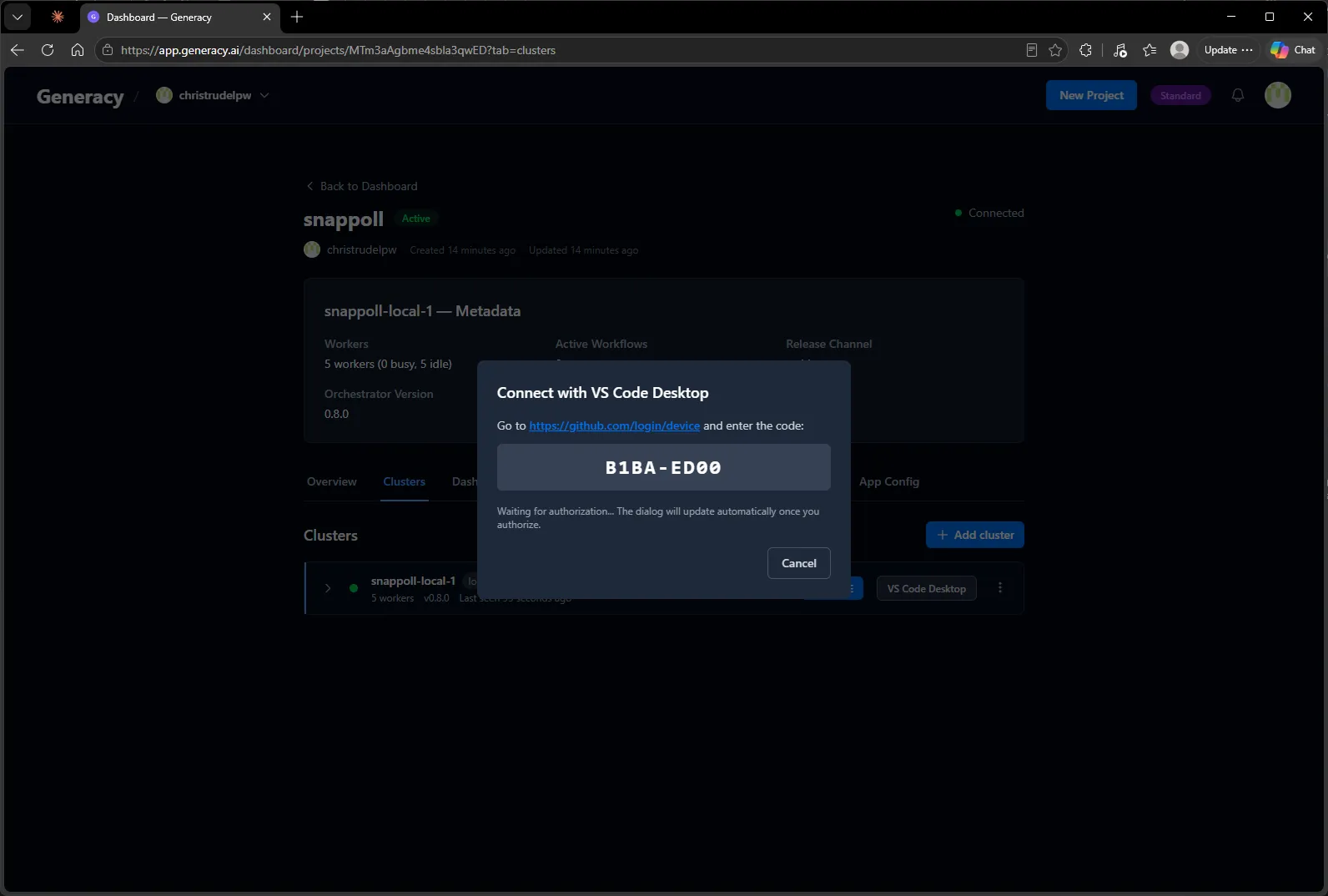
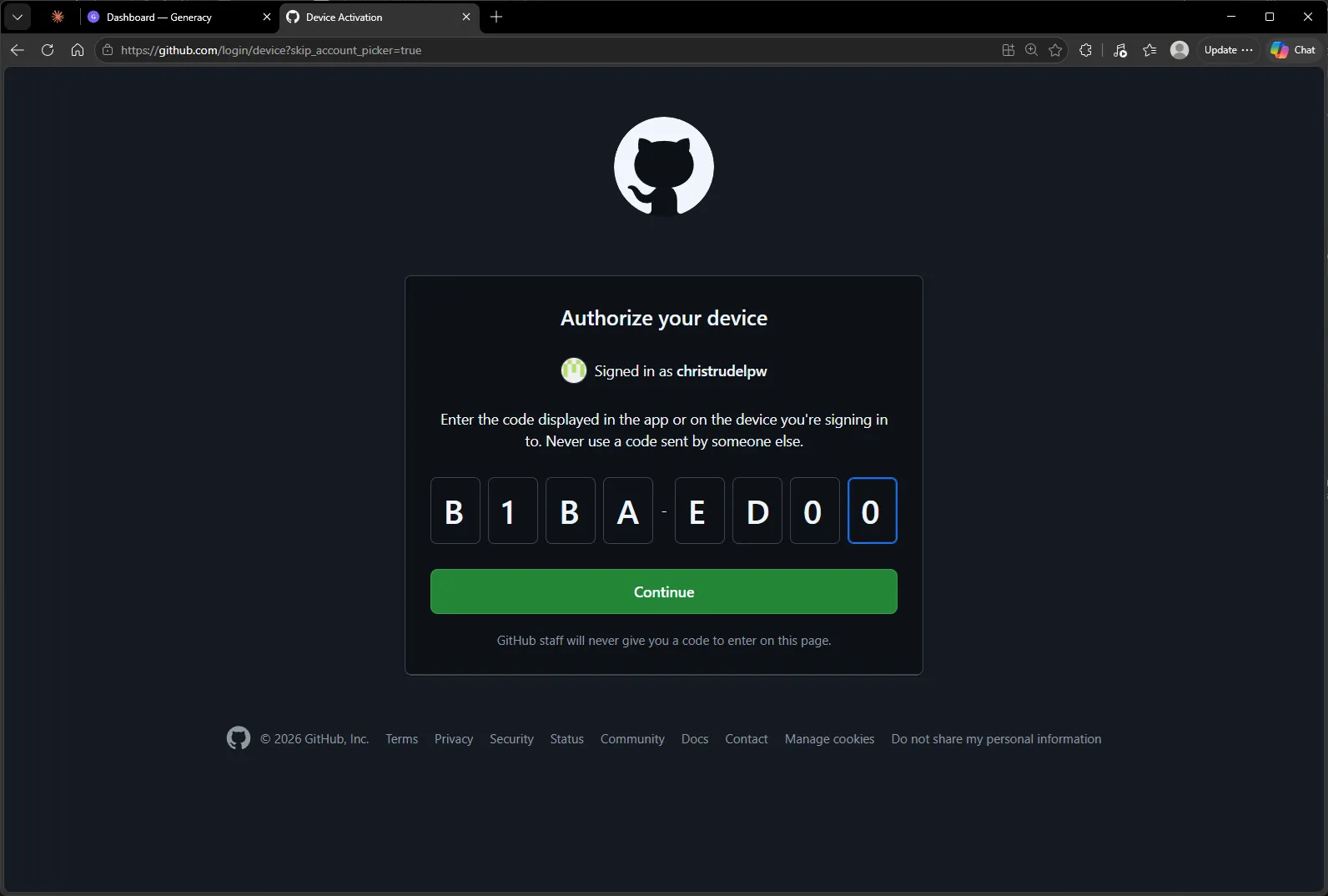
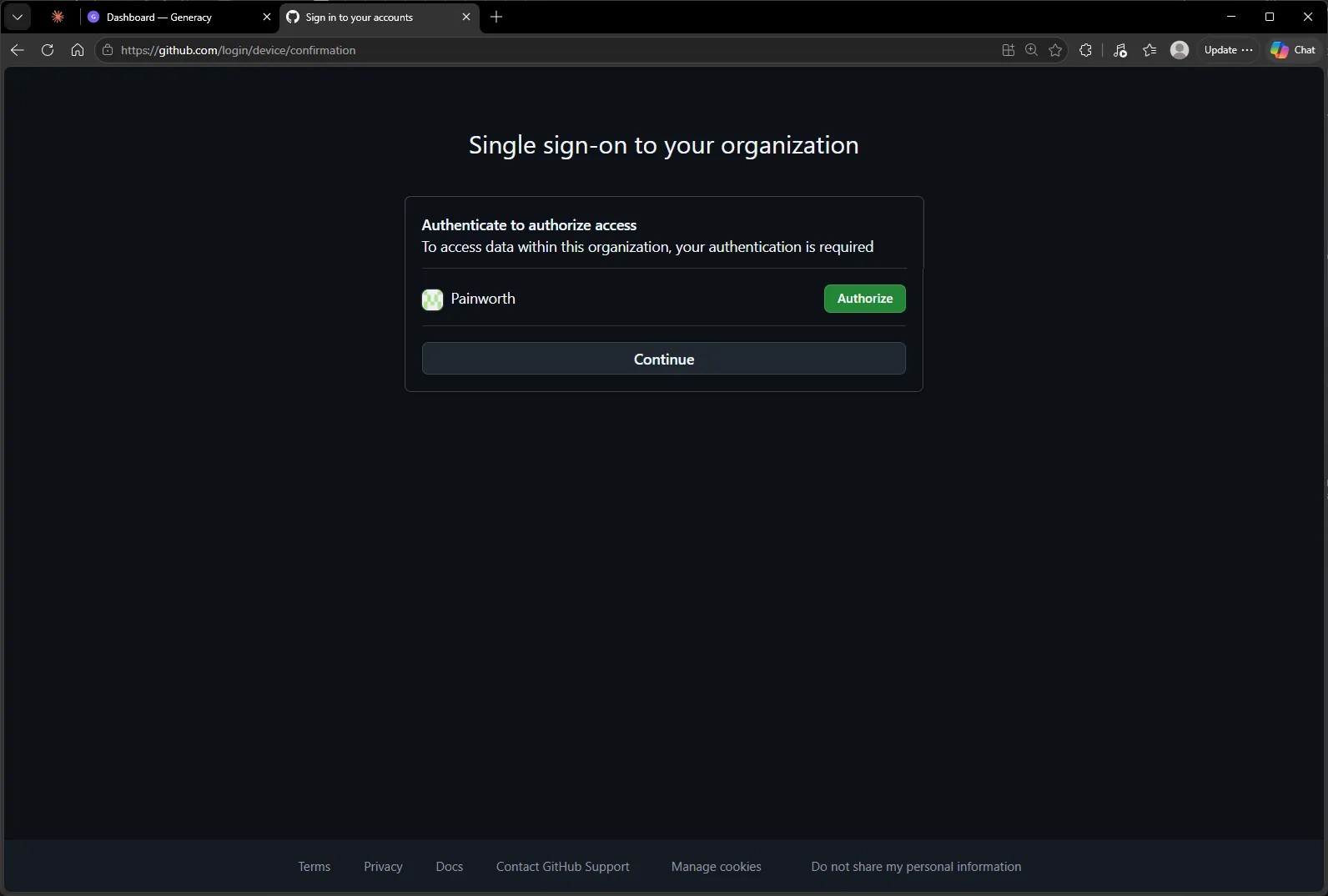
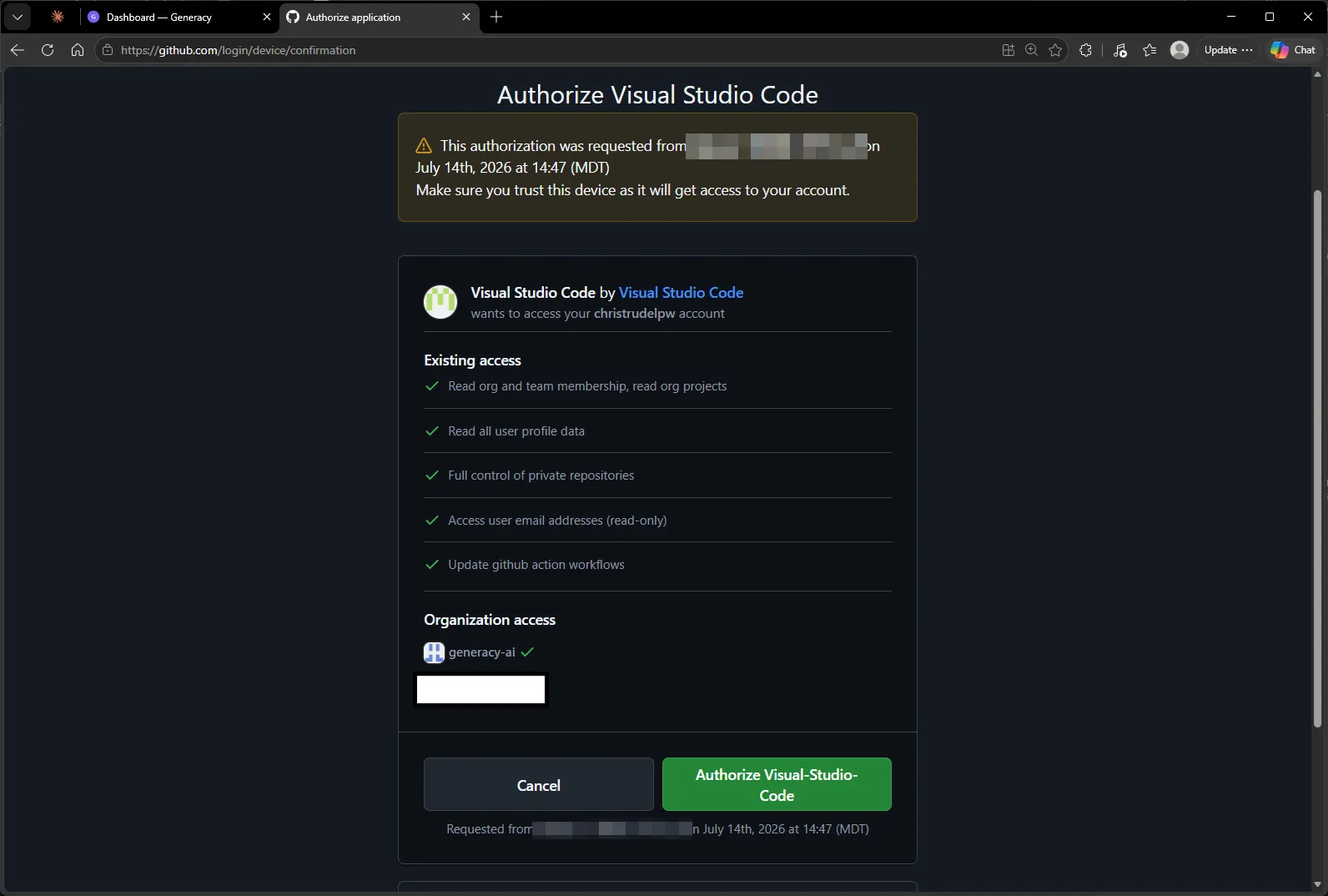
Enter the code on GitHub, authorize any organizations you need (I authorized my org via its SSO prompt), and approve the Visual Studio Code application:
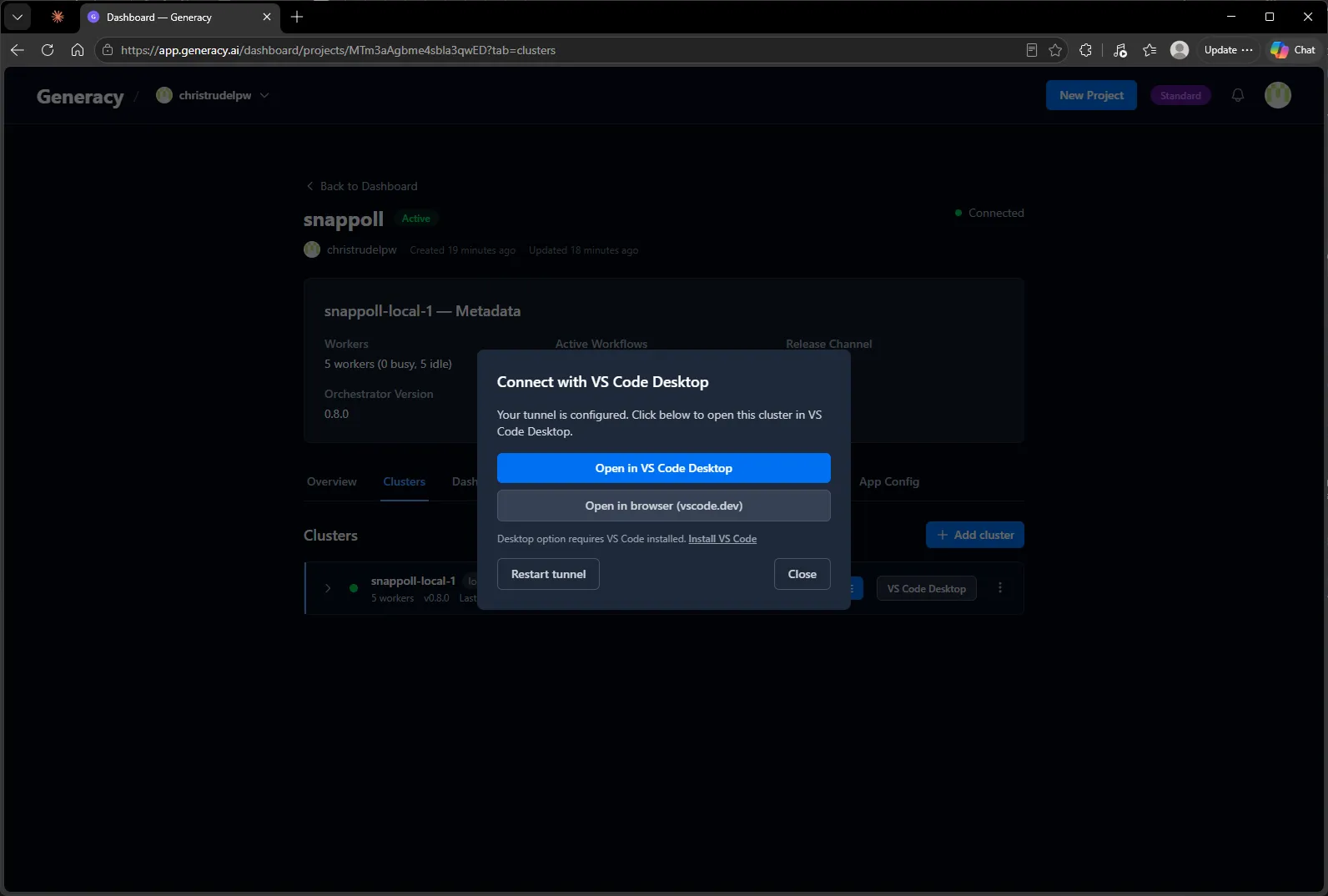
With the tunnel up, the dialog offers desktop VS Code or the browser via vscode.dev — either works; I stayed in the browser:
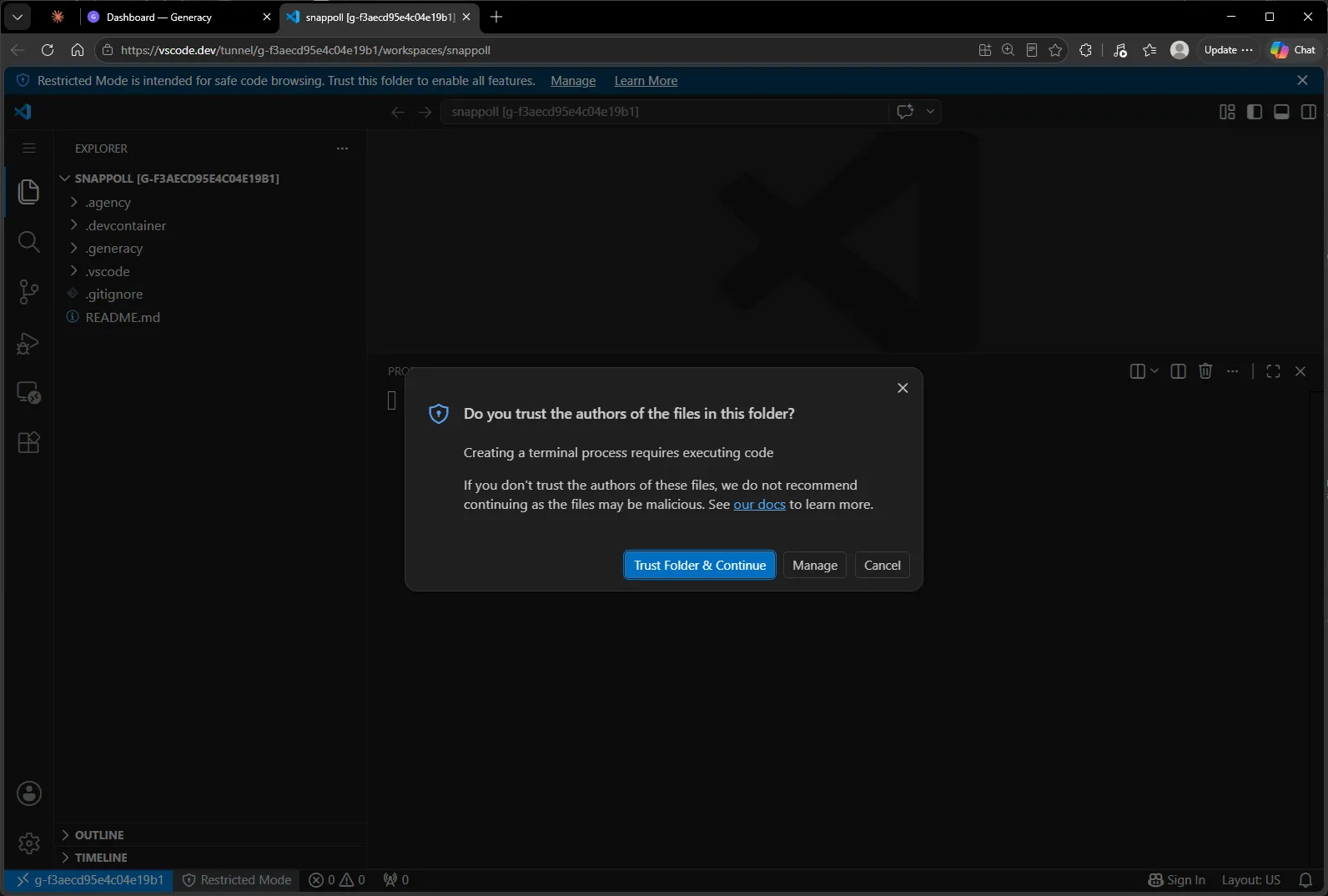
The workspace opens on the snappoll repo the platform provisioned — already carrying its cluster configuration (.generacy/, .agency/, .devcontainer/) on a fresh main branch. Trust the folder when prompted:
Sign in to Claude
Since we skipped the API key during cluster setup, the agents use a Claude subscription — one interactive login inside the cluster sets it up. Open a terminal, run claude, then /login:
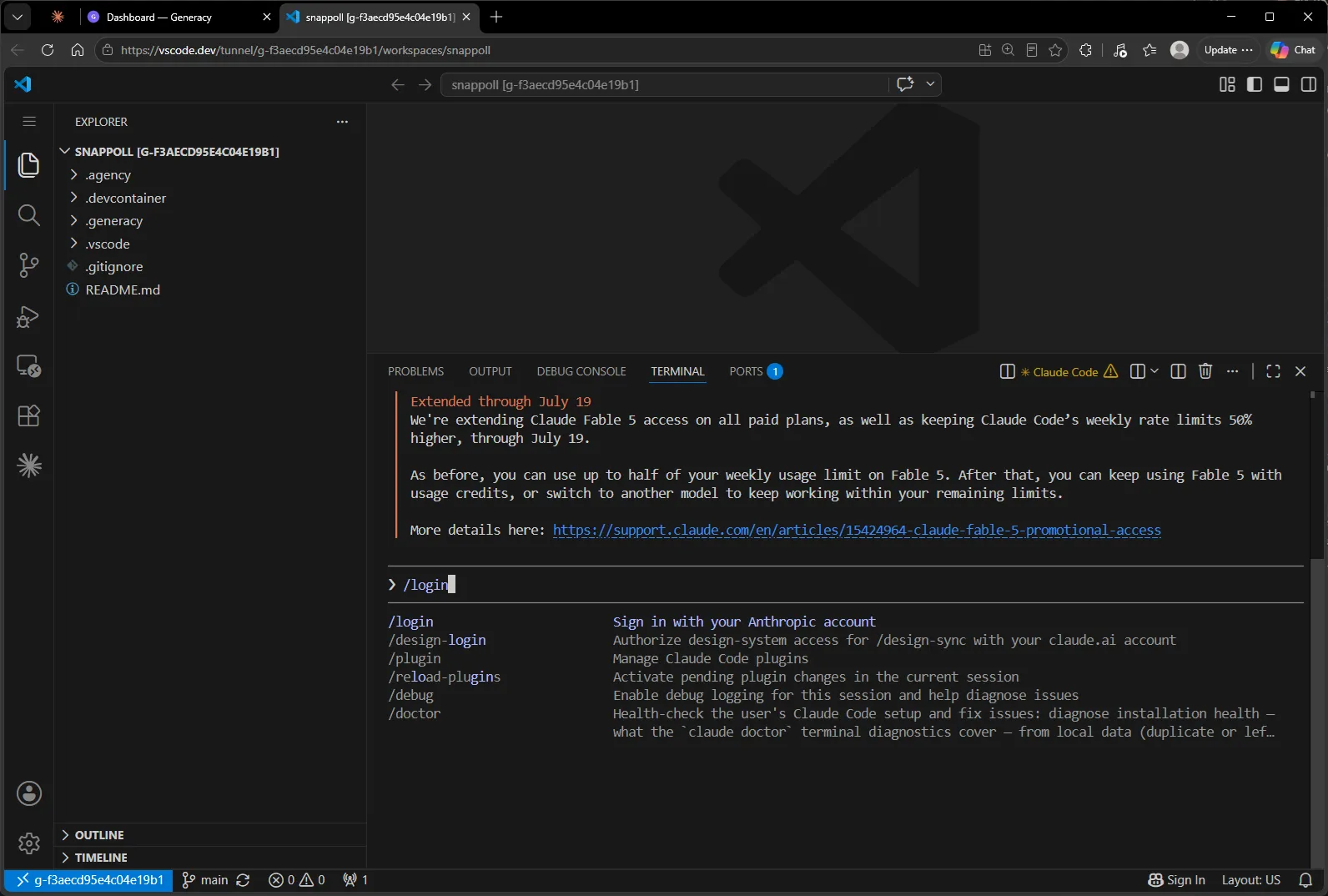
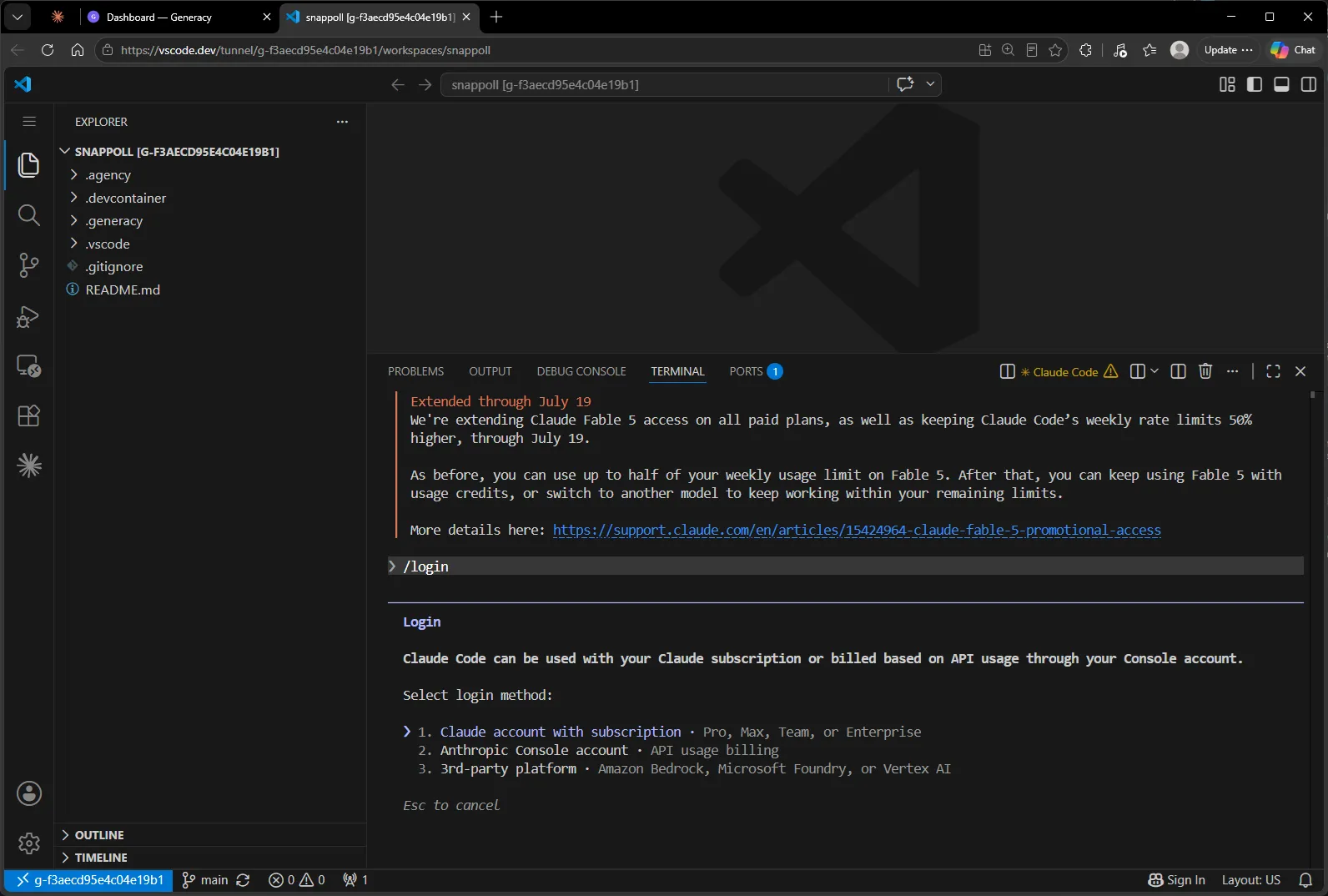
One tunnel-specific wrinkle: after picking the subscription option, VS Code pops a dialog offering to open the first OAuth URL — the one with a localhost redirect that can’t complete through a browser tunnel. Dismiss it, and instead use the fallback URL Claude prints in the terminal (the one below “Browser didn’t open?”):
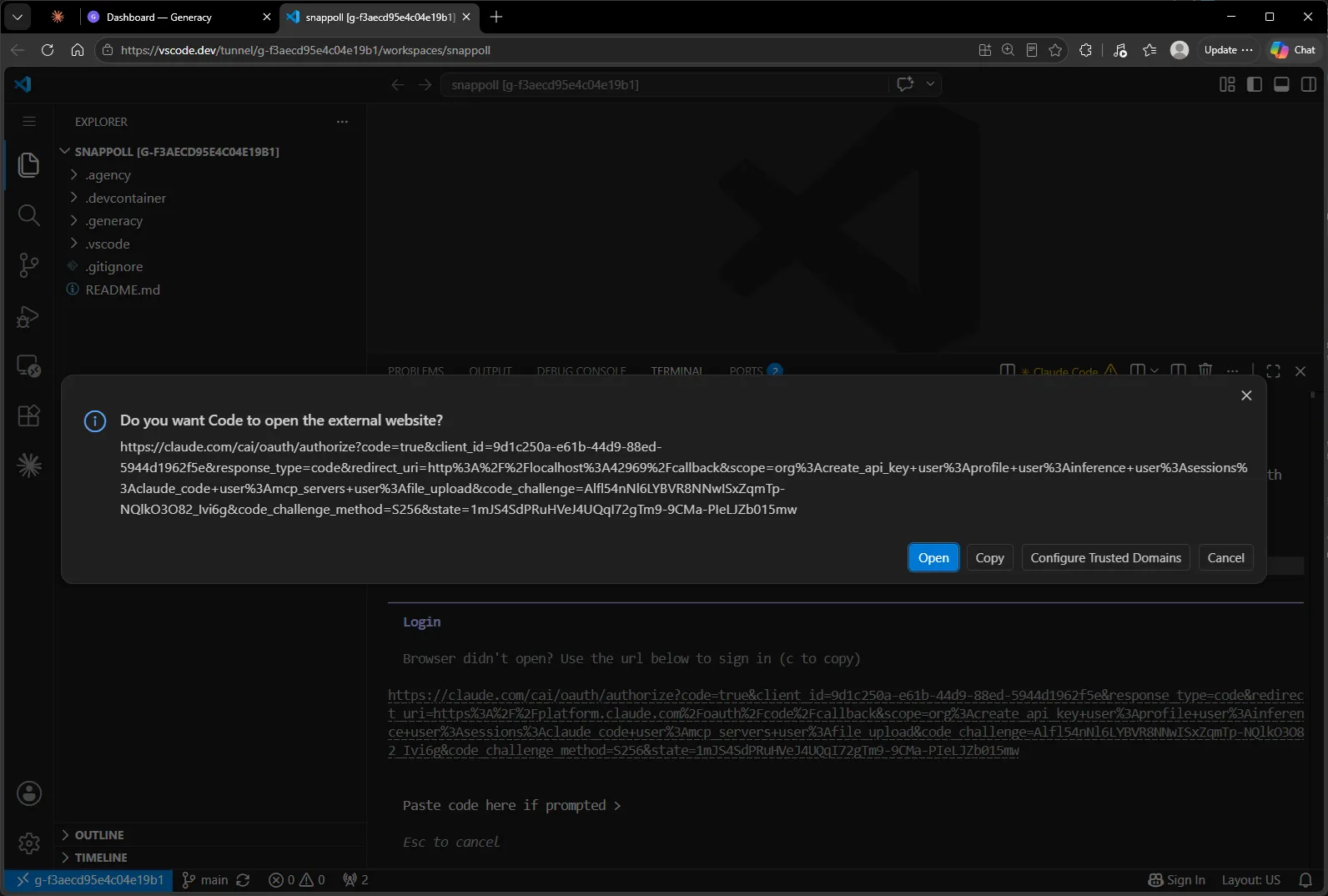
That fallback URL goes through claude.ai’s normal authorization page and hands you a code to paste back into the terminal:
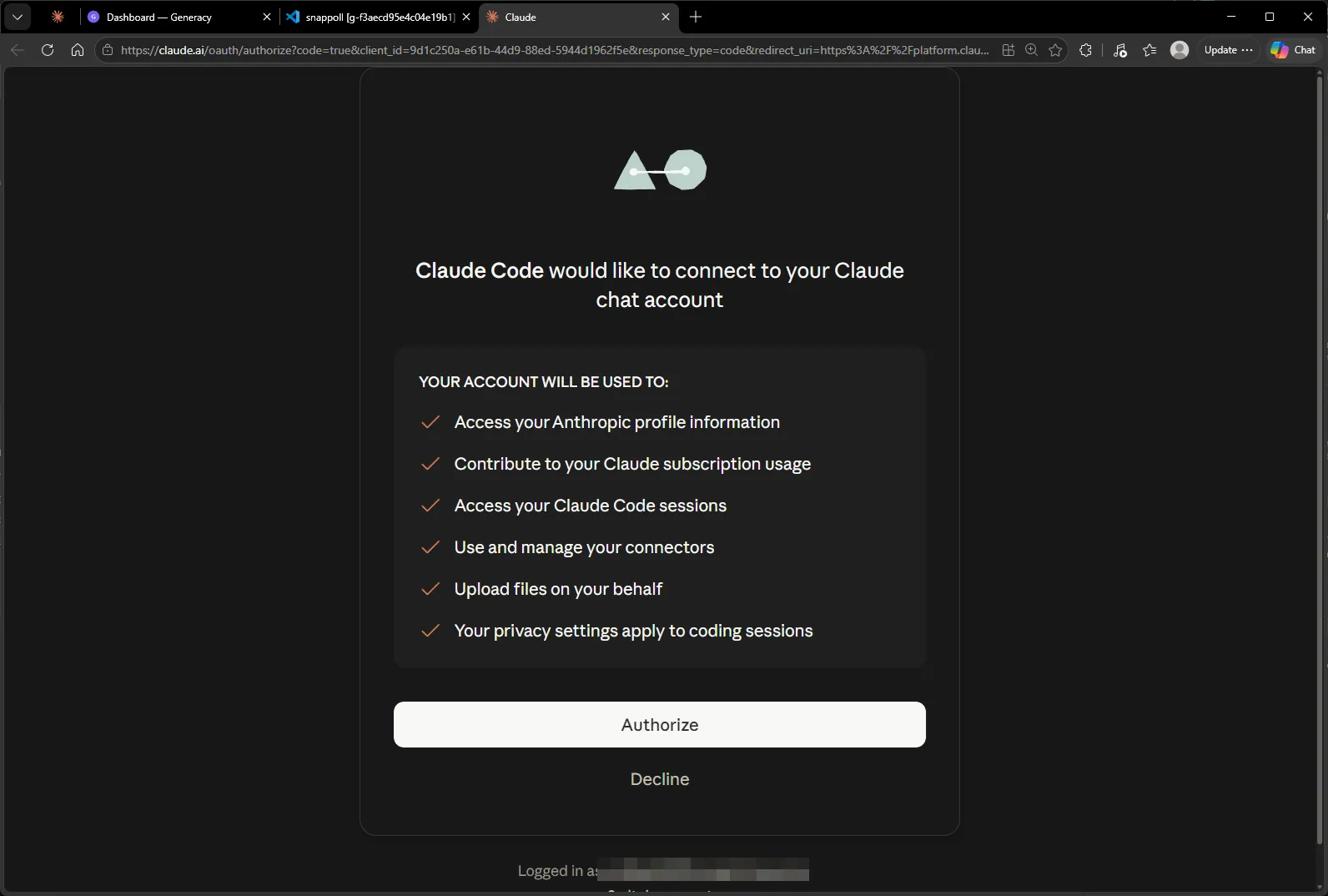
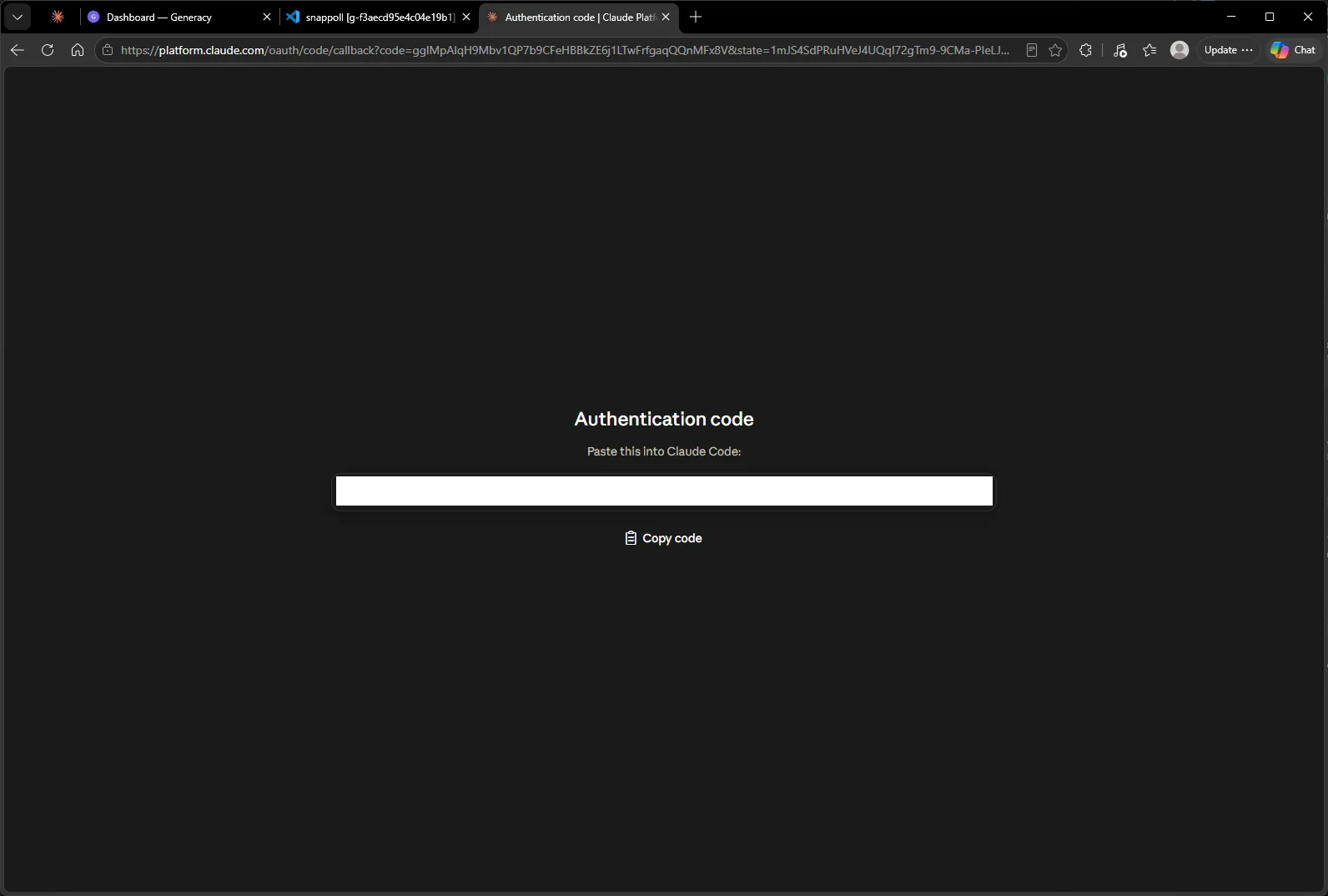
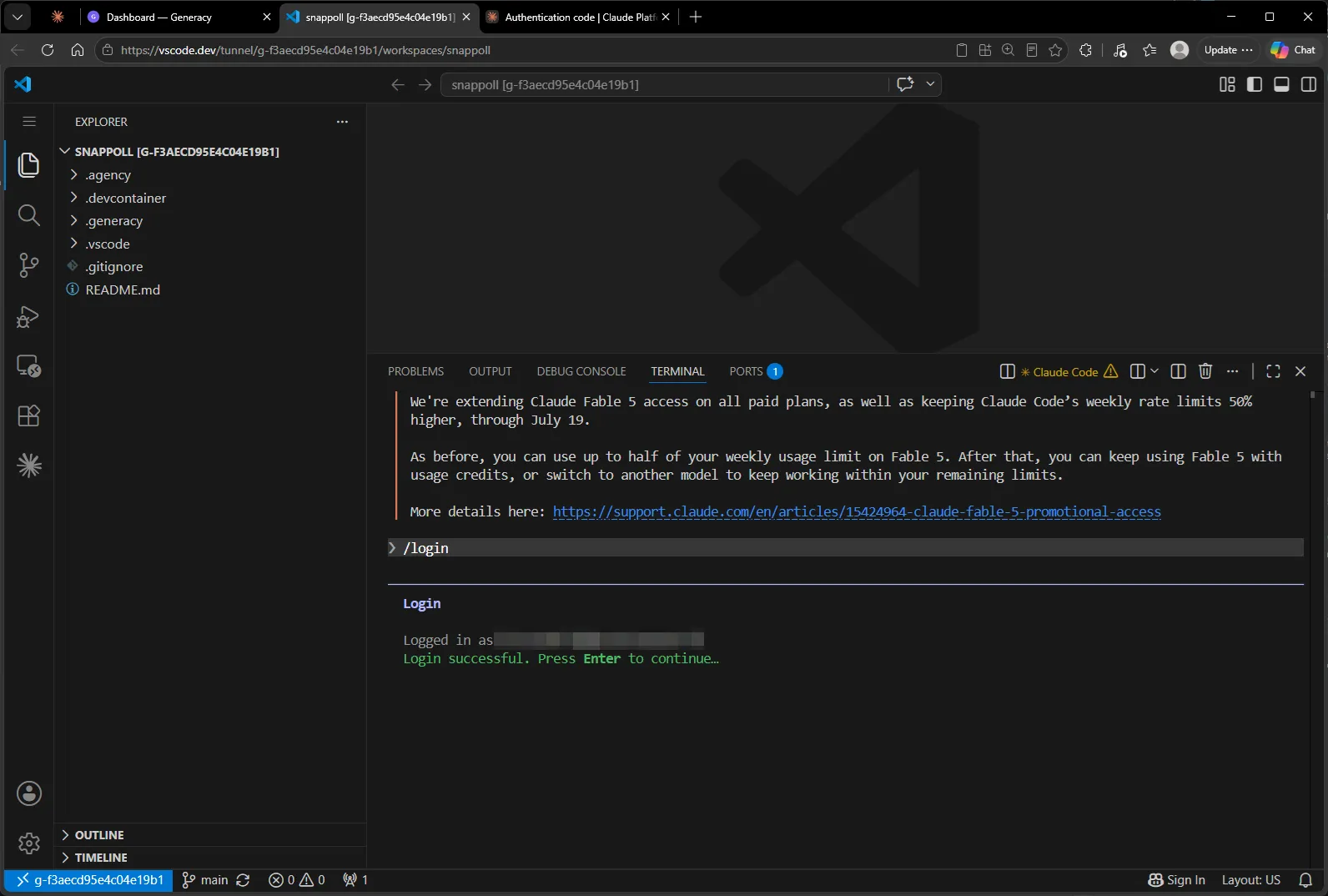
That’s the last credential. Exit this Claude session (Ctrl-C twice) — the login is stored for every future session in the workspace.
One quality-of-life setting
The Generacy workflow runs its agents autonomously on the workers; for the operator session we’re about to use, per-tool-call permission prompts would defeat the purpose. In the Claude Code extension settings (File → Preferences → Settings → Extensions → Claude Code), I enabled Allow Dangerously Skip Permissions and set Initial Permission Mode to bypassPermissions:
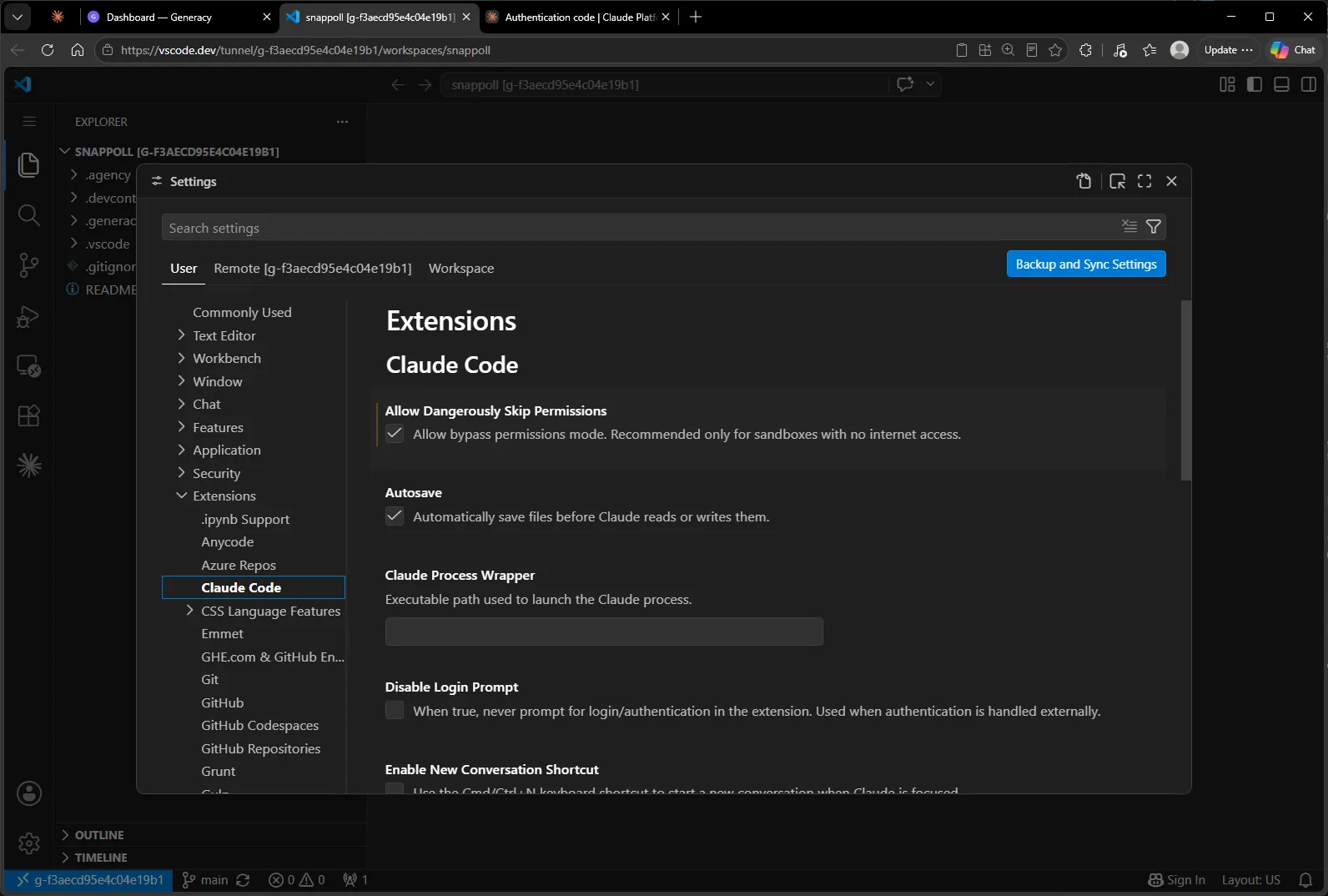
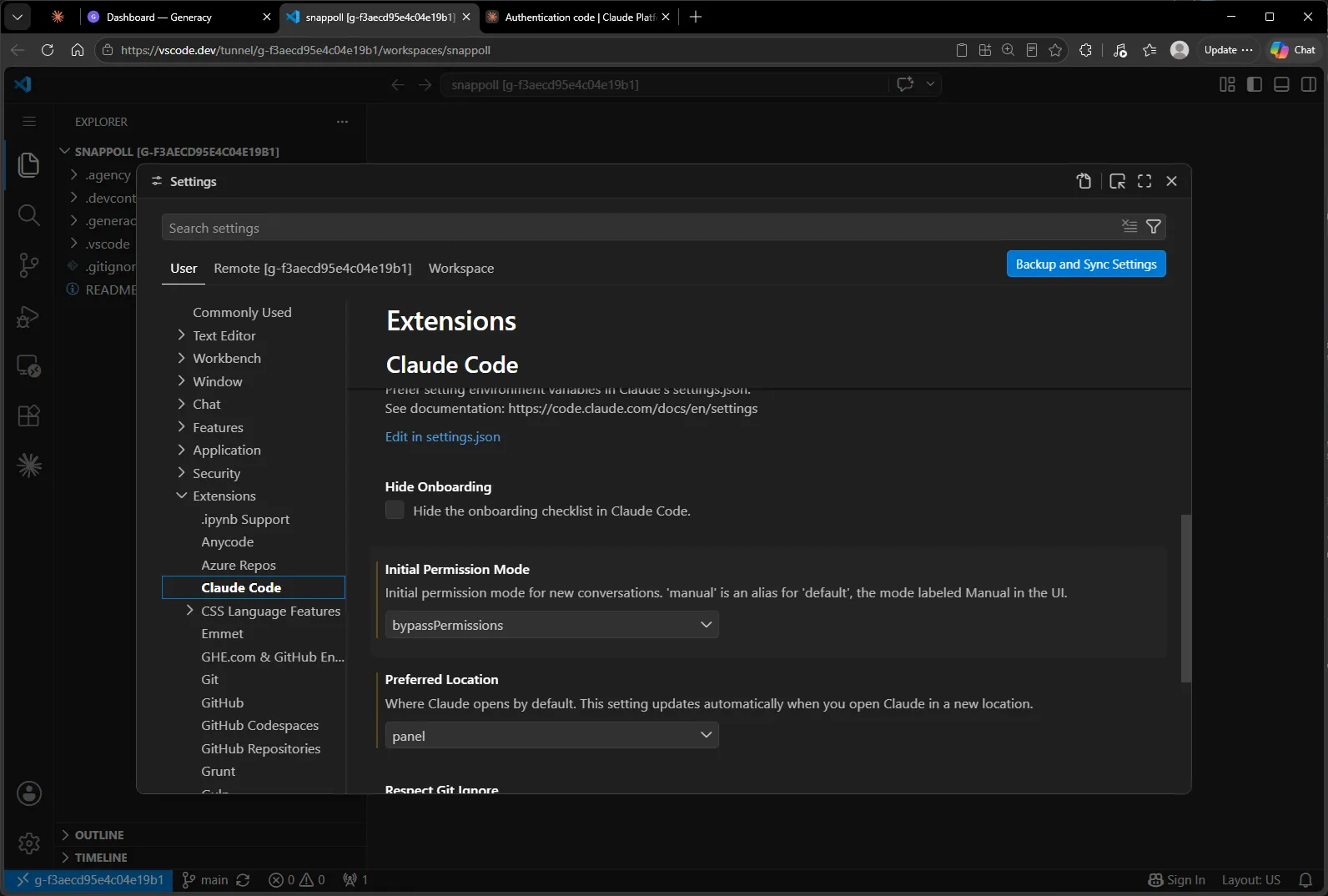
A word of caution before you copy this: bypass mode lets Claude act without asking, and the setting’s own description recommends it only for isolated environments. That’s what this is — the session runs inside the cluster’s container against a demo repo — and the epic workflow keeps its own human gates regardless (more on those in section 6). On anything sensitive, leave permissions on manual.
4. Hand Claude the setup brief
Planning is the part of the workflow that stays human — but “human” doesn’t mean writing twelve GitHub issues by hand. It means deciding what to build, how to slice it, and what rules the agents must follow, then letting Claude do the filing.
I opened a fresh conversation in the Claude Code panel (note the Bypass permissions badge from the settings we just changed):
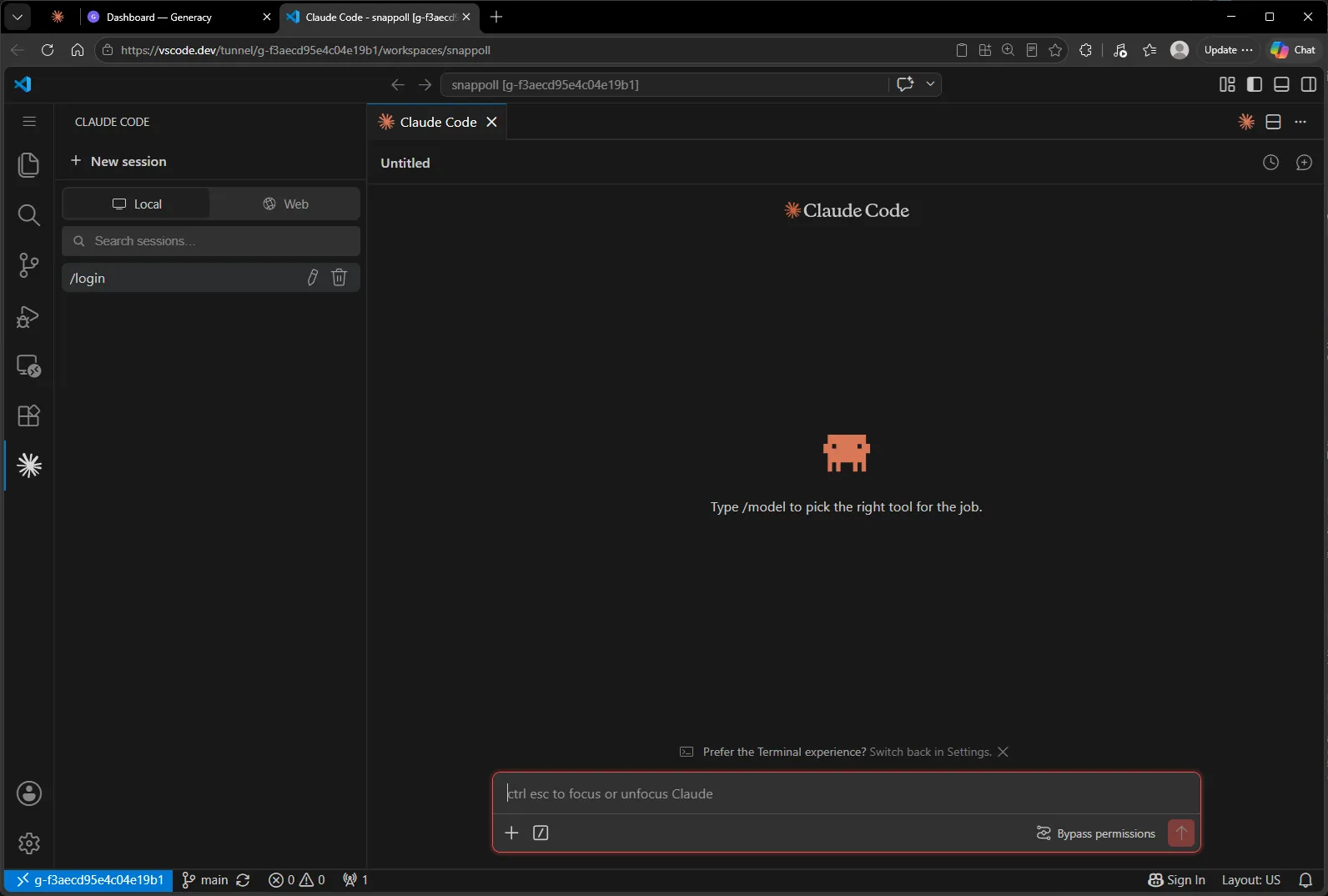
…and pasted one long setup brief:
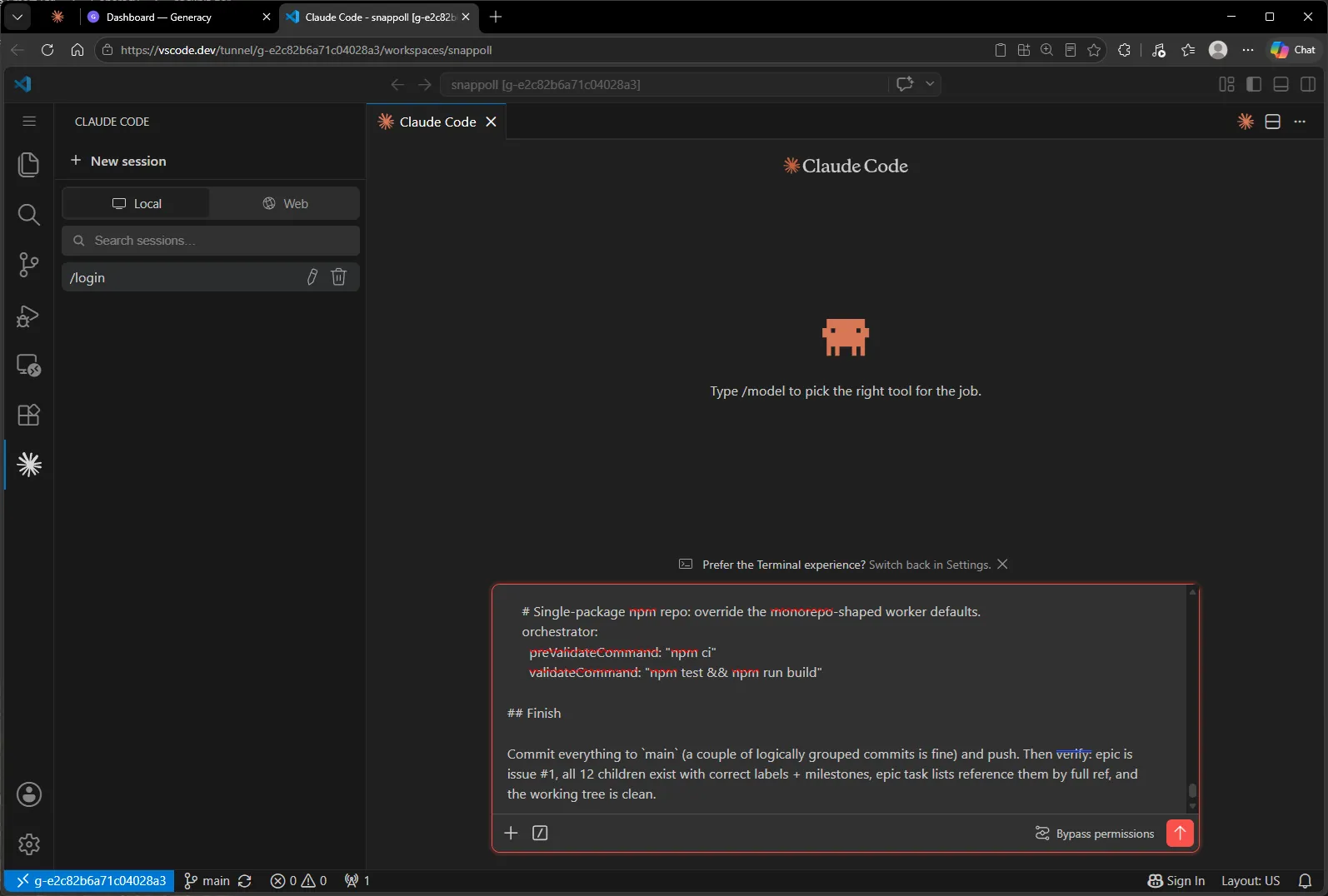
The brief is the interesting artifact here. It asks for planning and repo setup only — no application code — and it’s built around the one idea that makes parallel agent development work: file-disjoint ownership. The full text is below, but the load-bearing parts:
- A plan doc with a file-ownership map (
docs/snappoll-plan.md): every file in the repo is assigned to exactly one issue per phase. Issues in the same phase touch disjoint files, so agents can build them simultaneously without merge collisions. Where one issue needs another’s code, the earlier issue creates it and the later one reuses it unchanged. - An epic filed in the cockpit’s format: the epic body carries
### P1 — Scaffold/### P2 — Foundation/### P3 — Core functionality/### P4 — Polish & deliveryheadings, each with a task list of fullowner/repo#Nrefs — exactly the shape the cockpit reads as its source of truth. - Twelve child issues across four phases, each with a scope, an explicit Owns (files) section matching the plan’s ownership map, acceptance criteria, and dependencies. P1 is deliberately a single issue: every later issue’s validation runs
npm ci && npm test && npm run build, which can only pass once the scaffold’spackage.jsonis onmain— so the scaffold merges alone before anything else queues. - Workflow plumbing: labels and milestones, a
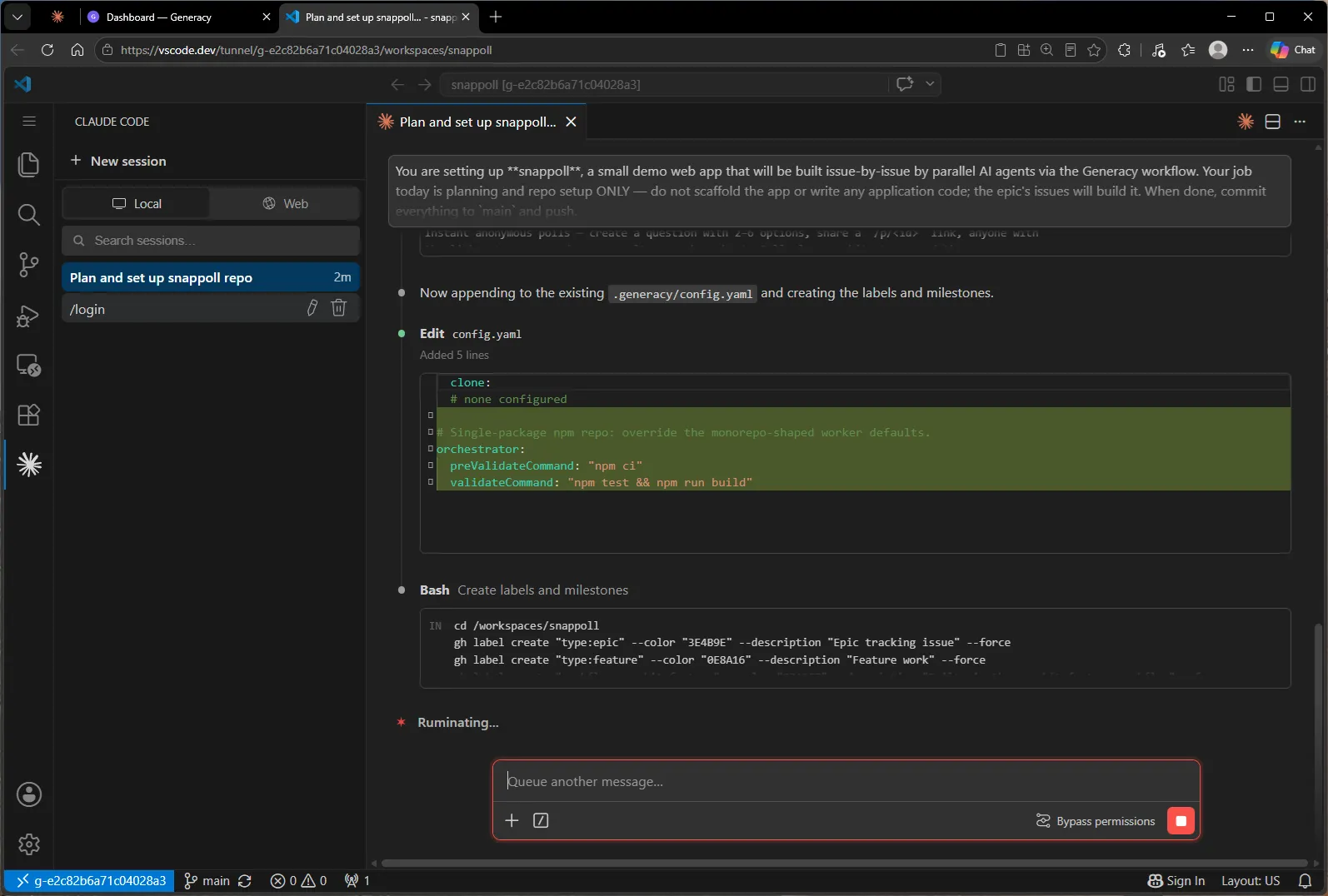
CLAUDE.mdwith the conventions agents must respect, and a.generacy/config.yamloverride so validation runsnpm ci/npm test && npm run buildinstead of monorepo defaults.
The full setup brief (click to expand)
You are setting up **snappoll**, a small demo web app that will be built issue-by-issue by parallel AI agents via the Generacy workflow. Your job today is planning and repo setup ONLY — do not scaffold the app or write any application code; the epic's issues will build it. When done, commit everything to `main` and push.

## The app

**snappoll — instant anonymous polls.** Create a poll (a question plus 2–6 options), get a share link `/p/<id>`, anyone with the link votes once and sees results as a horizontal bar chart (counts + percentages). A repeat visit to a poll you've voted on shows results directly. No auth, no accounts.

**Out of scope (MVP):** auth, editing polls after creation, realtime push (results refresh on load / after voting), multi-select or ranked polls, expiry, moderation, analytics.

**Tech stack (pin in the plan doc and CLAUDE.md):**
- Next.js (App Router), TypeScript `strict: true`, Node 22 LTS (`.nvmrc`)
- Tailwind CSS **v4, CSS-first**: `@import "tailwindcss";` in `app/globals.css`, `@tailwindcss/postcss` in `postcss.config.mjs`, theme via `@theme` — **no `tailwind.config.js`**
- Prisma + SQLite — models `Poll`, `Option`, `Vote` (unique `[pollId, voterToken]` enforces vote-once)
- Vitest (unit), Playwright (E2E), ESLint + Prettier, npm, `@/*` import alias
- IDs and tokens from Node `crypto` (CSPRNG) — never `Math.random()`

## Deliverable 1 — `docs/snappoll-plan.md`

A project plan with these sections: 1. Overview (goals / non-goals) · 2. Tech stack · 3. Architecture & file layout · 4. Data model · 5. API design · 6. UX flows · 7. Phased delivery plan · 8. Testing strategy · 9. Deployment · 10. Generacy workflow mapping.

Section 3 is the heart: a **file-ownership map** assigning every file/folder to exactly one issue per phase. Issues within a phase must be file-disjoint so they can be built in parallel; where one issue's code is needed by another, the earlier issue *creates* it and the later one *reuses it unchanged* (or takes ownership in a later phase — ownership is per-phase).

## Deliverable 2 — labels and milestones

Create labels (idempotently, e.g. `gh label create <name> --force`): `type:epic`, `type:feature`, `workflow:speckit-feature`, `snappoll`.
Create milestones: `Phase 1: Scaffold`, `Phase 2: Foundation`, `Phase 3: Core`, `Phase 4: Polish`.

## Deliverable 3 — the epic and its 12 child issues

Create the **epic first so it is issue #1** (labels `type:epic`, `snappoll`), then children #2–#13 in the order below, then edit the epic body to fill in the real issue refs.

Epic title: `[EPIC] snappoll — instant anonymous polls`. Epic body: overview paragraph, a link to `docs/snappoll-plan.md`, Scope / Out-of-scope, tech stack line, then a **Delivery phases** section stating that issues within a phase are file-disjoint and can be queued together — and that P1 is deliberately a single issue whose merge must land on `main` before later phases queue, because validation (`npm ci && npm test && npm run build`) can only pass once the scaffold exists — followed by one `### P1 — Scaffold` / `### P2 — Foundation` / `### P3 — Core functionality` / `### P4 — Polish & delivery` subsection each containing a task list of **full refs**, one per child: `- [ ] <owner>/<repo>#N — <title>`.

Each child issue: labels `type:feature`, `workflow:speckit-feature`, `snappoll`; milestone = its phase; body format:

    **Phase <N> — <phase name>** · Part of epic #1

    <one-paragraph description>

    ### Scope
    - <bullets>

    ### Owns (files)
    - <exact files/folders this issue owns — must match the plan doc's ownership map>

    ### Acceptance criteria
    - [ ] <testable criteria>

    ### Dependencies
    <"None" or "Depends on #N (<what for>)">

The 12 issues (expand each into a full body with concrete acceptance criteria):

**P1 — Scaffold** (1 issue — deliberately serial: every later issue's validation runs `npm ci && npm test && npm run build`, which can only pass once this issue's files are merged to `main`)
- **#2 Scaffold Next.js + Tailwind app** — owns `package.json` + `package-lock.json` (commit the lockfile — CI uses `npm ci`), `tsconfig.json`, `postcss.config.mjs`, ESLint/Prettier config, `.nvmrc`, `.gitignore` app entries, the `app/` shell (`layout.tsx`, `page.tsx` placeholder, `globals.css`), and a Vitest smoke test. Scripts: `dev` / `build` / `start` / `lint` / `typecheck` / `test` (= `vitest run`). Dependencies: None.

**P2 — Foundation** (2 issues, file-disjoint; both depend on #2 being merged so validation passes)
- **#3 Prisma + data model + db client** — owns `prisma/schema.prisma`, the initial migration, `lib/db.ts` (singleton client), and a unit test. `Poll` (id: short string, question, createdAt) · `Option` (id, pollId, label, position) · `Vote` (id, pollId, optionId, voterToken, createdAt, `@@unique([pollId, voterToken])`). Also takes per-phase ownership of `package.json` + `package-lock.json` for a scoped dependency addition ONLY (`prisma`, `@prisma/client`, and a `postinstall` script running `prisma generate` — without it a clean `npm ci` checkout can't import `@prisma/client`); no other P2 issue may touch these two files. Depends on #2 (scaffold on `main`).
- **#4 Core utils: ID generator + poll validation** — owns `lib/id.ts` (`generatePollId()`: 8-char base62 via CSPRNG with rejection sampling) and `lib/validation.ts` (`validatePollInput()`: question 1–140 chars, 2–6 non-empty unique options ≤80 chars each; returns `{ ok: true, value } | { ok: false, error }`), plus unit tests. Depends on #2 (scaffold on `main` — its `tsconfig`/Vitest setup is what makes `npm test` runnable).

**P3 — Core functionality** (4 issues, file-disjoint)
- **#5 Polls API: create + fetch** — owns `app/api/polls/route.ts` (`POST`: defensive body parse → `validatePollInput` → create poll + options → `201 { id, shareUrl, question, options, createdAt }`; invalid input → `400`, never `500`) and `app/api/polls/[id]/route.ts` (`GET`: poll with per-option vote counts; `404` JSON on miss), plus unit tests. `shareUrl` base: `X-Forwarded-Proto`+`Host` → request origin → `NEXT_PUBLIC_BASE_URL`. Depends on #3, #4.
- **#6 Vote API + repeat-vote guard** — owns `app/api/polls/[id]/vote/route.ts` and `lib/voter.ts` (httpOnly `voterToken` cookie, issued on first vote), plus unit tests. `POST { optionId }`: `400` unknown option, `409` on repeat vote (unique-constraint hit), `201` with updated counts. Depends on #3.
- **#7 Create-poll form + CopyLinkButton** — owns `components/CreatePollForm.tsx` (question + dynamic 2–6 option fields, POSTs to `/api/polls`, renders the share link inline — no navigation) and `components/CopyLinkButton.tsx` (reusable; created here, reused unchanged by later issues). Both `"use client"`. Consumes #5's API at runtime; does not touch `app/page.tsx`.
- **#8 Vote form + results chart** — owns `components/VoteForm.tsx` (radio list + submit → vote API, swaps to results on success, shows a clear message on `409`) and `components/ResultsChart.tsx` (pure-CSS horizontal bars, counts + percentages, accessible text alternatives). Both `"use client"`. Consumes #5/#6 at runtime.

**P4 — Polish & delivery** (5 issues, file-disjoint)
- **#9 Page assembly** — owns `app/page.tsx` (heading + `CreatePollForm`) and `app/p/[id]/page.tsx` (server-side poll fetch; `notFound()` on miss; renders `VoteForm`, or `ResultsChart` when the visitor has already voted). Depends on #5–#8.
- **#10 Styling & responsive polish** — owns `app/layout.tsx`, `app/globals.css` (accent token via `@theme`, light/dark via `prefers-color-scheme`), `app/icon.svg`. Presentational only; no component-file edits.
- **#11 E2E tests (Playwright)** — owns `tests/e2e/**`, `playwright.config.ts`, the `test:e2e` script + `@playwright/test` devDependency. Specs: create → copy link → vote → results; repeat vote blocked; unknown poll id → 404. Disposable temp SQLite via `globalSetup` (`prisma migrate deploy`), `webServer` = `next dev` on `:3000`, assert on accessible roles/labels/text only — no app-source edits, no test IDs. Depends on #9.
- **#12 App-level UX states** — owns `app/error.tsx`, `app/loading.tsx`, `app/not-found.tsx`, `components/Toast.tsx`. Does not edit other issues' files.
- **#13 Deployment & docs** — owns `README.md`, `.env.example`, `prisma/seed.ts` (idempotent upsert of demo polls), `Dockerfile`. Documents — never edits — files owned by other issues.

## Deliverable 4 — `.mcp.json` (exact content)

    {
      "mcpServers": {
        "context7": {
          "command": "npx",
          "args": ["-y", "@upstash/context7-mcp"]
        },
        "playwright": {
          "command": "npx",
          "args": ["-y", "@playwright/mcp@latest"]
        }
      }
    }

## Deliverable 5 — `CLAUDE.md`

Base guidance only (the workflow appends per-issue sections later — do not pre-create an "Active work" section): a one-line project description with a pointer to `docs/snappoll-plan.md`; the Tech stack (as pinned above, including the Tailwind v4 no-config rule and the CSPRNG rule); a Commands section (`npm run dev/lint/typecheck/test`); and Working conventions: **file-disjoint ownership** (each issue owns the files listed in its "Owns" section and the plan's ownership map — never edit another issue's files; where two issues share code, one creates it and the other reuses it unchanged; keep every change scoped to the current issue's owned files).

## Deliverable 6 — `.generacy/config.yaml`

The file already exists — **append** (do not overwrite):

    # Single-package npm repo: override the monorepo-shaped worker defaults.
    orchestrator:
      preValidateCommand: "npm ci"
      validateCommand: "npm test && npm run build"

## Finish

Commit everything to `main` (a couple of logically grouped commits is fine) and push. Then verify: epic is issue #1, all 12 children exist with correct labels + milestones, epic task lists reference them by full ref, and the working tree is clean.
Hit send, and Claude gets to work — reading the repo, writing the plan doc, creating labels and milestones, filing thirteen issues, and pushing it all to main.
5. The backlog Claude filed
Claude turned the brief into a checklist and worked through it — writing the plan doc, creating labels and milestones, then filing the epic and its children with gh:
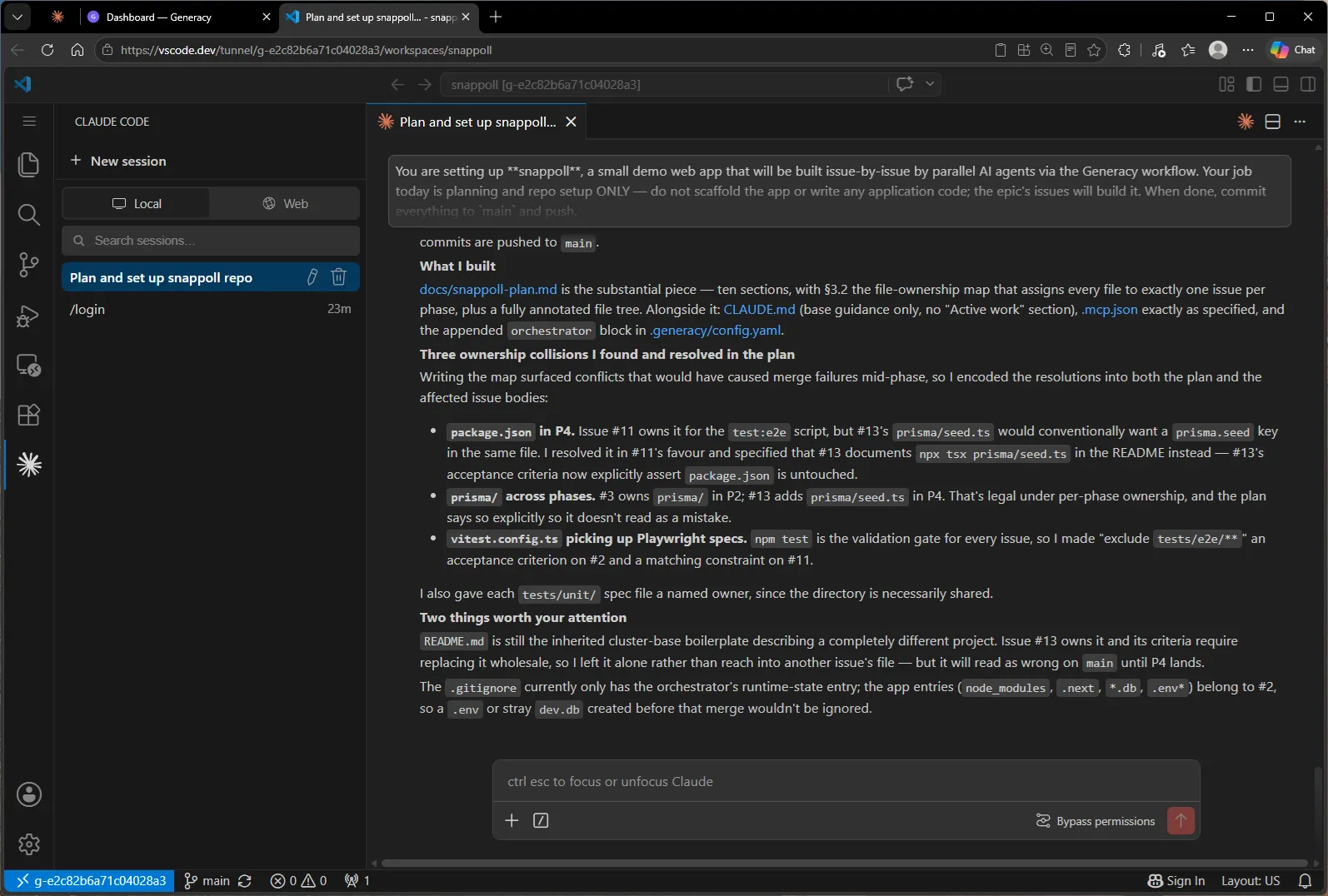
About ten minutes later, done — with a verification summary: plan doc with the per-phase file-ownership map, four labels, four milestones, epic #1 with children #2–#13 linked by full ref, .mcp.json, CLAUDE.md, the orchestrator overrides, and commits pushed to main. No application code — exactly as briefed.
The summary is worth reading, because the planning already paid for itself before any code existed. Writing the ownership map forced three file-ownership collisions into the open — package.json contested between the E2E and deployment issues in P4, the prisma/ folder crossing phases, and Vitest’s config picking up Playwright specs — and Claude resolved each one in the plan and the affected issue bodies, where they’d otherwise have surfaced as merge failures mid-phase:
The project page’s Primary Repository link leads to the result on GitHub — the repo Generacy provisioned at project creation, now carrying the plan and thirteen issues:
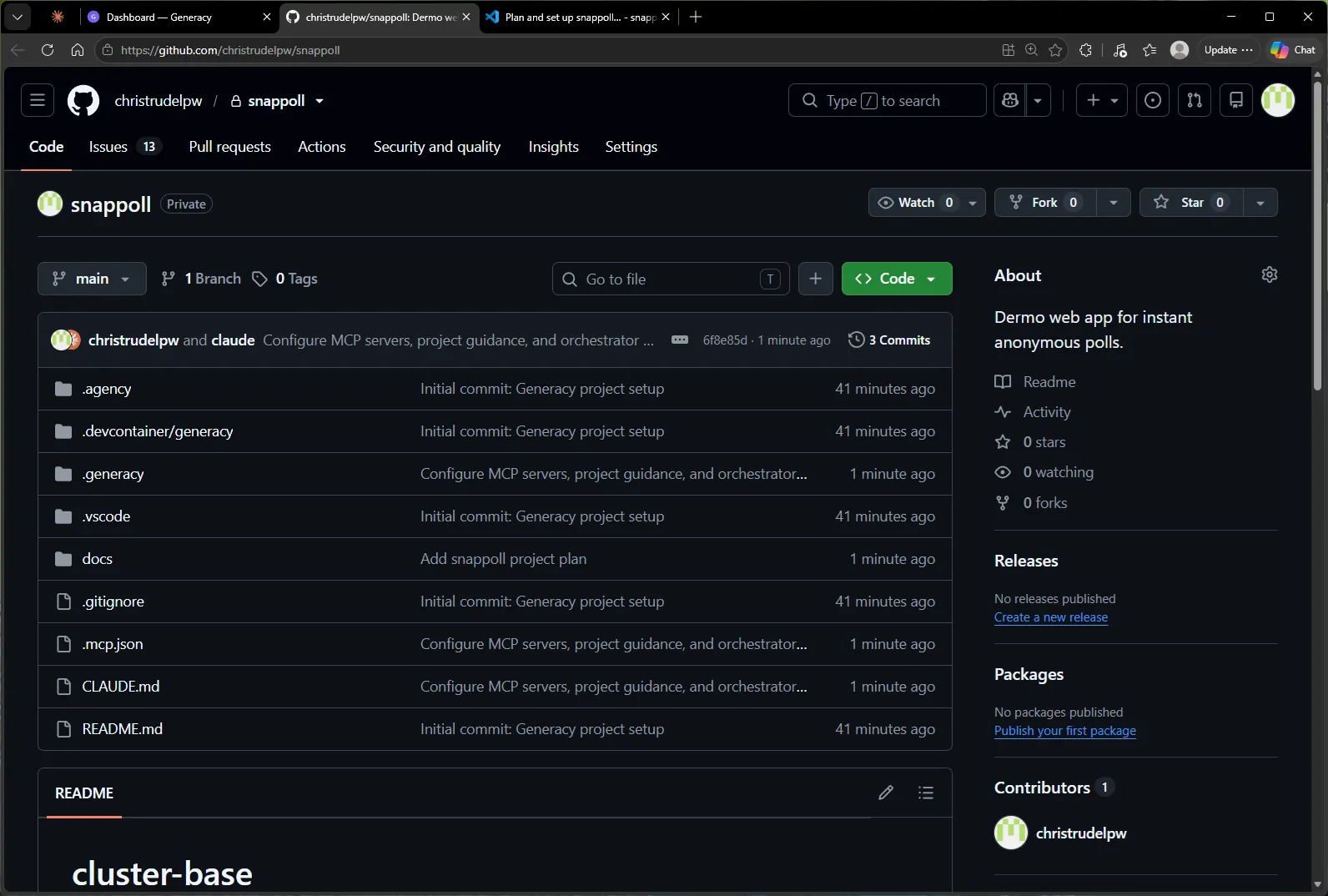
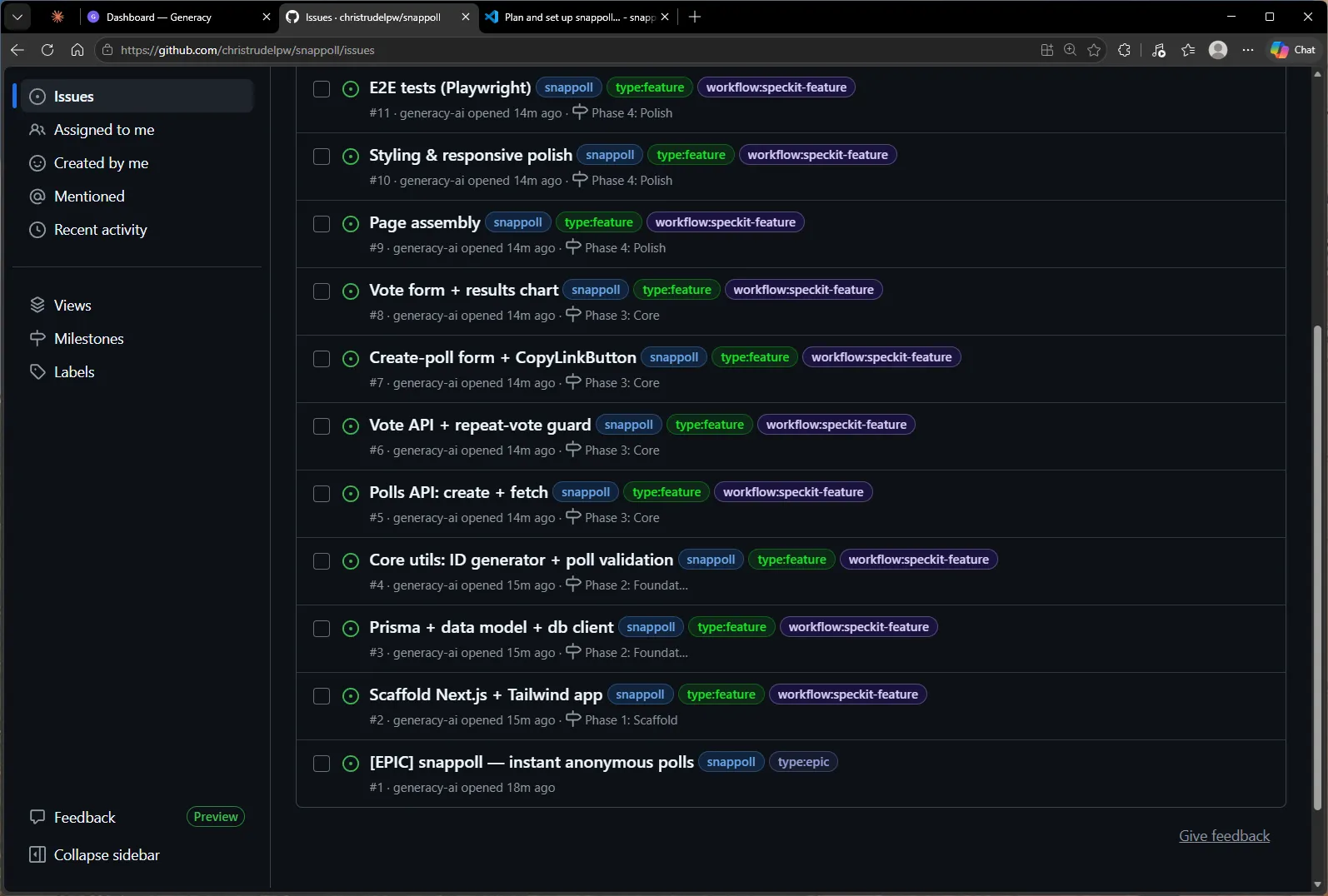
Worth noticing: nothing is running yet. The issues exist, but no agent has picked anything up — the workflow:speckit-feature label describes which workflow an issue will use, and work starts only when an issue is queued. That trigger is the cockpit’s job.
6. Drive it with the cockpit
This is the part the whole walkthrough builds to. One command in the same Claude Code session points the cockpit at the epic:
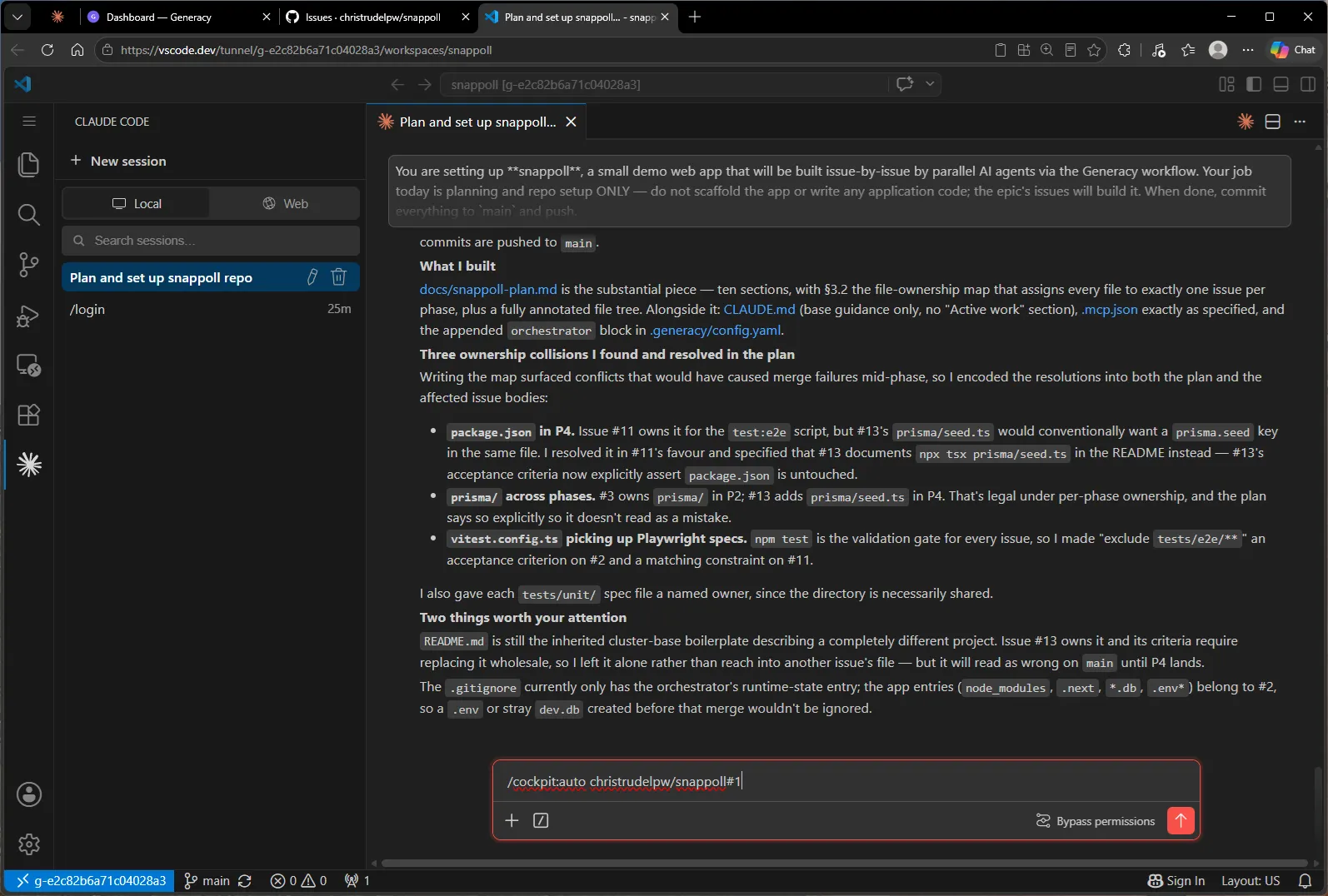
/cockpit:auto runs its pre-flight (CLI present, GitHub auth, the cockpit’s MCP tools registered), sweeps the epic’s current state — and immediately hits the first human gate. The epic is fully pending, so the first actionable thing is queueing Phase 1. It won’t do that without asking, and the gate says why: queueing sets agents doing real, outward-facing work, so it’s never done silently.
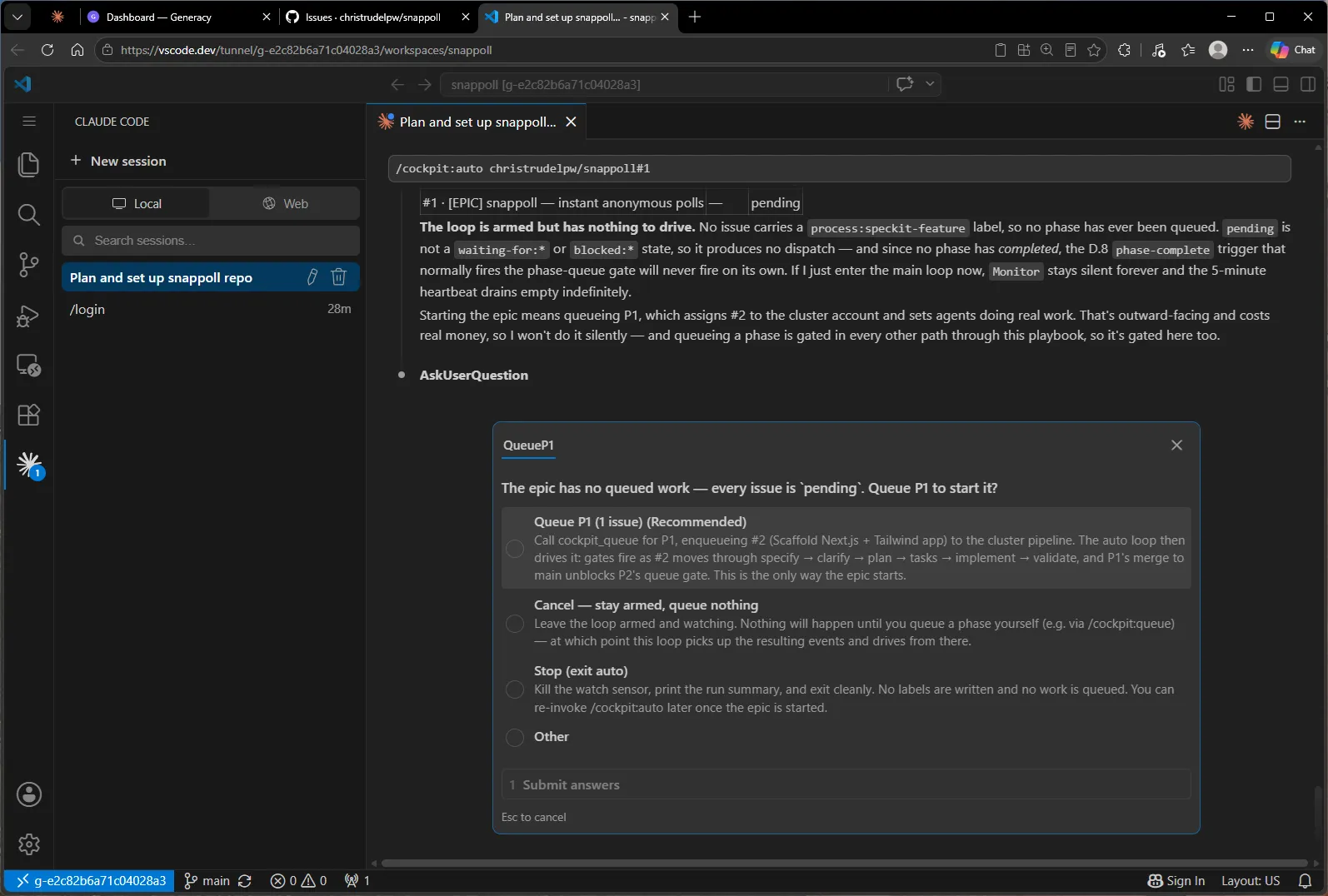
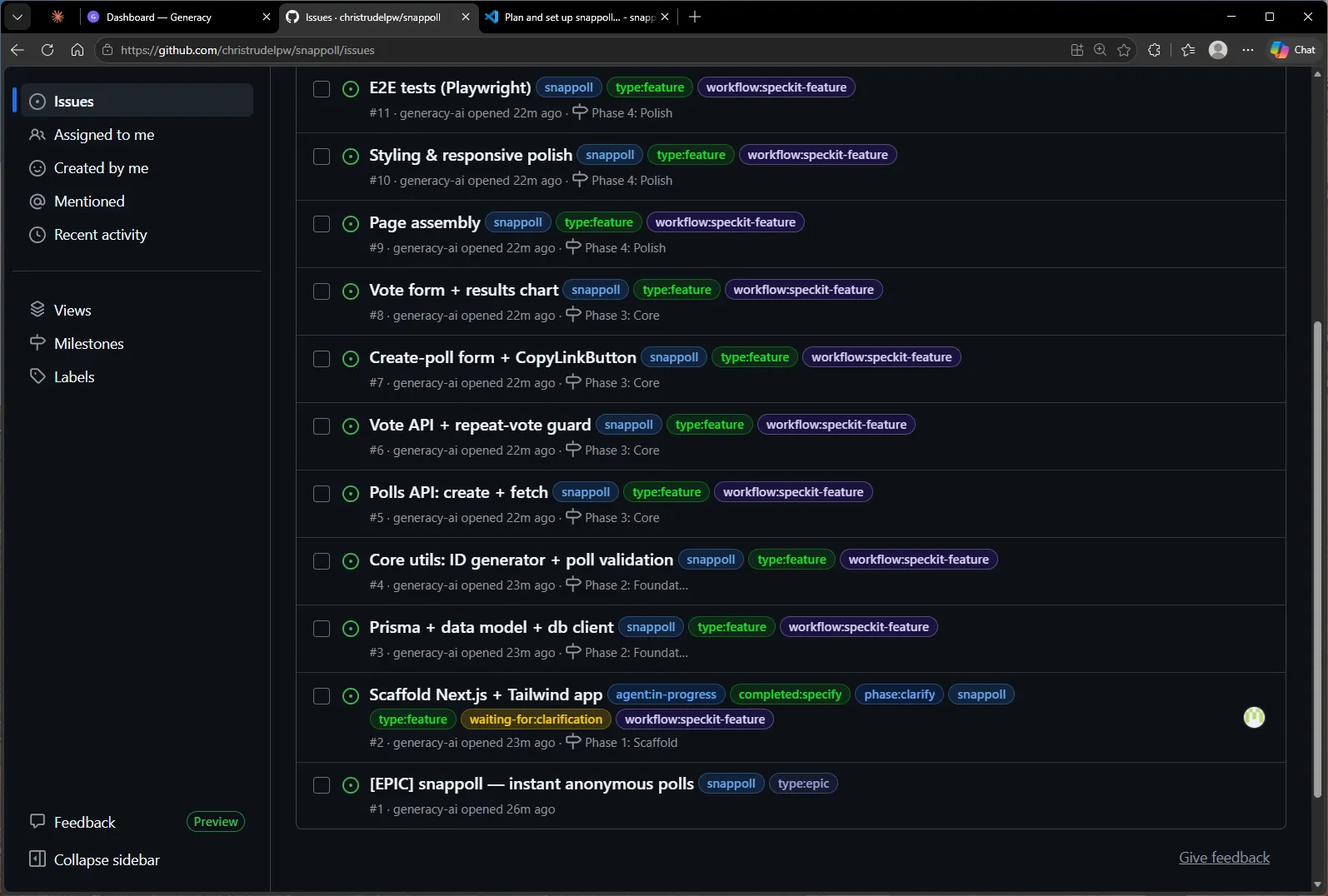
One keystroke. The cockpit assigns #2 to the cluster account, the orchestrator notices, and the scaffold issue lights up — agent:in-progress. P1 is one issue wide on purpose: nothing else can validate until the scaffold’s package.json is on main, so the epic starts serial and goes parallel from P2:
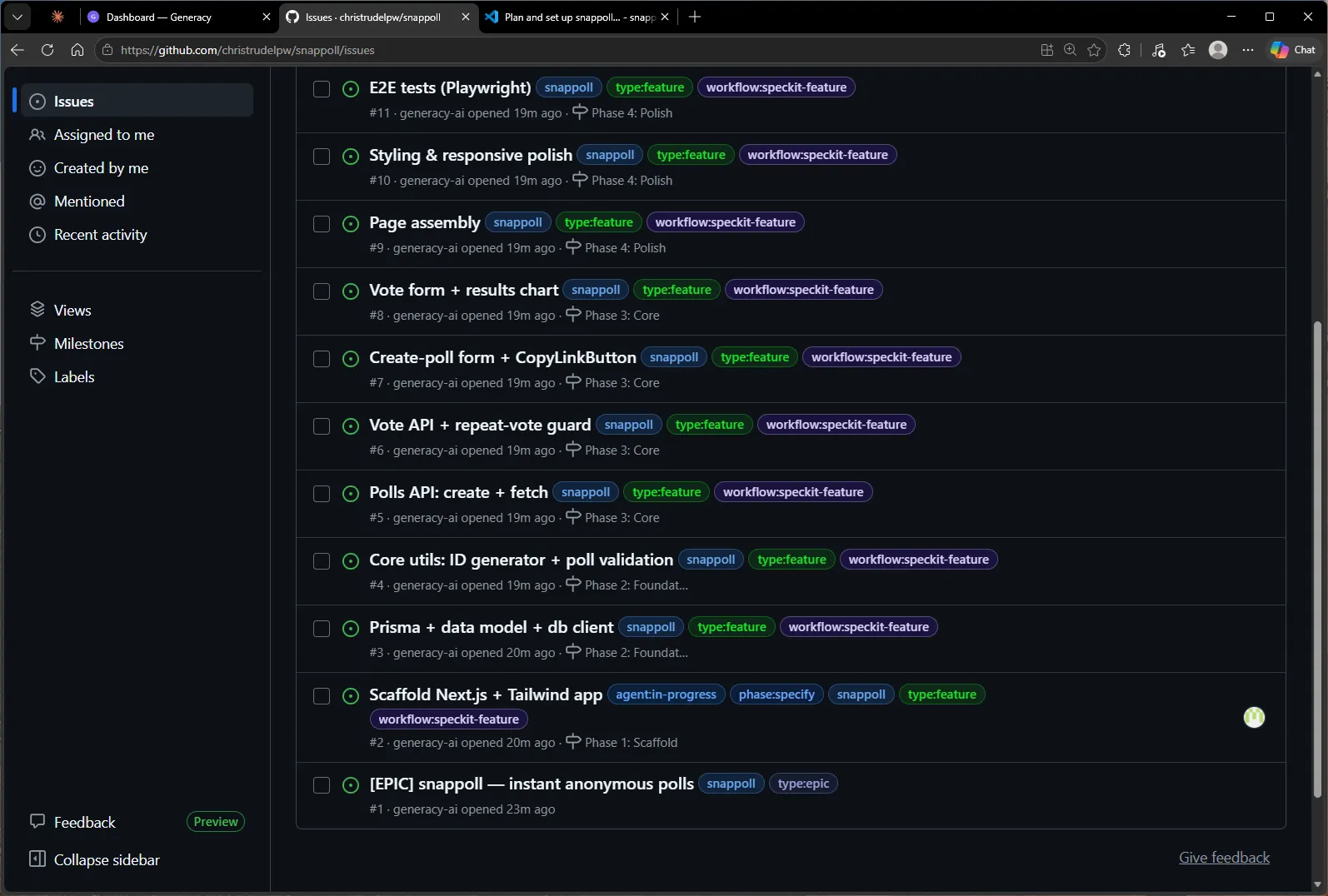
The labels are the workflow’s shared language, and you can watch the issue climb the ladder: phase:specify while the agent writes a spec from the issue, then a pause. #2 stops at waiting-for:clarification — the agent has questions about its spec and won’t guess:
In the old workflow, this is where you’d notice (eventually), open the issue, read the spec thread, and type answers. In the auto loop, the event arrives, a subagent reads the questions plus the spec, plan, and code they refer to, and drafts grounded answers. What reaches you is a decision, not homework — per question: the context, the question, the options the agent posted, a recommendation, and the reasoning — behind a single batch approval:
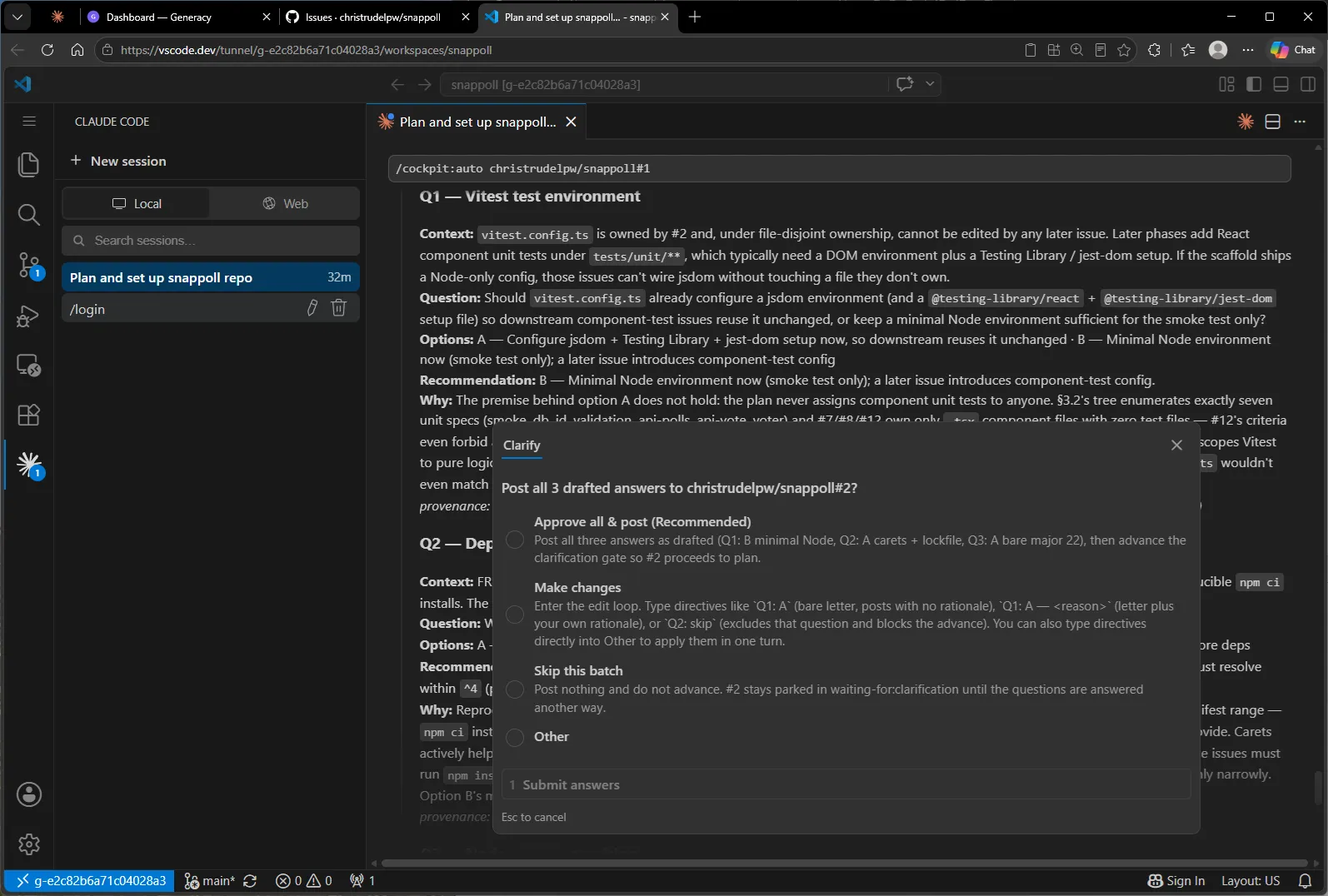
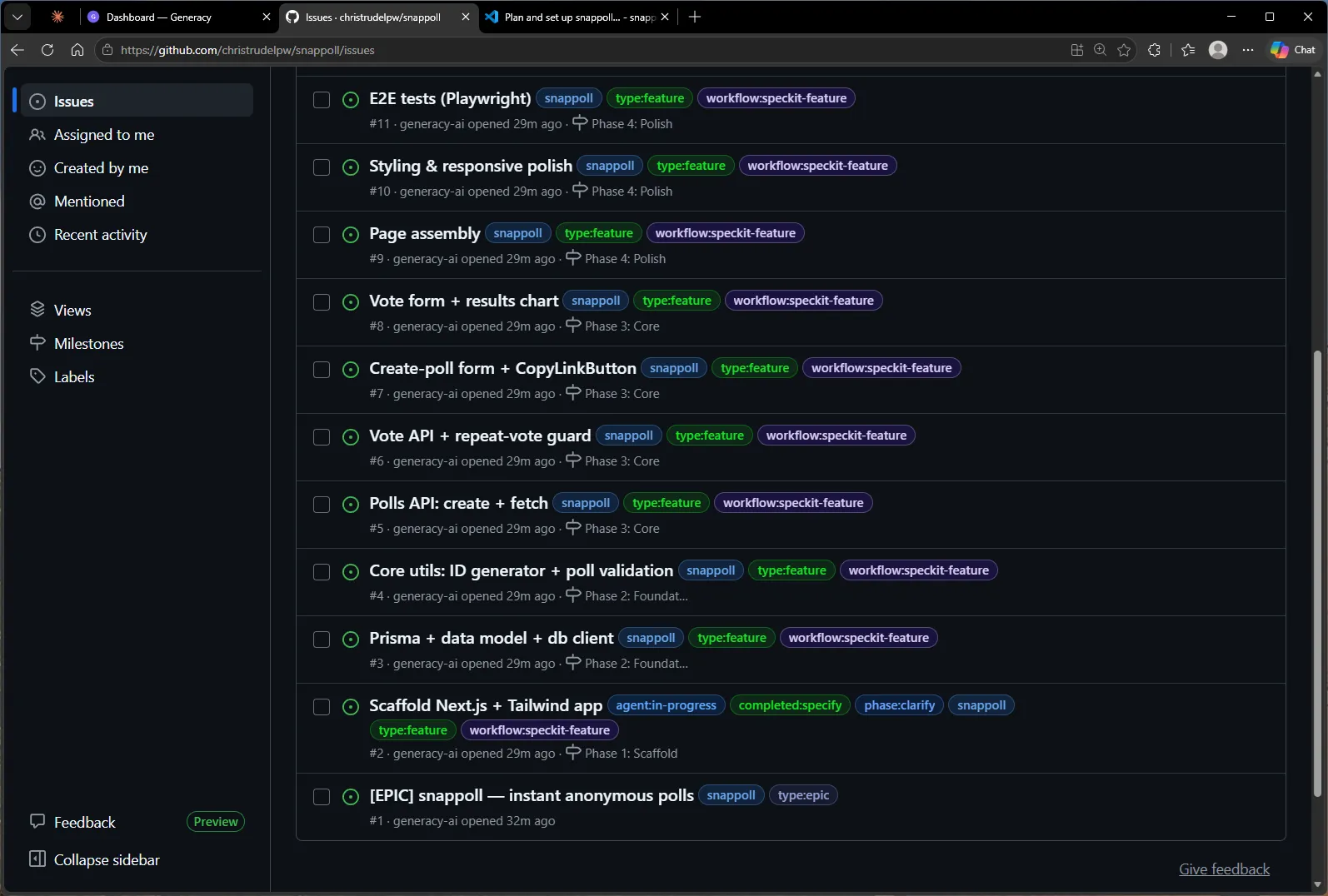
The drafts are worth reading, not rubber-stamping — but they hold up. The first question asked whether the scaffold should pre-configure a browser test environment (jsdom + Testing Library) for later phases to reuse. The draft recommended the minimal Node environment instead, and its reasoning wasn’t taste: it checked the plan’s test assignments and found that no issue in the epic writes component unit tests — the premise behind the heavier option didn’t hold. One keystroke posted all three answers as a single marked comment and advanced the gate; the agent resumed and the labels kept climbing:
The review gate
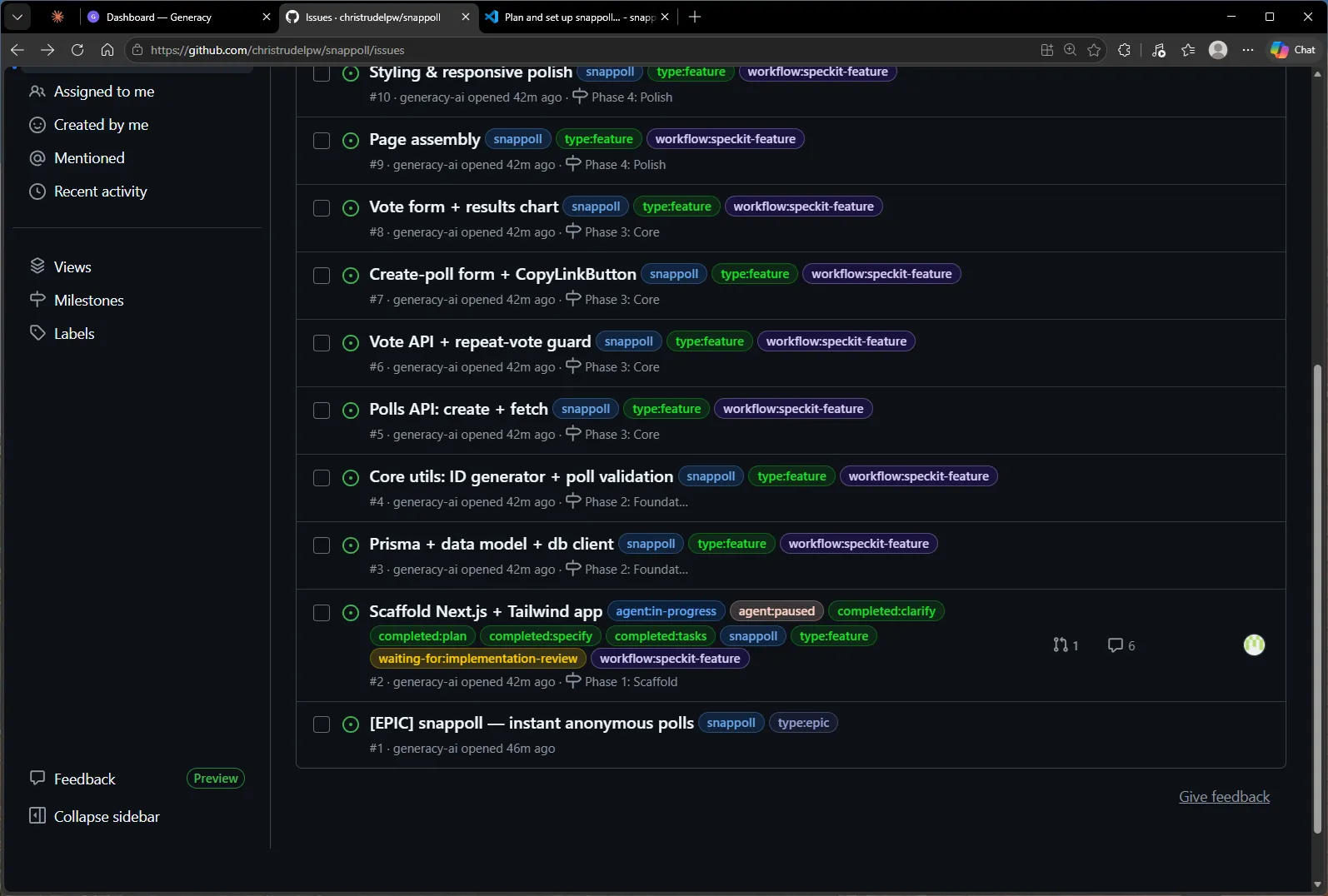
Specify, clarify, plan, tasks, implement — then the pause that matters. #2 opened PR #14 and stopped at waiting-for:implementation-review:
When the event arrived, the cockpit ran a code review of the pull request in a subagent and presented a verdict gate. This one earned its keep. Every configured check on the PR was green — typecheck, lint, build, the smoke test. The reviewer didn’t stop at reading the diff: it wrote a probe file against the branch and found that the @/* import alias resolved under TypeScript but failed under Vitest (Cannot find package '@/lib/probe'). Invisible to every check that currently runs, because the smoke test happens not to use an @/ import — and set to detonate in P2, where #3’s and #4’s unit tests both import through the alias. Worse, under file-disjoint ownership neither of those issues owns vitest.config.ts, so they couldn’t fix it without breaking the rules. The recommendation: request changes now, while the file’s owner is still the active issue:
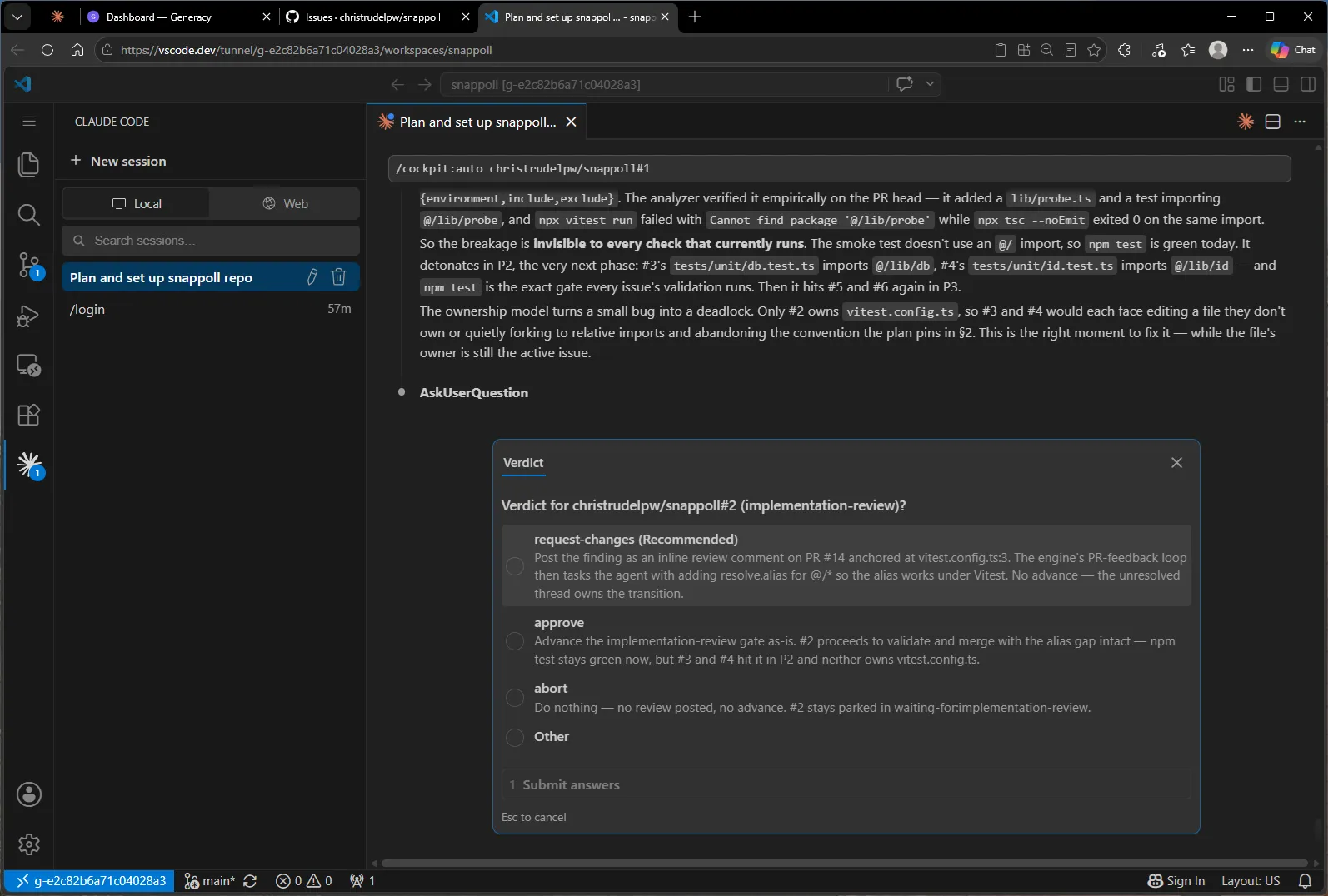
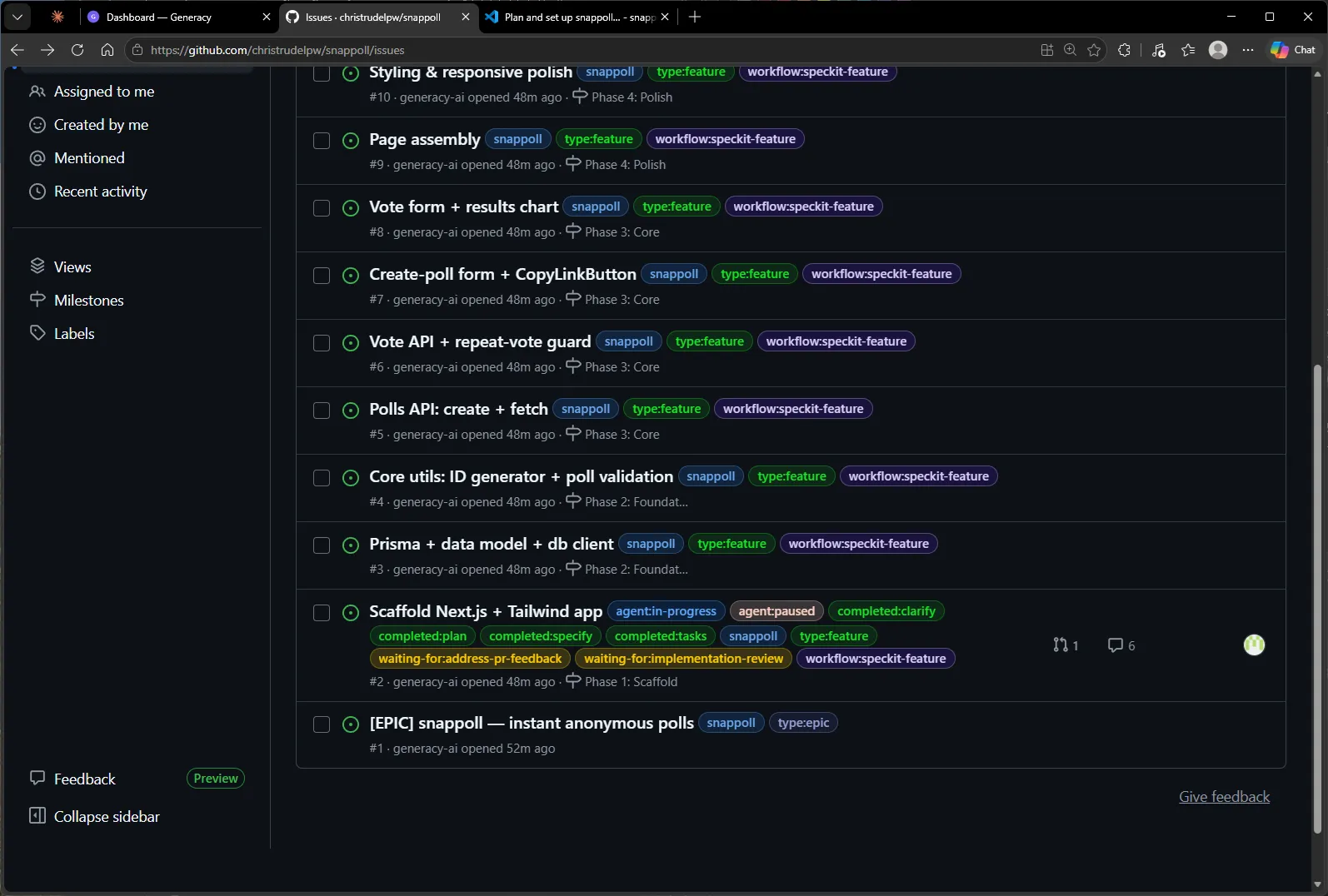
One keystroke. The finding lands as an inline review comment on the PR, anchored to the exact line of vitest.config.ts — and the orchestrator’s own PR-feedback loop takes over from there: the issue picks up waiting-for:address-pr-feedback, and the agent that wrote the code is tasked with the thread. No human relaying feedback between tabs:
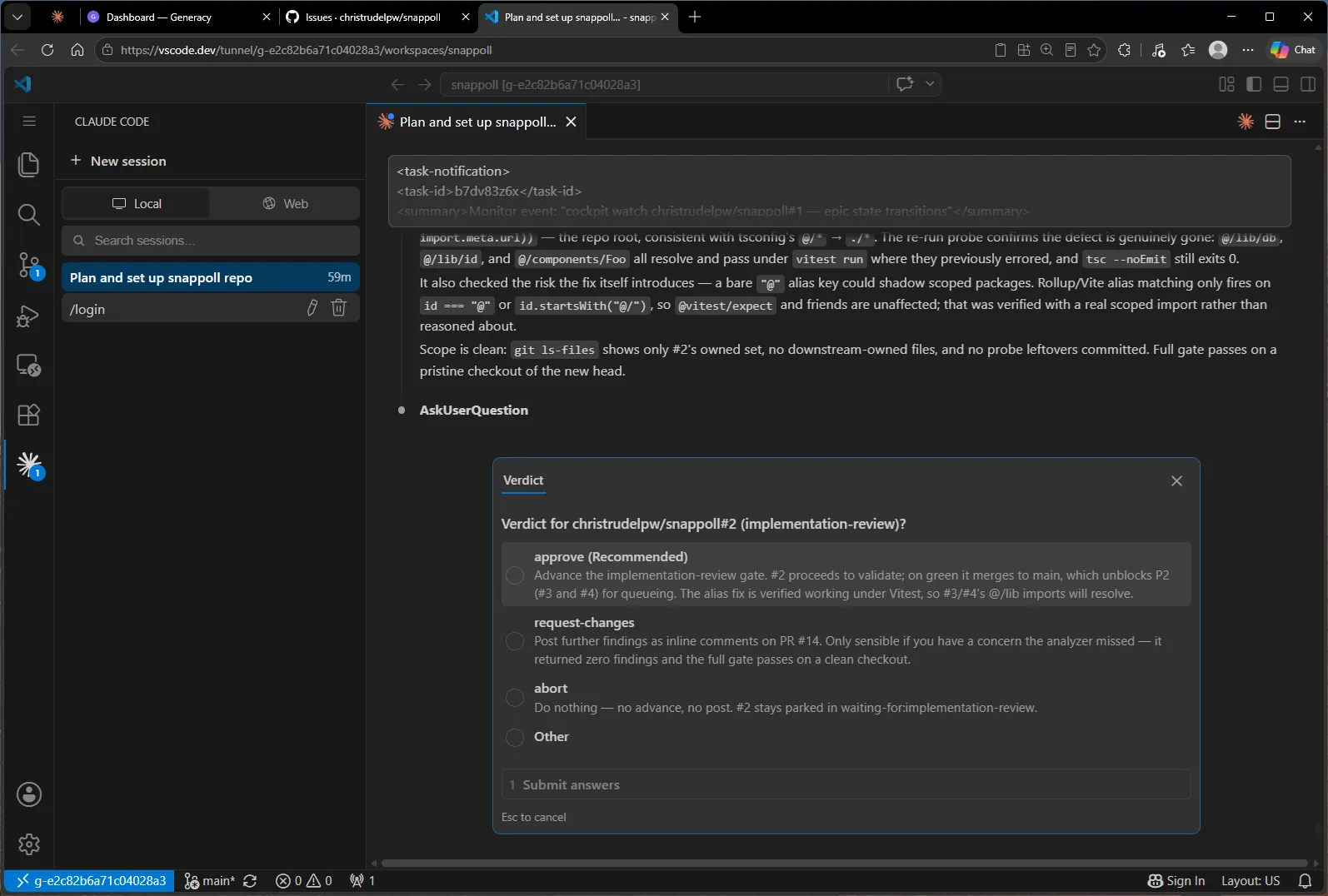
When the fix came back, the loop re-reviewed. Same rigor in the other direction: the reviewer re-ran the probe on the new head and confirmed the alias now resolves under Vitest, checked that tsc still exits clean, verified the fix couldn’t shadow scoped packages, and confirmed the diff stayed inside #2’s owned files. Verdict: approve.
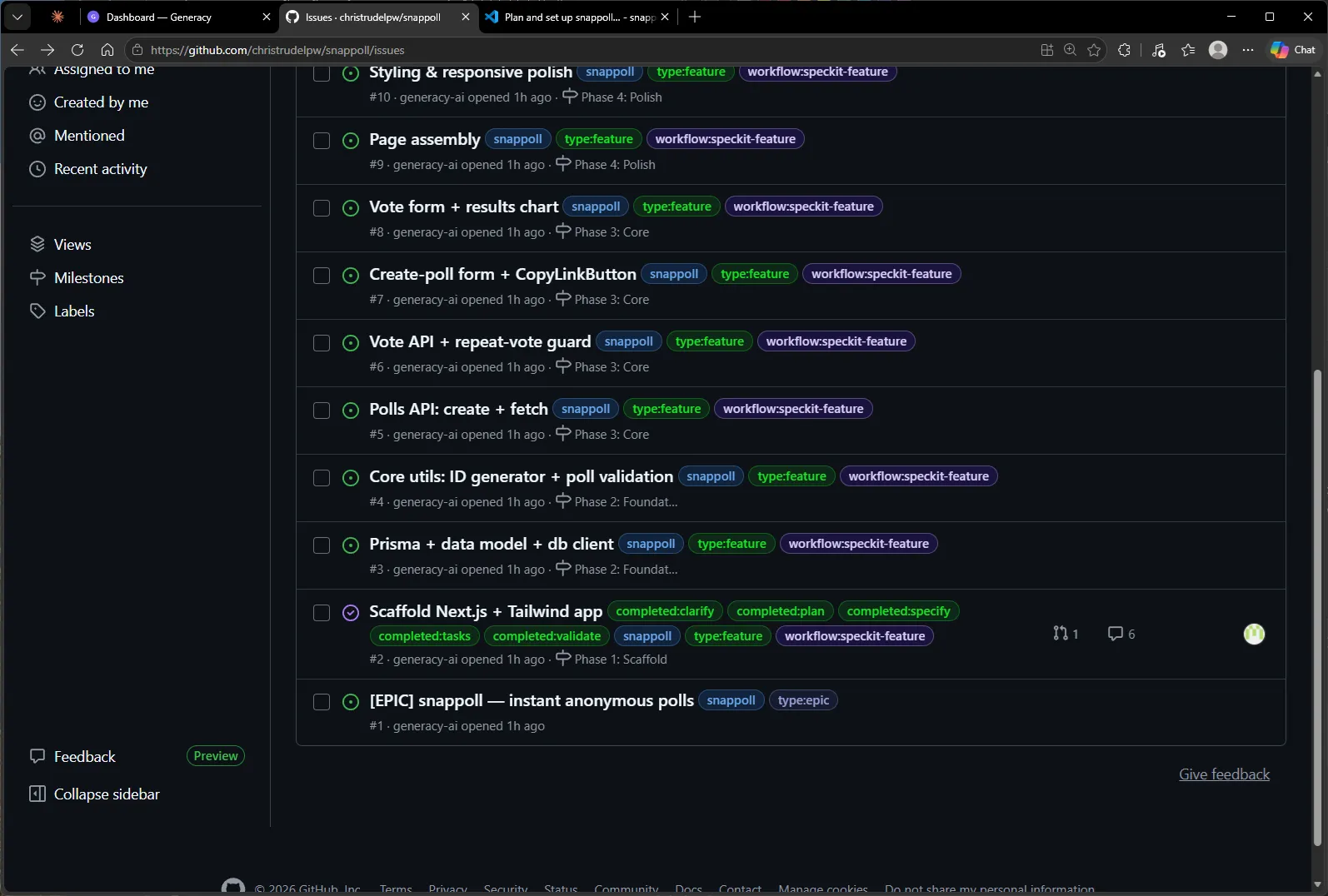
Notice what there isn’t in this flow: a merge approval. Once a PR has a human-approved review and validation passes green, merging is mechanical — your verdict already happened at the review gate. #2 validated (npm ci && npm test && npm run build), squash-merged as PR #14, and closed:
Phase complete → one question → next phase
With P1 terminal, the loop announced the phase boundary and asked exactly one question. The gate brief is specific: which two issues, what each owns, and the one place they were allowed to overlap — #3’s scoped claim on package.json for the Prisma dependencies, which no other P2 issue may touch:
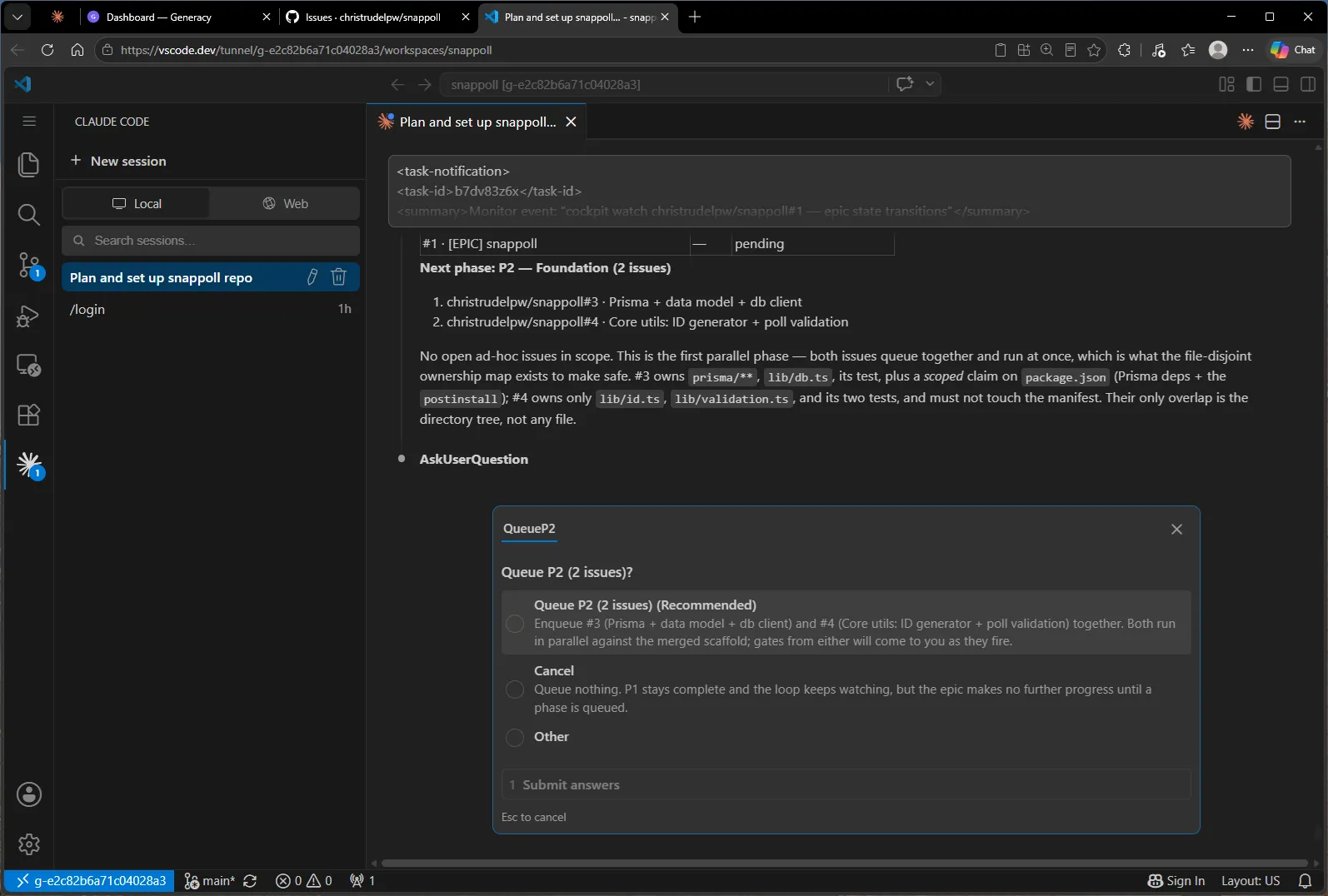
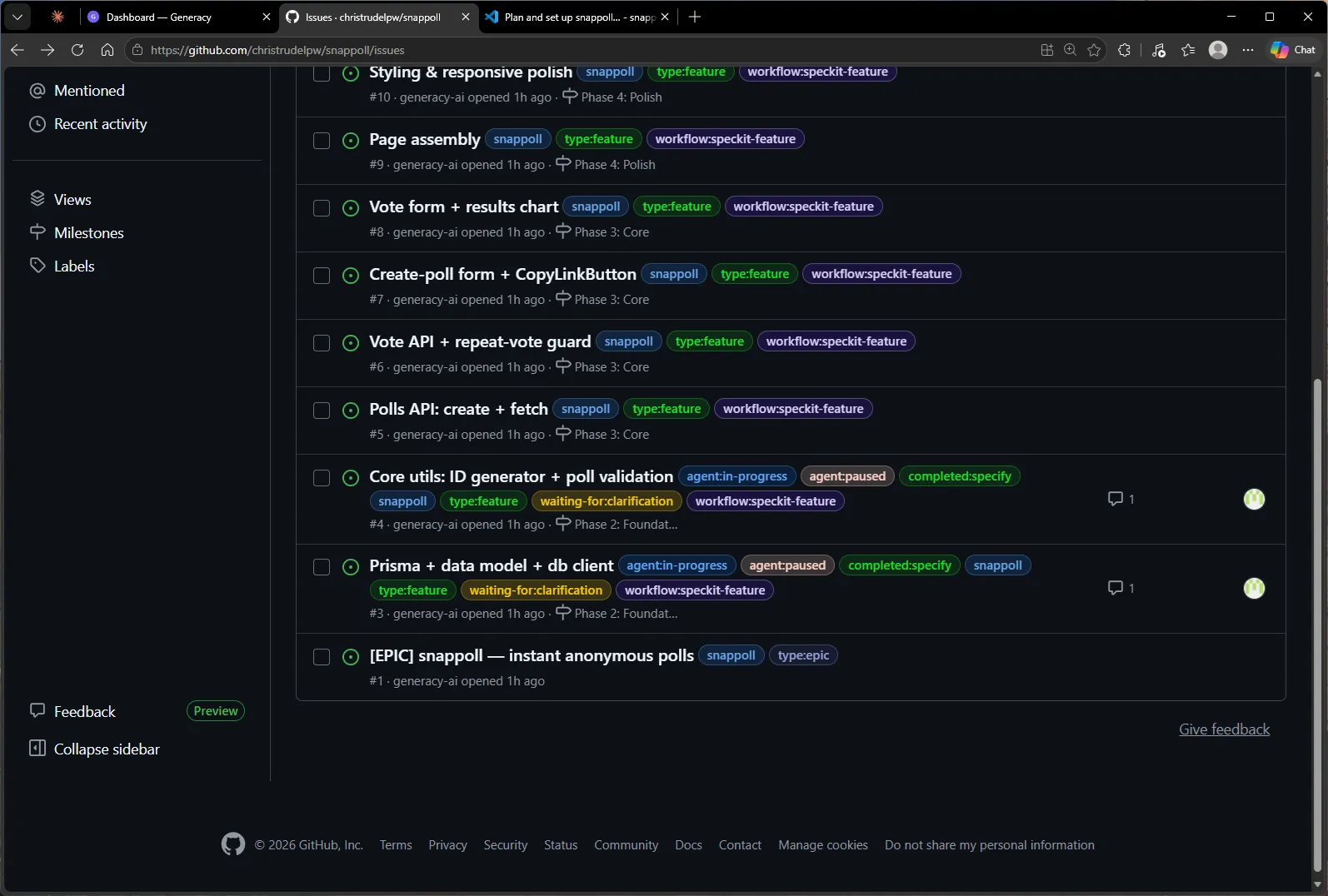
One keystroke, and the epic went parallel — both Foundation issues climbing the label ladder at once, pausing together at their clarification gates:
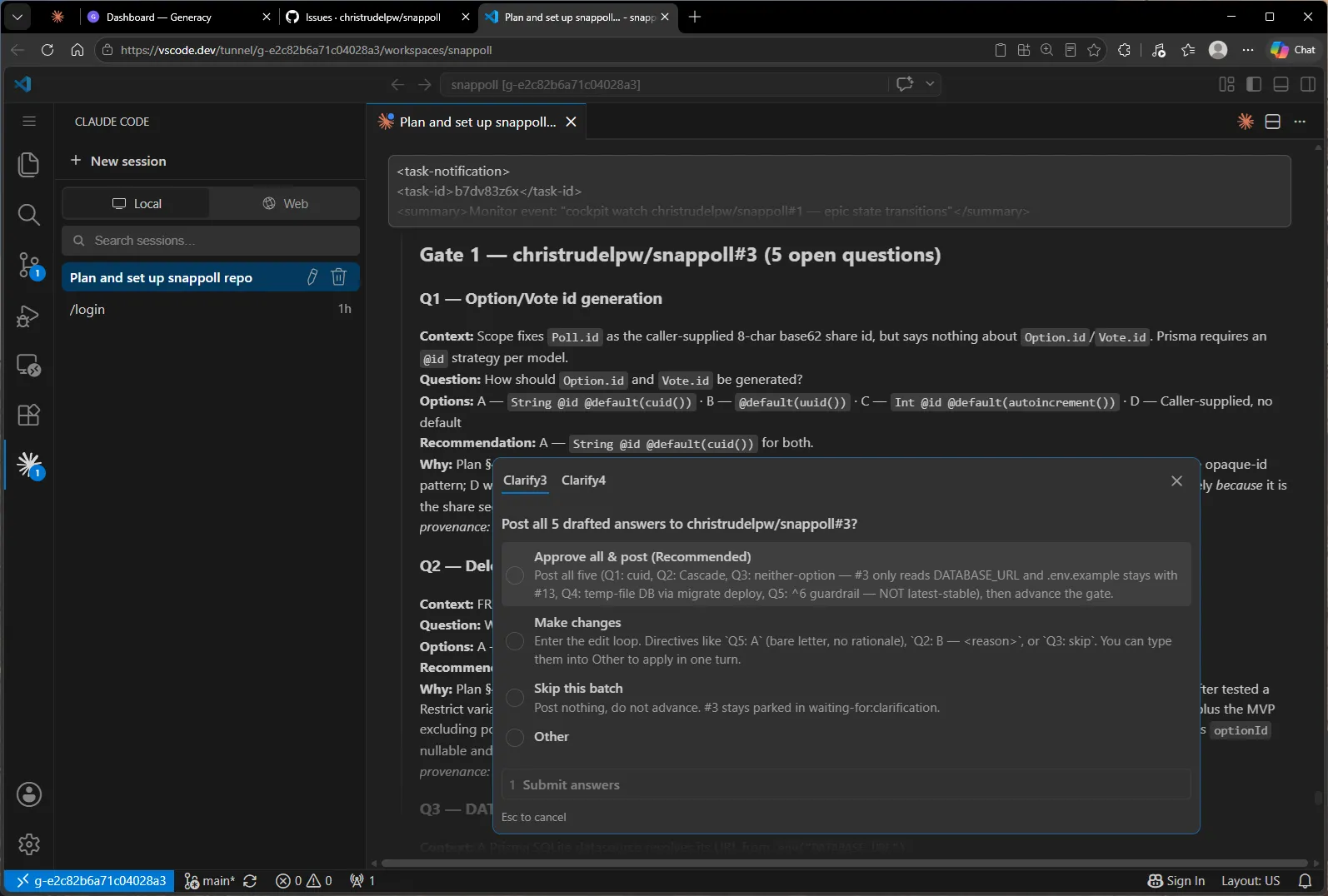
With two issues waiting at once, the gates stack instead of interleaving — one prompt, one tab per issue. #3 alone posted five questions, and the drafts again did the homework: cuid IDs for the Prisma models, cascade deletes, and — the one that would have bitten later — pinning Prisma to the current major with a ^6 guardrail instead of “latest stable”, which would have silently pulled the next major and its breaking datasource changes:
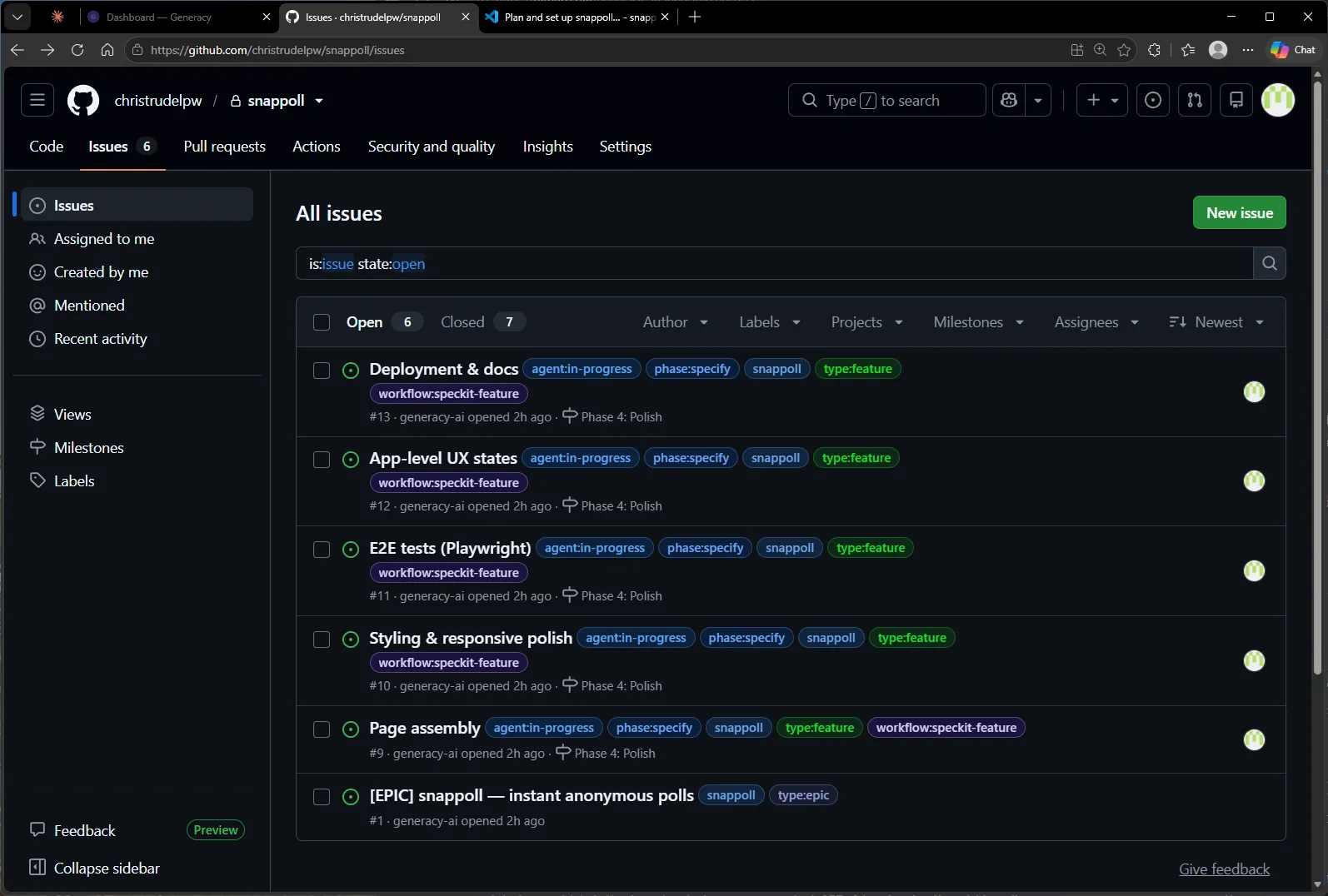
From here the loop simply repeats — clarify, review, merge, phase gate — wider each time: P3 ran four agents abreast (Core: both APIs and both form components), P4 five (Polish: pages, styling, E2E tests, UX states, deployment). Same rhythm, more lanes:
Epic complete
When the last P4 issue merged, the loop exited on its own and printed the run summary — every phase, every issue, every PR, and a tally of exactly what was asked of the human:
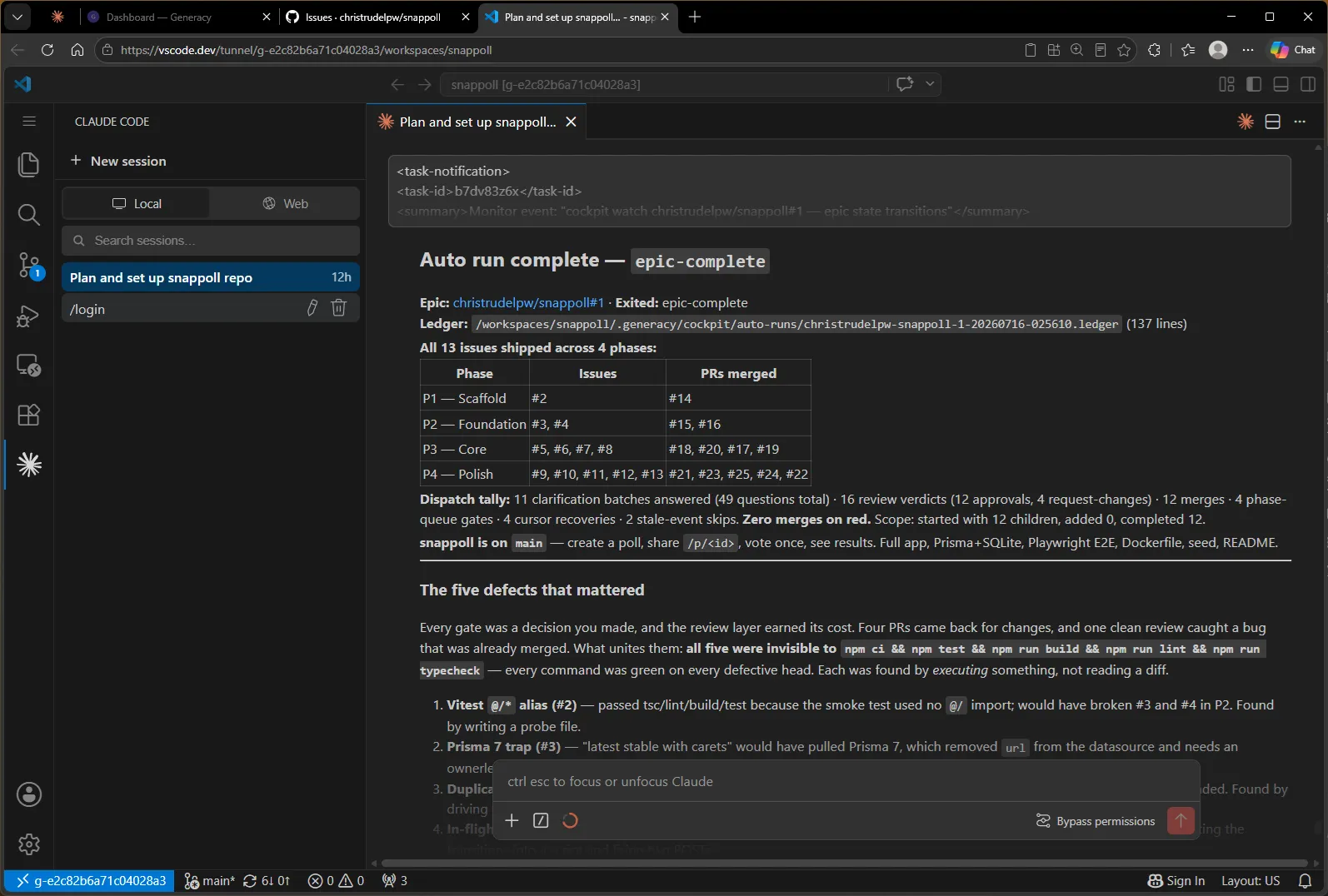
The summary’s closing analysis makes the case for the review layer better than I can: four PRs came back for changes, and what united the findings is that all of them were invisible to npm ci && npm test && npm run build — every command was green on every defective head. Each was found by executing something — a probe import, a dependency-range check — not by reading the diff and nodding.
The app it built
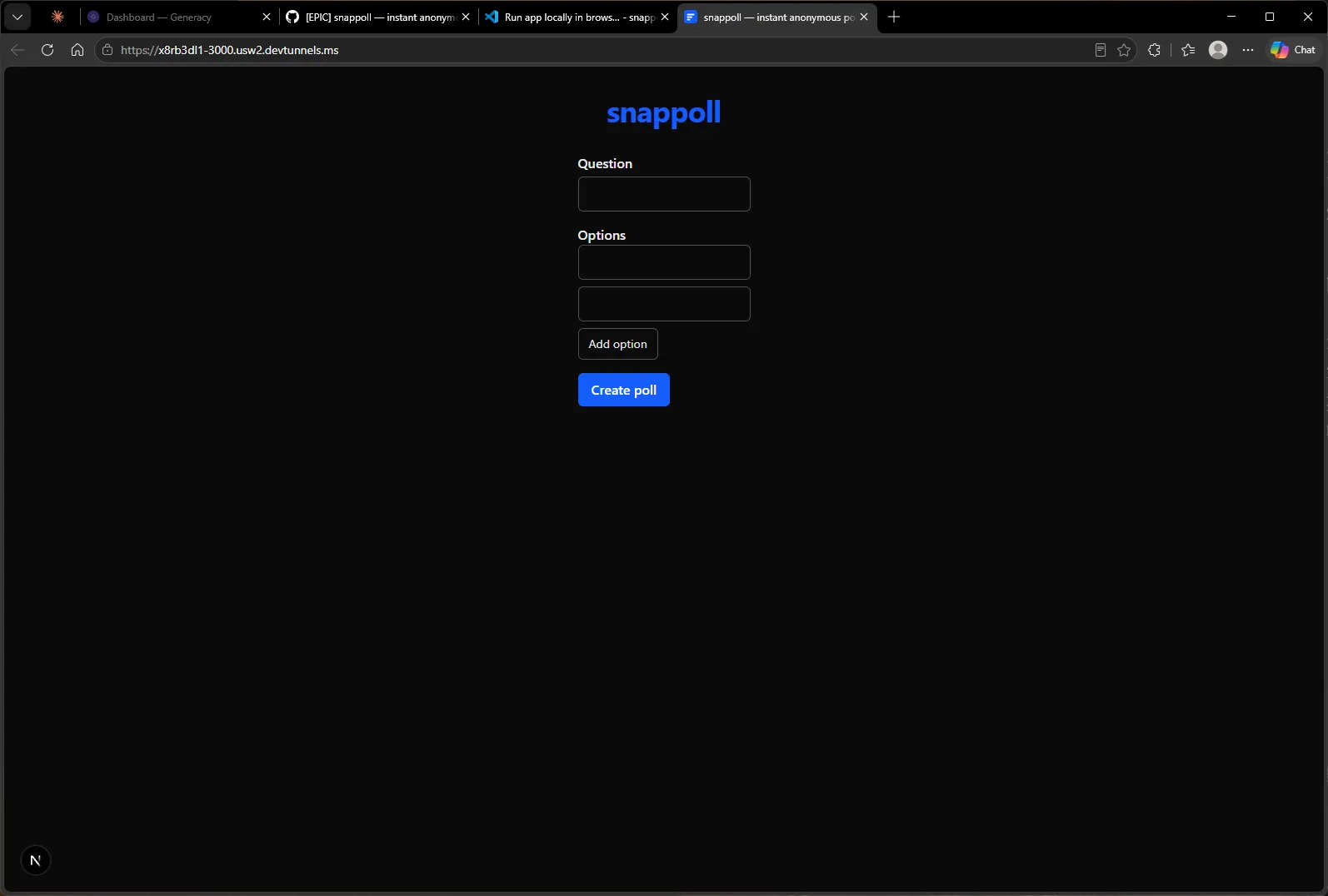
npm install && npm run dev on a fresh checkout of main, and snappoll is live — create a poll:
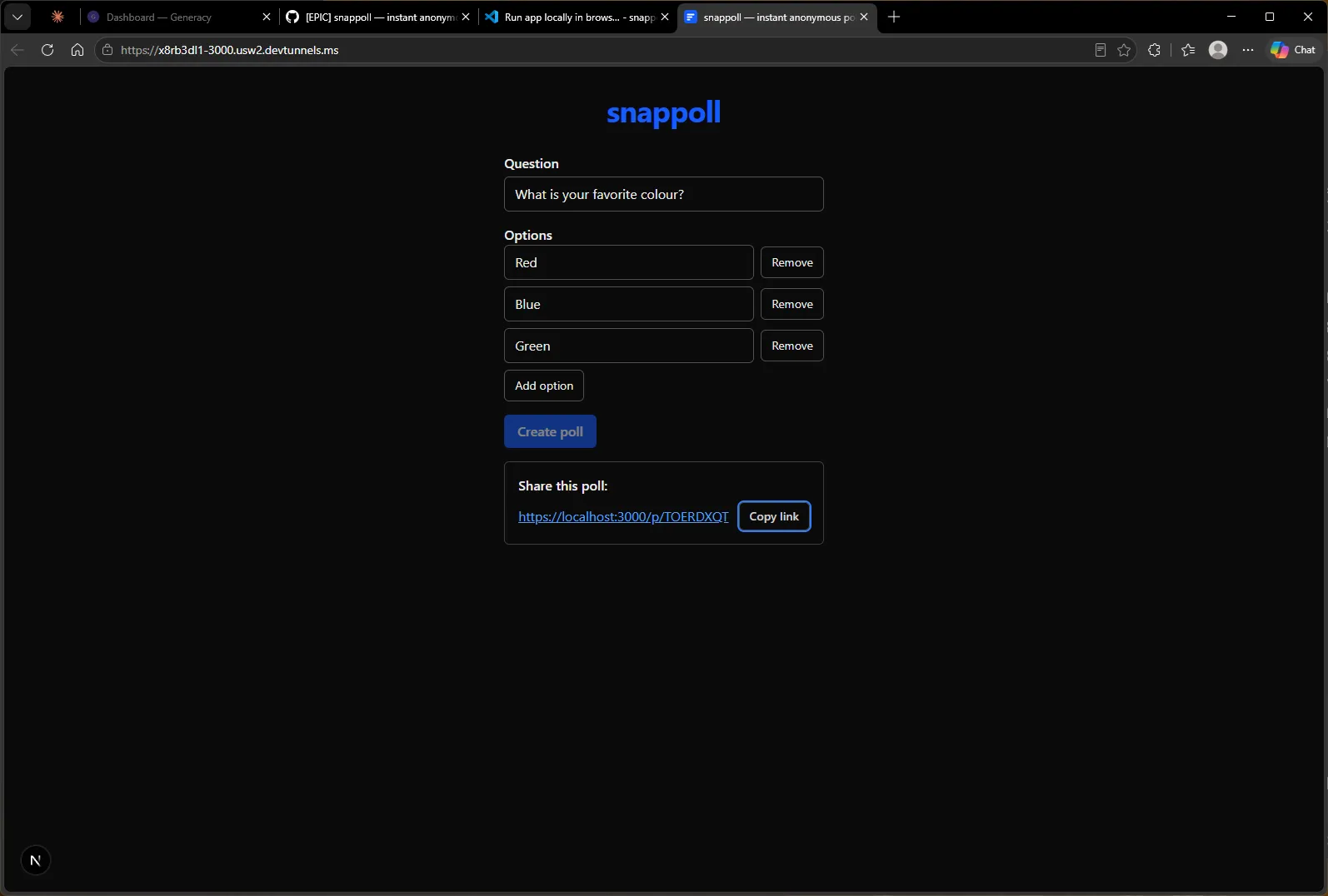
…get the share link inline, exactly as the spec demanded (no navigation):
…vote once from the share link:
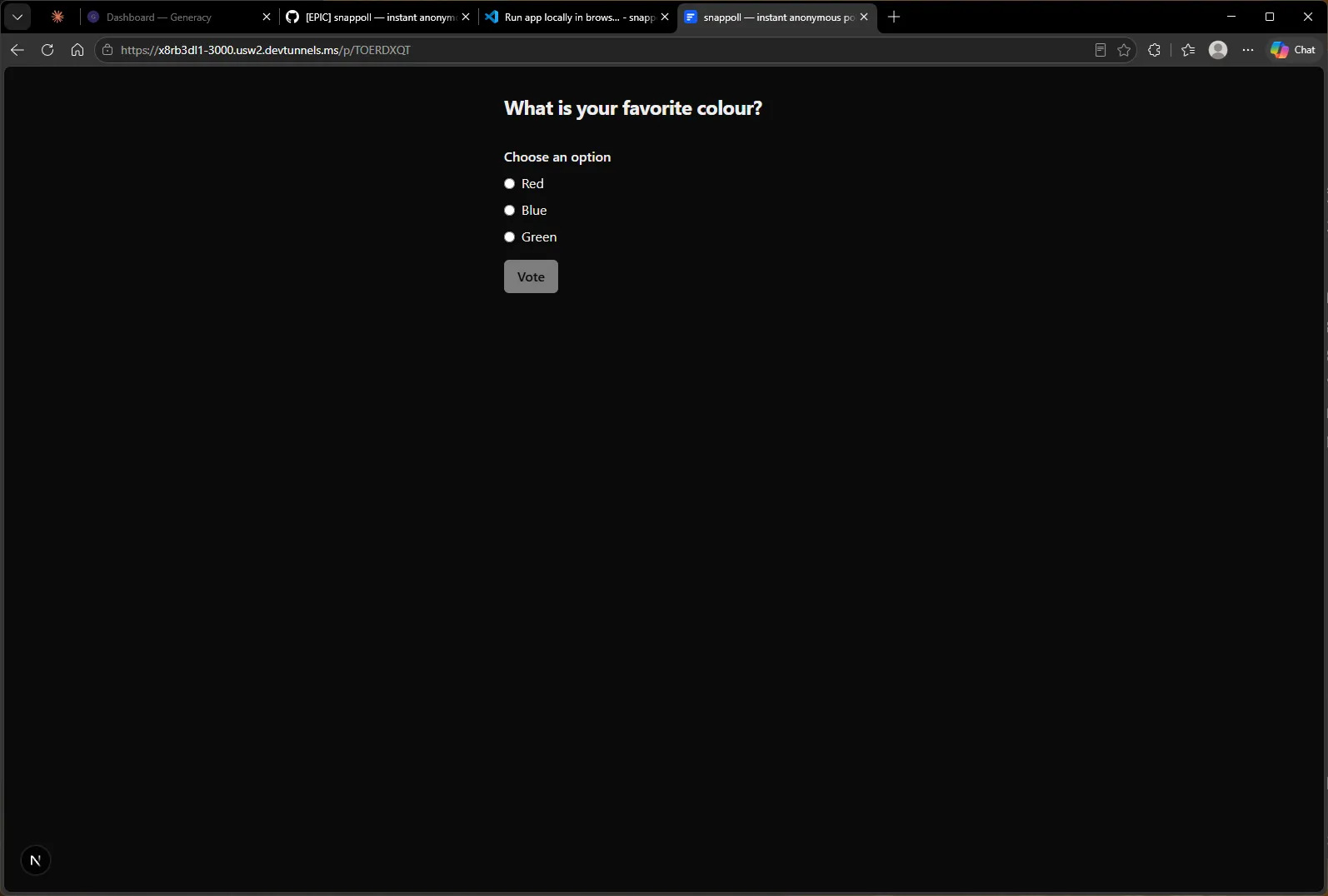
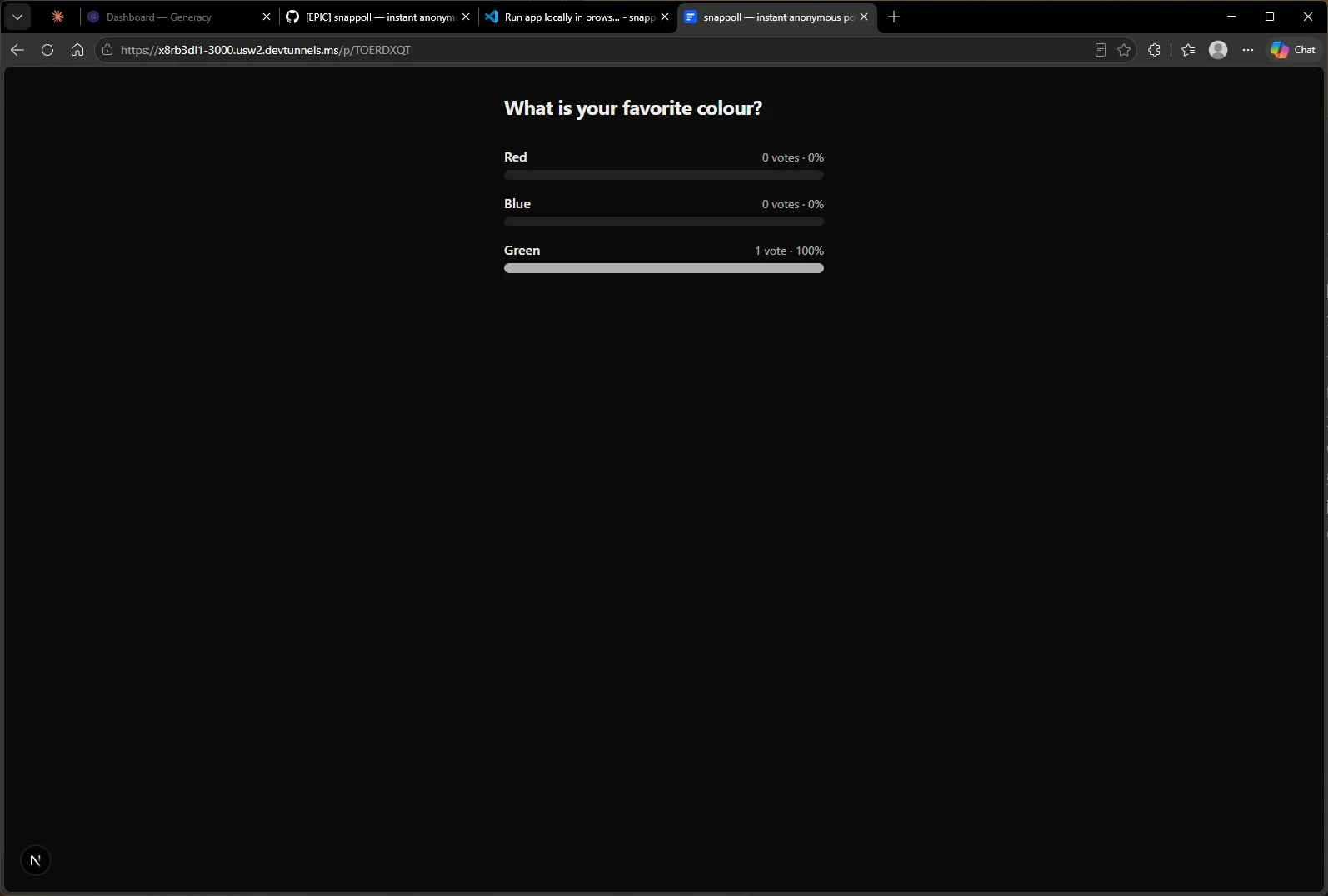
…and see results as the promised horizontal bars. A repeat visit skips the vote form and shows results directly — the vote-once cookie doing its job:
What shipped, and what it took
Twelve issues, twelve pull requests, four phases, zero red merges. A working full-stack app — Next.js, Prisma + SQLite, a REST API with a vote-once guard, Playwright E2E suite, Dockerfile, seed script, docs — built by agents running up to five wide, from a backlog that didn’t exist at dinnertime the night before.
The clock tells you whose time this workflow actually spends. I queued P1 at about 9pm and stayed at the keyboard through the first three phases: each one ran 37–40 minutes end to end — specify, clarify, plan, implement, review, validate, merge — with the phase handoffs costing one to three minutes each, because I answered the gates as they arrived. Seven issues were on main by 11pm. Then I queued P4, answered its clarification round at 11:20, and went to bed. Its five review verdicts came ready by about 11:40pm and sat there — parked, safe, merging nothing — for the eight hours I slept. I answered them at 7:55 the next morning, and all five PRs were merged by 8:19. Total elapsed: 11 hours 21 minutes, of which a single 8-hour stretch was the system waiting for me, by design. At the pace I was answering while awake, the whole epic is roughly a three-hour affair — and even that pace was handicapped: this run’s cluster had a misconfigured webhook channel and silently fell back to polling GitHub for label changes, so every one of the workflow’s phase transitions paid an extra polling delay.
What it took from me, in total, was 31 decisions: 4 phase-queue gates, 11 clarification batches covering 49 questions, and 16 review verdicts. Nearly every one was a single keystroke on a drafted recommendation — the work of the loop was reading its reasoning, not doing its research. The four times I sent a PR back for changes, the finding was real, executable proof was attached, and the fix routed itself back to the agent that wrote the code.
That’s the trade the cockpit offers. The agents write the specs, the plans, the code, the tests, and the review analysis; the human owns exactly the judgment calls — what to build, what “done” means, and whether the evidence holds up. Everything between those calls runs itself, nothing merges without having passed a gate you held — and when you walk away, the epic doesn’t drift or guess. It waits.
If you want to run this yourself: the onboarding guide covers project and cluster setup, the Epic Cockpit guide documents every command and gate you saw here, and for what this workflow looks like compounded over a month, there’s 27 days, one developer, one subscription.